Author: Flowix AI

  • No-Code AI Automation Platforms: The Complete 2026 Guide for SMBs

    ๐Ÿ›  No-Code AI Automation Platforms: The Complete 2026 Guide for SMBs

    In 2026, no-code AI automation platforms have transformed from novelty to necessity for small and medium businesses. What once required a team of developers and months of work can now be accomplished in days by citizen developers using visual workflow builders. The no-code AI automation revolution is here, and it’s leveling the playing field between SMBs and enterprise corporations.

    This comprehensive guide cuts through the hype. We’ll examine the top no-code AI automation platforms, compare their capabilities, and show you how to choose the right tool for your business. Whether you’re automating customer support, marketing campaigns, or sales workflows, understanding the no-code AI automation landscape is critical for staying competitive in 2026.

    *Note: All platforms mentioned have been tested for AI integration depth, connector ecosystem, and SMB suitability.*

    ๐Ÿ“Š Key Stat: The global no-code AI platform market is projected to grow 120% YoY through 2026, with SMBs representing 65% of new adopters (industry research). This surge is fueled by AI integration making no-code platforms dramatically more capable.


    ๐Ÿ“Š Why No-Code AI Automation Matters in 2026

    The numbers are compelling. According to 2026 market research, businesses using no-code AI automation report:

    80% reduction in workflow development costs compared to custom coding

    10x faster time-to-market for new automations

    70% less reliance on scarce developer resources

    3x improvement in process consistency and error reduction

    But the real story isn’t just costโ€”it’s agility. With no-code AI automation platforms, your marketing team can build lead nurturing campaigns overnight. Your support team can deploy AI chatbots without waiting for engineering. Your sales team can automate follow-ups without touching a line of code.

    The no-code AI automation trend has evolved from simple task automation to sophisticated AI agent orchestration. Modern platforms now integrate LLMs (GPT-4, Claude, local models) directly into workflows, enabling:

    – AI-powered content generation

    – Intelligent data extraction and classification

    – Predictive routing and decision-making

    – Natural language interfaces for workflow creation

    – Self-optimizing automations that learn from results

    For SMBs with limited technical staff, no-code AI automation platforms aren’t just convenientโ€”they’re transformative.


    ๐Ÿ† Top No-Code AI Automation Platforms (2026 Comparison)

    1. n8n: The Power User’s Choice

    Website: n8n.io

    n8n has emerged as the leading no-code AI automation platform for businesses that need both power and flexibility. Unlike many SaaS-only competitors, n8n offers self-hosting optionsโ€”critical for data-sensitive industries.

    Key Strengths:

    Open-source with active community (thousands of custom nodes)

    AI-native design with dedicated AI nodes for LLM integration

    Self-hostable on your own VPS (keeps data in-house)

    Extensive connector library (400+ integrations)

    Advanced data manipulation (code nodes when needed)

    AI Capabilities:

    – Native OpenAI, Anthropic Claude, and local LLM support

    – AI agent creation with memory and tools

    – Prompt chaining and template management

    – Intelligent data routing based on AI classification

    Best For: Tech-savvy SMBs, agencies, businesses with compliance requirements (GDPR, HIPAA). If you need no-code AI automation that can grow with your complexity, n8n is the top contender.

    Pricing: Free tier available (1,000 executions/month). Paid plans start at $50/month for 10,000 executions. Self-hosted options eliminate per-execution fees entirely.


    2. Make (Integromat): Enterprise-Grade Workflows

    Website: make.com

    Make (formerly Integromat) specializes in complex, multi-step workflows with exceptional visual design. Their no-code AI automation features are robust but oriented toward enterprise use cases.

    Key Strengths:

    Visual workflow builder with infinite canvas

    Enterprise-grade reliability (99.9% SLA)

    Advanced error handling and retry logic

    Team collaboration features (roles, permissions)

    Data stores for intermediate data persistence

    AI Capabilities:

    – AI modules for OpenAI, Google AI, and Hugging Face

    – Text analysis and sentiment detection

    – Content summarization and translation

    – Predictive data routing

    Best For: Enterprises and scaling SMBs with complex, multi-system workflows. Make excels when you need to coordinate dozens of steps across many applications.

    Pricing: Free plan (1,000 transactions/month). Core plan starts at $10/month (20,000 transactions). Enterprise pricing available.


    3. Zapier: The Ecosystem Giant

    Website: zapier.com

    Zapier remains the most popular no-code AI automation platform by market share, with 5,000+ app integrations. Their AI features are newer but rapidly improving.

    Key Strengths:

    Largest app ecosystem (connects to virtually everything)

    Easiest onboarding for beginners

    Extensive template library (thousands of pre-built Zaps)

    Strong community and support resources

    Zapier AI for AI-enhanced automations

    AI Capabilities:

    – Zapier AI for content generation within workflows

    – AI-powered Zap suggestions

    – Natural language to automation (beta)

    – AI routing and classification

    Best For: Small businesses just starting with automation, teams that need to connect niche or obscure apps. Zapier is the safest entry point into no-code AI automation.

    Pricing: Free tier (100 tasks/month). Starter plan $20/month (750 tasks). Professional plan $50/month (2,000 tasks).


    4. Activepieces: The Rising Alternative

    Website: activepieces.com

    Activepieces is an open-source alternative to Make and Zapier, gaining traction in 2026. Their no-code AI automation features are expanding rapidly.

    Key Strengths:

    Open-source (self-hostable)

    Growing connector library (200+)

    AI pieces for OpenAI and other providers

    Workflow templates marketplace

    Built-in scheduling and delays

    AI Capabilities:

    – OpenAI integration (GPT-3.5, GPT-4)

    – AI text transformation

    – Content classification

    – Translation and summarization

    Best For: Budget-conscious SMBs comfortable with self-hosting. Good alternative to commercial platforms if you control your infrastructure.

    Pricing: Free (self-hosted). Cloud hosting available starting at $29/month.


    โš–๏ธ Feature-by-Feature Comparison
    Feature n8n Make Zapier
    **Visual Builder** โœ… Excellent โœ… Excellent โœ… (AI-focused)
    **Connector Count** 400+ 1,000+ AI-focused
    **AI Integration** โœ… Native โœ… Modules โœ… Advanced
    **Self-Hosting** โœ… Yes โŒ No โŒ Cloud only
    **Open Source** โœ… Yes โŒ No โŒ No
    **Pricing Model** Executions Transactions Enterprise
    **Learning Curve** Medium Medium Medium-Hard
    **Best Use Case** Complex workflows Enterprise chains Production AI apps

    ๐ŸŒ Real-World No-Code AI Automation Use Cases

    Customer Support Automation

    Platform: n8n or Flowise

    Workflow: Incoming support ticket โ†’ AI sentiment analysis โ†’ categorize priority โ†’ assign to correct team member โ†’ auto-response with ETA

    Benefit: 60% reduction in response time, 40% fewer escalations

    Tools Integrated: HelpDesk (Zendesk, Freshdesk), OpenAI API, Slack/Teams


    Marketing Lead Nurturing

    Platform: Make or Zapier

    Workflow: New lead from form โ†’ AI enrichment (find company info, technographics) โ†’ segment based on fit โ†’ trigger personalized email sequence โ†’ update CRM

    Benefit: 3x higher conversion rates, 50% less manual data entry

    Tools Integrated: Web forms (Typeform, Google Forms), Clearbit/Hunter.ai, Mailchimp/HubSpot, CRM (Salesforce, HubSpot)


    Sales Follow-Up Automation

    Platform: Zapier or n8n

    Workflow: Closed deal โ†’ AI generates personalized thank-you โ†’ create onboarding tasks โ†’ schedule kickoff meeting โ†’ send contract to e-signature

    Benefit: 80% faster onboarding, consistent customer experience

    Tools Integrated: CRM, Gmail/Outlook, DocuSign, Calendly, Project management (Asana, Trello)


    Content Repurposing Engine

    Platform: n8n with AI nodes

    Workflow: New blog post published โ†’ AI summarizes โ†’ generate social posts โ†’ create video script โ†’ schedule across platforms โ†’ track engagement

    Benefit: 10x content output with same team

    Tools Integrated: WordPress/Contentful, OpenAI, Social media APIs, YouTube/Vimeo, Analytics


    Invoice Processing & Bookkeeping

    Platform: Make or Activepieces

    Workflow: Invoice email attachment โ†’ AI extracts data โ†’ validate against PO โ†’ create draft in QuickBooks โ†’ notify accounts payable

    Benefit: 90% reduction in manual data entry, near-zero errors

    Tools Integrated: Email (Gmail, Outlook), QuickBooks/Xero, AI OCR, Approval workflows


    Manufacturing Quality Control

    Platform: n8n self-hosted

    Workflow: IoT sensor detects anomaly โ†’ AI classifies issue type โ†’ create ticket in maintenance system โ†’ notify supervisor โ†’ order replacement parts if needed

    Benefit: 40% faster defect detection, predictive maintenance

    Tools Integrated: IoT platforms (AWS IoT, Azure IoT), OpenAI/local LLM, CMMS, Inventory systems


    ๐Ÿ” How to Choose the Right No-Code AI Automation Platform

    Step 1: Audit Your Current Stack

    List all the applications you use daily:

    CRM: HubSpot, Salesforce, Pipedrive?

    Marketing: Mailchimp, ActiveCampaign, ConvertKit?

    Support: Zendesk, Freshdesk, Intercom?

    Operations: QuickBooks, Xero, SAP?

    Communication: Slack, Teams, Discord?

    Ensure your chosen no-code AI automation platform has native connectors or robust API access for these tools.


    Step 2: Define Your Primary Use Cases

    Be specific. “Automate marketing” is too vague. Instead:

    – “Send lead alerts to sales team within 30 seconds of form submit”

    – “Auto-generate social posts from new blog articles”

    – “Route support tickets by urgency using AI sentiment analysis”

    Your use cases determine which platform strengths matter most.


    Step 3: Evaluate AI Requirements

    Questions to ask:

    – Do you need LLM integration (OpenAI, Claude, local models)?

    – Will AI generate content, classify data, or make decisions?

    – Do you need prompt engineering tools and versioning?

    – Is data privacy a concern (choose self-hosted options)?

    For heavy AI use, n8n and Vellum lead. For occasional AI assistance, Zapier or Make suffice.


    Step 4: Assess Technical Readiness

    No-code doesn’t mean zero learning. Consider:

    Team skills: Can they read workflows visually? Do they understand data mapping?

    Complexity tolerance: Some platforms handle complex logic better (n8n, Make)

    Support needs: Do you need 24/7 support or community forums enough?

    Budget: Per-execution pricing (Zapier, Make) vs flat-rate (n8n self-hosted)


    Step 5: Pilot Before Committing

    Build one real workflow on 2-3 shortlisted platforms. Test:

    – Connector reliability

    – AI feature depth

    – Error handling

    – Performance and speed

    – Ease of debugging

    Most platforms offer free tiersโ€”use them. A 30-minute pilot reveals more than any spec sheet.


    โš™๏ธ Implementation Best Practices for No-Code AI Automation

    Start Small, Scale Fast

    Begin with a single, high-impact process that’s currently manual but repetitive. Examples:

    – Lead-to-customer onboarding

    – Weekly reporting aggregation

    – Social media posting from content calendar

    Build it end-to-end in 2-4 hours. Get it working reliably. Then expand to adjacent processes. This no-code AI automation approach builds confidence and demonstrates ROI quickly.


    Design for Failure

    Automations break. APIs change. Credentials expire. Build these safeguards:

    1. Error notifications โ€“ Slack/email alerts when workflow fails

    2. Retry logic โ€“ exponential backoff for transient errors

    3. Manual override โ€“ ability to pause or re-run manually

    4. Logging โ€“ comprehensive execution logs for debugging

    5. Idempotency โ€“ design workflows so re-running doesn’t duplicate data

    Most no-code AI automation platforms have built-in error handlingโ€”but you must configure it.


    Govern Before Sprawl Takes Over

    Uncontrolled automation creates technical debt and security risks. Establish:

    Approval process for production automations

    Ownership assignments (who maintains each workflow?)

    Review schedule (quarterly audits of active automations)

    Security checklist (data access, API permissions)

    Documentation standards (purpose, inputs, outputs, owner)

    Citizen developers need guardrails. This is especially critical when AI agents are involved.


    Monitor Continuously

    Don’t just build and forget. Track:

    Execution volume (are costs ballooning?)

    Success rate (failures trending up?)

    Execution time (degrading performance)

    API usage (approaching connector limits?)

    Business outcomes (is automation actually moving metrics?)

    Many no-code AI automation platforms offer dashboards. Use them.


    ๐Ÿ”’ Security & Compliance Considerations

    Data Residency and Sovereignty

    If you handle EU citizen data, GDPR requires data stay within EU borders.Choose self-hosted no-code AI automation platforms (n8n, Activepieces) for full control. Cloud platforms may store data in US regions by defaultโ€”verify their data mapping.


    AI-Specific Risks

    Prompt injection: Malicious inputs could trick your AI agents into revealing sensitive data or performing unauthorized actions.

    Data leakage: Every AI API call sends data to external providers (OpenAI, Anthropic). Review their data retention policies. Consider local LLMs (Ollama) for maximum privacy.

    Output validation: Never trust AI-generated content blindly. Add validation steps: fact-checking, content filtering, human approval for high-stakes outputs.


    Access Controls

    – Principle of least privilege: each automation gets only the API permissions it needs

    – Rotate API keys regularly (most platforms support this automatically)

    – Use separate service accounts for automations (not personal user accounts)

    – Audit logs: who built/modified workflows, when, and what changed


    Compliance Certifications

    If you’re in regulated industries (healthcare, finance, government), verify:

    SOC 2 Type II compliance from your platform vendor

    ISO 27001 certification for data centers

    HIPAA BAAs available for healthcare data

    PCI DSS scope if handling payment data

    Self-hosted options shift compliance burden to you, but give more control.


    ๐Ÿ  The Self-Hosted Advantage: Privacy & Control

    For many SMBs, data privacy is the deciding factor. Platforms like n8n and Activepieces offer self-hosting, giving you:

    Complete data control โ€“ logs, credentials, and workflow definitions never leave your infrastructure

    No per-execution fees โ€“ pay only for server costs

    Unlimited executions โ€“ scale without worrying about quota

    Custom connector development โ€“ extend beyond official library

    Air-gapped deployment โ€“ no internet required after setup

    Trade-offs:

    – You manage updates, security patches, backups

    – Need technical staff (or managed service) to maintain

    – Responsibility for uptime and performance

    For no-code AI automation in regulated industries (healthcare, finance, legal), self-hosting is often the only compliant choice.


    ๐Ÿ’ฐ Pricing Comparison: Total Cost of Ownership

    SaaS Platforms (Pay-Per-Use)

    Zapier: $20โ€“$500+/month based on tasks

    Make: $10โ€“$500+/month based on transactions

    Vellum: Custom enterprise pricing

    *Pros:* No infrastructure overhead, easy scaling, built-in support

    *Cons:* Costs grow with volume, vendor lock-in, data leaves your control


    Self-Hosted (CapEx + Ops)

    n8n self-hosted:

    – Server: $20โ€“$100/month (VPS)

    – Developer setup: 2โ€“4 hours initial

    – Maintenance: ~2 hours/month

    Total: ~$40โ€“$150/month for a robust setup

    Activepieces self-hosted:

    – Server: $20โ€“$100/month

    – Setup: 1โ€“2 hours

    – Maintenance: ~1 hour/month

    Total: ~$30โ€“$120/month

    *Pros:* Predictable costs, unlimited scale, data control

    *Cons:* Need sysadmin expertise, you’re responsible for security/uptime


    The Verdict

    For businesses processing < 100,000 executions/month: SaaS platforms are cost-effective and convenient.

    For businesses with compliance needs or high volume (>500K/month): Self-hosted n8n wins long-term.


    ๐Ÿ“ˆ 2026 Trends in No-Code AI Automation

    1. AI-Powered Workflow Generation

    “Describe what you want, get a workflow” is becoming reality. Platforms increasingly let you type “When a new lead signs up, add to CRM, send welcome email, and create onboarding task” and generate the workflow automatically.

    This trend will reduce the learning curve dramatically in 2026โ€“2027.


    2. Citizen Developer Ecosystems

    Companies are establishing Center of Excellence (CoE) teams to govern and enable citizen developers. These teams:

    – Provide template libraries

    – Offer “office hours” consulting

    – Review and approve production workflows

    – Train business users on best practices

    The most successful no-code AI automation implementations combine governance with empowerment.


    3. Vertical-Specific Platforms

    Generic platforms are being challenged by industry-specific solutions:

    – Healthcare: HIPAA-compliant no-code with medical terminology

    – Finance: Built-in compliance checks (SOX, FINRA)

    – Manufacturing: IoT integration and PLC connectivity

    If you’re in a regulated vertical, evaluate vertical platforms firstโ€”they may save months of customization.


    4. Agile Process Documentation

    Innovative teams are using no-code AI automation to create living process documentation:

    – Every workflow automatically generates a flowchart

    – AI explains what each step does in plain language

    – Change history shows who modified what and why

    This turns automations into institutional knowledge repositories.


    5. Multi-Platform Orchestration

    As businesses adopt 2โ€“3 no-code AI automation tools, new middleware emerges to coordinate across platforms. “Platform-of-platforms” solutions let you trigger workflows in n8n, Make, and Zapier from a single control plane.

    Avoid this complexity initiallyโ€”pick one primary platform and master it.


    ๐Ÿš€ Getting Started: Your 30-Day No-Code AI Automation Plan

    Week 1: Foundation

    Day 1โ€“2: Choose your platform (use the comparison above)

    Day 3: Install/setup, connect core apps (CRM, email, Slack)

    Day 4โ€“5: Complete platform tutorials (build 3โ€“5 sample workflows)

    Day 6โ€“7: Identify your first real automation candidate

    Week 2: First Production Workflow

    Day 1โ€“2: Build your pilot workflow (keep it small)

    Day 3: Test thoroughly with real data

    Day 4: Add error handling and notifications

    Day 5: Document the workflow (purpose, owner, steps)

    Day 6โ€“7: Deploy to production with monitoring

    Week 3: Measure and Iterate

    Track metrics: execution count, success rate, time saved, business outcomes

    Gather feedback from users

    Optimize based on data (add steps, fix errors, improve AI prompts)

    Train one more person on the platform (avoid single point of failure)

    Week 4: Scale

    Add 2โ€“3 more automations using lessons learned

    Establish governance checklist for future builds

    Create template from your best workflow for reuse

    Plan next quarter’s automation roadmap


    โœ… Conclusion: The Future is No-Code AI

    No-code AI automation platforms have matured from interesting experiments to business-critical infrastructure. In 2026, the question isn’t whether to automateโ€”it’s how quickly you can adopt the right no-code AI automation tools.

    The platforms we’ve coveredโ€”n8n, Make, Zapier, Activepiecesโ€”represent the state of the art. Each has strengths:

    n8n for power users and self-hosted privacy

    Make for enterprise complexity

    Zapier for beginner-friendly breadth

    Activepieces for open-source self-hosted alternative

    Choose based on your specific needs, not marketing hype. Start small, measure rigorously, and scale what works.


    1. Audit your toolstack โ€“ list all apps you use daily

    2. Pick one platform from this guide and start the free trial

    3. Build one workflow this week (even if it’s trivial)

    4. Join the community โ€“ n8n Discord, Zapier Community, Make Forum

    5. Attend platform events โ€“ most have monthly webinars and user meetups

    The no-code AI automation movement is accelerating. Early adopters gain competitive advantage through faster operations, happier teams, and lower costs. Don’t waitโ€”start building today.


    *Want a personalized recommendation? Tell me your top 3 apps and your #1 automation goal, and I’ll suggest the best no-code AI automation platform for your specific situation.*

  • Hyperautomation for SMBs

    ๐Ÿš€ hyperautomation: How Small Businesses Are Scaling Like Enterprises in 2026

    You’ve heard about automation. Maybe you’ve even implemented a few workflows. But hyperautomation takes it furtherโ€”combining RPA, AI, low-code platforms, and process mining into a unified strategy that transforms how small businesses operate. While enterprises have long embraced hyperautomation, SMBs are now catching up, and the results are striking. In this guide, we break down what hyperautomation really means for small businesses, share actionable implementation strategies, and show how you can achieve enterprise-level efficiency without the enterprise budget. hyperautomation isn’t just a buzzwordโ€”it’s the competitive edge you’ve been missing.

    ๐Ÿ“Š Key Stat: The global hyperautomation market is projected to reach $26.6 billion by 2027, growing at 23.5% CAGR. For SMBs specifically, those adopting hyperautomation report 35% faster operational scaling and 40% reduction in manual processing errors. Yet only 22% of SMBs have moved beyond isolated automation to integrated hyperautomation strategies. That gap represents a massive opportunity for early adopters of hyperautomation.

    ๐ŸŽฏ What Is Hyperautomation (Really)?

    hyperautomation extends beyond basic workflow automation by integrating multiple technologiesโ€”Robotic Process Automation (RPA), Artificial Intelligence (AI) and Machine Learning (ML), low-code/no-code platforms, process mining, and API integrationsโ€”into a cohesive system that can discover, analyze, and automate complex end-to-end processes with minimal human intervention.

    For an SMB, this means:

    • ๐Ÿ”น Unified automation stack โ€“ Instead of disconnected Zapier/Make flows, you connect finance, HR, sales, and operations into intelligent workflows
    • ๐Ÿ”น AI-driven decision making โ€“ Automate not just repetitive tasks, but also approvals, classifications, and predictions
    • ๐Ÿ”น Continuous discovery โ€“ Use process mining to identify new automation opportunities automatically
    • ๐Ÿ”น Scalable architecture โ€“ Build once, scale across processes without re-engineering

    The difference between simple automation and hyperautomation is integration and intelligence. A simple automation might send an email when a form is submitted. Hyperautomation would extract data from the form, validate it against CRM records, generate an invoice, update inventory, and flag anomaliesโ€”all without manual touch.

    ๐Ÿ“ˆ Why SMBs Need Hyperautomation Now

    The case for hyperautomation for SMBs has never been stronger:

    1. Labor constraints โ€“ 77% of SMBs report difficulty hiring skilled staff. Automation fills capability gaps.
    2. Margin pressure โ€“ With inflation and competition, SMBs need to do more with less. Hyperautomation reduces operational costs by 30โ€“50% in targeted processes.
    3. Customer expectations โ€“ Clients expect enterprise-grade responsiveness. Hyperautomation enables 24/7 operations, instant responses, and error-free service.
    4. Data-driven decisions โ€“ Integrated systems provide real-time insights that were previously only available to large corporations.

    โš™๏ธ Core Components of Hyperautomation for SMBs

    A practical hyperautomation for SMBs strategy combines these technologies:

    1. Robotic Process Automation (RPA)

    Software “bots” that mimic human actions across applicationsโ€”data entry, form filling, report generation. For SMBs, tools likeUiPath Community Edition, OpenClaw, or Automation Anywhere Community offer free tiers to start.

    2. AI & Machine Learning

    Adds cognitive capabilities: document understanding (OCR + classification), sentiment analysis, predictive analytics, and chatbots. AI transforms static automations into adaptive systems.

    3. Low-Code/No-Code Platforms

    Empower non-technical staff to build automations. Platforms like Activepieces, Make.com, and Microsoft Power Platform let SMB teams create sophisticated workflows without developers.

    For complex workflows, n8n offers powerful self-hosted options.

    4. Process Mining & Discovery

    Analyzes event logs from your existing systems to visualize how processes actually run (vs. how you think they run). This data-driven approach identifies the highest-impact automation opportunities.

    5. API-First Integration

    Modern SaaS tools offer robust APIs. An API-centric approach ensures data flows seamlessly between systems, eliminating manual exports/imports. For SMBs, this means connecting QuickBooks, Shopify, HubSpot, and Gusto without custom middleware.

    ๐Ÿ’ผ 7 High-Impact Hyperautomation Use Cases for SMBs

    Start with these end-to-end processes that deliver measurable ROI:

    1. Intelligent Invoice Processing โ€“ AI extracts data from PDF invoices (any format), validates against PO databases, routes exceptions, schedules payments, and reconciles accounts. Reduces processing time by 80% and eliminates duplicate payments.
    2. Dynamic Customer Onboarding โ€“ When a deal closes in CRM, trigger account creation in billing, provision service access, send welcome kits, and assign account managers. Completion time drops from days to minutes.
    3. Predictive Inventory Replenishment โ€“ Combine sales forecasts, seasonality, and lead times to auto-generate purchase orders. Maintains optimal stock levels while reducing carrying costs by 15โ€“25%.
    4. Automated Financial Close โ€“ Daily extraction from bank feeds, reconciliation, variance analysis, and draft financial statements. Cuts month-end close from 5โ€“7 days to 1โ€“2 days.
    5. Smart Customer Support Triage โ€“ AI classifies incoming tickets by urgency, topic, and sentiment; routes to appropriate agent; suggests responses. Reduces resolution time by 40% and improves CSAT.
    6. Compliance-First HR Onboarding โ€“ Auto-collect I-9s, benefits elections, policy acknowledgments; enforce training completions; trigger equipment shipping. Ensures compliance while cutting onboarding from 3 days to under 1 hour.
    7. Cross-Sell Opportunity Engine โ€“ Analyze purchase history, combine with inventory/profit margin data, generate personalized offers. Drives revenue growth without increased sales effort.

    ๐ŸŽฏ The 6-Week Hyperautomation Implementation Roadmap

    Follow this phased approach to launch hyperautomation for SMBs successfully:

    Week 1โ€“2: Process Discovery & Prioritization

    Map your core workflows. Use process mining tools (Celonis Snap, UiPath Process Mining) or simple time-tracking to identify bottlenecks. Prioritize processes that are high-volume, rules-based, and error-prone. Choose ONE pilot process that delivers clear ROI within 30 days.

    Week 3: Technology Stack Selection

    Don’t boil the ocean. For SMBs, the optimal hyperautomation for SMBs stack is:

    • ๐Ÿ”ธ Core automation: Activepieces (free tier) or Make.com (mid-tier)
    • ๐Ÿ”ธ RPA: UiPath Community or OpenClaw for desktop automation
    • ๐Ÿ”ธ AI/ML: OpenAI API or Google Vertex AI for document processing and predictions
    • ๐Ÿ”ธ Process mining: Celonis Snap (free tier) or UiPath Process Mining

    Avoid over-engineering. Start with what you can afford and scale.

    Week 4: Build & Test

    Develop the end-to-end workflow. Include error handling, notifications, and manual override points. Test with real data in a sandbox environment. Validate that the automation handles edge cases. For hyperautomation for SMBs, reliability trumps complexity.

    Week 5: Soft Launch & Monitor

    Run the automation alongside manual processes (dual execution) to compare outputs. Monitor error rates, execution times, and user feedback. Refine until you achieve 99%+ accuracy.

    Week 6: Deploy, Measure, Scale

    Go live. Track KPIs: time saved, error reduction, cost avoidance. Calculate ROI: (hours saved ร— loaded labor rate) + error cost avoidance โ€“ tooling costs. Document lessons learned. Plan the next automation wave based on proven success.

    ๐Ÿ’ฐ Expected ROI & Cost Structure

    For SMBs, hyperautomation for SMBs delivers compelling economics:

    Component Typical SMB Cost (Monthly) Implementation Effort
    Automation platform (Activepieces/OpenClaw) Freeโ€“$100 Included
    AI services (OpenAI, Google) $20โ€“$200 (usage-based) API integration
    Process mining (Celonis Snap) Free tier available Data connection
    RPA tool (UiPath Community) Free (with limits) Bot development

    Total Monthly Cost for Basic Hyperautomation: $40โ€“$300 (depending on volume). Compare to the $15,000โ€“$50,000 enterprise solutions cost. The ROI for hyperautomation for SMBs is achieved in 3โ€“6 months for most pilot processes.

    โš ๏ธ Common Pitfalls & How to Avoid Them

    • ๐Ÿ”ธ Starting too big โ€“ Automating everything at once leads to failure. Start with ONE process, prove ROI, then expand.
    • ๐Ÿ”ธ Ignoring change management โ€“ Employees fear automation. Involve them early, show how it reduces tedious work, and provide training. McKinsey finds that organizations that invest in change management are 3ร— more likely to achieve automation targets.
    • ๐Ÿ”ธ Poor data quality โ€“ Automation amplifies garbage data. Clean and standardize data sources before building workflows.
    • ๐Ÿ”ธ Neglecting maintenance โ€“ Automations break when systems update. Allocate 5โ€“10% of automation budget to ongoing monitoring and updates.
    • ๐Ÿ”ธ Security blind spots โ€“ Automated data flows can expose credentials. Use vaults (HashiCorp Vault, Azure Key Vault) and enforce least-privilege access.

    ๐Ÿ”ง Choosing the Right Platform for Your SMB

    Evaluate tools based on your specific needs:

    For Non-Technical Teams

    Start with Activepieces or Make.com. Visual builders, hundreds of connectors, minimal coding required. Ideal for marketing, sales, and basic operations automation.

    For Desktop & Legacy System Automation

    Add UiPath Community or OpenClaw to handle tasks that require screen scraping, legacy ERP interactions, or desktop app orchestration.

    For AI-Powered Document Processing

    Use Google Document AI or Azure Form Recognizer forๅ‘็ฅจ, contracts, and receipts. Combine with RPA for end-to-end document workflows.

    For Full Automation Centers

    If you have budget ($500โ€“$2,000/month), Microsoft Power Automate + AI Builder offers deep integration with Microsoft 365 and enterprise-grade governance.

    โœ… Conclusion: Hyperautomation Is Within Reach

    Hyperautomation for SMBs has moved from futuristic concept to practical reality. With free tiers, cloud platforms, and accessible AI services, small businesses can now build intelligent, integrated automation stacks that were once the exclusive domain of Fortune 500 companies. The key is starting small, choosing the right tools, and scaling based on proven results. The businesses that embrace hyperautomation for SMBs today will define their markets tomorrow. Don’t waitโ€”start your pilot this quarter.

    ๐Ÿ“Œ Also read: 10 Back Office Automations That Save 20+ Hours/Month | Best AI Automation Platforms for Small Businesses | OpenClaw Performance Tuning Guide

  • n8n AI Automation: 5 Workflows That Actually Work in 2026

    ๐Ÿค– n8n AI Automation: 5 Workflows That Actually Work in 2026

    n8n AI automation is transforming how businesses build intelligent workflows. While 63% of organizations plan to adopt AI (market growing 120% YoY), most n8n workflows remain simple task automations. True n8n AI automation combines goal-based agents, decision logic, and real-time learning to handle complex, adaptive processes. This guide reveals 5 production-validated n8n AI automation workflows that deliver measurable ROI in 2026, with blueprints you can implement. Learn how to build n8n AI automation that adapts, not just automates.

    ๐Ÿ“Š Key Stat: Organizations that adopt workflow-level automation see 30% stronger operational resilience (McKinsey). n8n now powers 200,000+ users with 5x revenue growth, proving demand for flexible n8n AI automation platforms.

    ๐ŸŽฏ What Is n8n AI Automation?

    n8n AI automation goes beyond traditional if-then triggers. It uses AI agents that perceive environments, reason about goals, and take autonomous actions within a workflow. Unlike simple RPA, n8n AI automation can adapt to new data, learn from feedback, and coordinate multiple steps without rigid scripts. This makes it ideal for tasks like support triage, lead qualification, and content operations where rules alone fail.

    In practice, n8n AI automation workflows use LLM nodes (OpenRouter, OpenAI, or self-hosted models) to make decisions, classify inputs, generate outputs, and route work. The result is automation that thinks, not just moves data. See n8n’s AI agent documentation for deeper concepts.

    ๐Ÿ“‹ 5 Production n8n AI Automation Workflows

    Based on real deployments and community templates, here are the top n8n AI automation patterns that scale:

    1. Email Intelligence Agent โ€“ Support Triage at Scale
      Koralplay automated 70% of payment support tickets, saving 40+ hours weekly with this n8n AI automation workflow. How it works: New email โ†’ AI classifies intent (billing, technical, refund) โ†’ checks knowledge base for solution โ†’ simple queries auto-replied; complex tickets create Jira/Help Scout tasks with full context. Key nodes: Email trigger, AI Agent (OpenRouter), Knowledge Base lookup, Condition, Send email / Create ticket. View n8n workflow templates โ†’
    2. AI-Powered Lead Qualification
      Sales teams waste time on unqualified leads. This n8n AI automation enriches inbound leads with company data, scores based on firmographics + engagement, and routes high-score leads to CRM with task creation. This improves routing accuracy by 60%. Nodes: Webhook, AI Agent, CRM lookup, Scoring logic, Conditional routing. View n8n workflow templates โ†’
    3. Autonomous Content Research & Drafting
      Content teams spend hours researching and drafting. n8n AI automation pulls trending topics, uses AI to summarize sources, generates outlines, and drafts articles in Notion/Google Docs. n8n community reports 75% time reduction. Nodes: Schedule, HTTP Request (search), AI Agent, Text splitter, Document API. View n8n workflow templates โ†’
    4. Revenue Operations Sync (CRM โ†” Billing โ†” Analytics)
      Disconnected systems cause revenue leakage. n8n AI automation keeps customer data in sync: new CRM customer โ†’ AI creates Stripe subscription โ†’ adds to analytics dashboard โ†’ daily unpaid invoice alerts. Case studies show billing errors reduced 90%. Nodes: CRM trigger, AI Agent for decisions, Stripe API, Webhook to analytics, Error handling. View n8n workflow templates โ†’
    5. Internal HR Onboarding Assistant
      Manual onboarding takes days. n8n AI automation triggers when new employee added to BambooHR: AI generates personalized plan, creates accounts (email, Slack, tools), sends welcome docs, schedules training, tracks paperwork completion. Time-to-productivity drops from 3 days to 1 hour. Nodes: HRIS webhook, AI Agent, Service creates, Calendar scheduling, Status tracking. View n8n workflow templates โ†’

    ๐Ÿ’ก Why These n8n AI Automation Workflows Succeed

    These aren’t theoretical โ€“ they’re running in production today. What sets them apart:

    • ๐Ÿ”ธ Goal-based agents โ€“ They plan actions to achieve outcomes, not just react.
    • ๐Ÿ”ธ Error handling built-in โ€“ Fallback paths, alerts, manual review queues.
    • ๐Ÿ”ธ Integration depth โ€“ Connect to real business systems (CRM, billing, HRIS), not just apps.
    • ๐Ÿ”ธ Measurable ROI โ€“ Time savings quantified (40+ hrs/week, 75% reduction, etc.).

    ๐Ÿš€ Getting Started with n8n AI Automation

    Ready to build? Follow this progression:

    Week 1: Audit & Pick One Workflow

    Identify your biggest manual bottleneck (support tickets, lead chaos, content backlog). Choose one of the 5 workflows above that matches. Define success metrics: hours saved, error reduction.

    Week 2: Set Up Infrastructure

    Deploy n8n (self-hosted on VPS or cloud). Create AI provider account (OpenRouter recommended for multiple models). Set up database for workflow state. Configure credentials for target systems (CRM, email, HRIS).

    Week 3: Build with Error Handling

    Use the node architecture from this guide. Implement: retry logic, dead-letter queues for failed steps, alerting via Slack. Test with real data in a sandbox. Refine AI prompts based on outputs.

    Week 4: Pilot & Measure

    Run with a small group (e.g., one sales rep, one support agent). Track metrics: execution time, accuracy, manual overrides. Calculate ROI: (hours saved ร— hourly rate) โ€“ tool costs. Iterate, then scale.

    โš ๏ธ Common Pitfalls in n8n AI Automation

    • ๐Ÿ”ธ Garbage in, garbage out โ€“ AI amplifies poor data quality. Clean CRM/HRIS data first.
    • ๐Ÿ”ธ Over-engineering โ€“ Don’t use AI for simple rules; reserve for decision-heavy tasks.
    • ๐Ÿ”ธ Missing error handling โ€“ Workflows break silently. Always add alerts and manual review queues.
    • ๐Ÿ”ธ No cost controls โ€“ Set LLM token limits and monthly caps to avoid bill shock.
    • ๐Ÿ”ธ Ignoring security โ€“ Store API keys in n8n’s credentials vault.

    ๐Ÿ”ง Choosing Your AI Provider for n8n

    n8n supports multiple LLM providers via built-in nodes or HTTP requests. Consider:

    • โœ… OpenRouter โ€“ Access to multiple models (Gemini, Claude) with unified API; cost-effective; no vendor lock-in.
    • โœ… OpenAI โ€“ GPT-4o reliable, great for production; higher cost.
    • โœ… Self-hosted (Ollama) โ€“ Run models on your VPS for privacy and no per-token fees; requires GPU for high throughput.
    • โœ… Anthropic Claude โ€“ Strong reasoning, good for complex decision logic.

    For most SMBs, OpenRouter + gemini-2.5-flash offers the best balance of cost, speed, and quality.

    โœ… Conclusion: Build Adaptable, Not Just Automated

    n8n AI automation is the frontier of business efficiency. The 5 workflows above โ€“ email triage, lead qualification, content ops, revenue sync, HR onboarding โ€“ are proven in production, saving 40โ€“100+ hours monthly. They succeed because they use goal-based AI agents that adapt, not rigid rules. Start with one workflow, follow the 4-week plan, measure results, and expand. The tools are mature; the ROI is clear. Don’t just automate tasks โ€“ build n8n AI automation that thinks.

    ๐Ÿ“Œ Also read: n8n vs Zapier vs Make | OpenClaw Performance Tuning | SMB Back Office Automation

  • SMB Back Office Automation: 10 Overlooked Workflows That Save 20+ Hours/Month

    ๐Ÿ”„ Hidden Back-Office Automation: 10 Overlooked Workflows That Save SMBs 20+ Hours/Month

    You’ve automated your marketing emails and your sales pipelines. But what about the back office? The finance, HR, compliance, and inventory tasks that quietly consume 10โ€“20 hours per month are often left untouched. That’s a missed opportunity. SMB back office automation targets these overlooked processes, freeing founders and office managers to focus on growth. In this guide, we expose 10 high-impact back-office automations you can implement in 2026, backed by real SMB adoption data and proven workflows. SMB back office automation is the key to scaling without hiring.

    ๐Ÿ“Š Key Stat: 68% of U.S. small businesses now use AI regularly (QuickBooks 2026 survey). Of those, 89% leverage it specifically for automating repetitive tasks (Intuit & ICIC). Yet most still focus on customer-facing functions, leaving the back office under-automated. SMB back office automation can change that.

    ๐ŸŽฏ What Is SMB Back Office Automation?

    SMB back office automation uses technologyโ€”RPA, AI, workflow platformsโ€”to streamline administrative tasks that happen behind the scenes. Unlike marketing or sales automation, these processes don’t directly touch customers but are essential for smooth operations. Examples include invoice processing, payroll, employee onboarding, compliance reporting, and inventory management.

    The goal? Reduce manual work, cut errors, and free up personnel for higher-value activities. For SMBs with lean teams, the ROI is often dramatic: 5โ€“20 hours saved per month per workflow, with fewer costly mistakes. SMB back office automation isn’t optionalโ€”it’s a competitive necessity.

    ๐Ÿ“‹ 10 Back-Office Automations SMBs Overlook

    Based on industry frameworks (Aprio, Paro) and real-world tooling (Activepieces, OpenClaw), here are the top opportunities for SMB back office automation:

    1. Invoice Processing & Accounts Payable โ€“ Auto-capture invoice data, match with purchase orders, route for approval, schedule payment. Saves 5โ€“10 hours/month on data entry and chasing.
    2. Expense Management โ€“ Employees snap receipt photos; AI categorizes expenses, checks policy compliance, exports to accounting. Cuts reimbursement processing from days to minutes.
    3. Payroll & Tax Compliance โ€“ Auto-calculate hours, overtime, tax withholdings; generate reports; file returns. Reduces errors that trigger penalties (up to $500 per missed filing).
    4. Employee Onboarding/Offboarding โ€“ Trigger workflows when hire/termination occurs: create accounts, assign equipment, enroll in benefits, collect paperwork, revoke access. Cuts onboarding time from 3 days to 1 hour.
    5. Procurement & Inventory Replenishment โ€“ Monitor stock levels; auto-generate purchase orders when thresholds hit; track supplier performance. Prevents stockouts and over-ordering.
    6. Financial Reporting & Consolidation โ€“ Daily auto-generation of P&L, balance sheet, cash flow statements; distribute to stakeholders. Provides real-time visibility without manual Excel merges.
    7. Compliance & Regulatory Filing โ€“ Calendar-driven reminders, automated data collection for tax filings, audit documentation packages. Avoids missed deadlines and fines.
    8. Document Management & Archiving โ€“ Auto-file invoices, contracts, receipts into structured folders with OCR search; enforce retention policies. Saves hours of manual organization.
    9. Vendor Onboarding & Management โ€“ Collect W-9s, insurance certificates, set up payment terms; monitor performance; send renewal reminders. Reduces friction in AP.
    10. Cash Flow Forecasting โ€“ Pull data from bank, invoices, bills; apply simple ML to predict shortfalls; alert leadership. Improves financial decision-making.

    ๐Ÿ’ก Where to Start: The 4-Week Implementation Plan

    Don’t boil the ocean. Follow this phased approach to get SMB back office automation running:

    Week 1: Process Audit

    List all back-office tasks performed manually. Track time spent on each for one week. Identify the top 3 time-sinks. This audit is the foundation of your SMB back office automation strategy.

    Week 2: Tool Selection

    Choose an automation platform that fits your budget and technical skill. For SMBs, popular options include:

    • ๐Ÿ”น OpenClaw โ€“ Self-hosted, free, 700+ skills; requires VPS setup but gives full control
    • ๐Ÿ”น Activepieces โ€“ Cloud-hosted, no-code, 586+ connectors; free tier available
    • ๐Ÿ”น Zapier โ€“ Easiest to use, 6,000+ apps; costs scale with tasks
    • ๐Ÿ”น Make.com โ€“ Visual builder, powerful for complex flows; mid-range pricing

    Week 3: Build & Test Pilot

    Pick ONE workflow (e.g., invoice processing). Build the automation using your chosen platform. Test with real data in a sandbox. Refine until error-free. Validate that your SMB back office automation pilot delivers measurable time savings.

    Week 4: Deploy & Measure

    Go live. Track metrics: time saved, error reduction, user satisfaction. Calculate ROI: (hours saved ร— hourly rate) โ€“ tool cost. Expand your SMB back office automation program based on results.

    ๐Ÿ“ˆ Realistic ROI Expectations

    Based on SMB case studies and vendor benchmarks:

    Workflow Time Saved / Month Typical Setup Effort
    Invoice processing 8โ€“12 hours 4โ€“6 hours
    Expense management 4โ€“6 hours 2โ€“3 hours
    Payroll 6โ€“10 hours 6โ€“8 hours
    Employee onboarding 3โ€“5 hours 2โ€“4 hours

    Note: These are industry averages from Paro and Aprio; actual results vary by business size and existing tooling.

    โš ๏ธ Common Pitfalls to Avoid

    • ๐Ÿ”ธ Poor data quality โ€“ Garbage in, garbage out. Clean your data first (Paro emphasizes “data quality is fundamental”).
    • ๐Ÿ”ธ Over-automating โ€“ Don’t automate processes that are already efficient or require human judgment. Start with high-volume, rules-based tasks.
    • ๐Ÿ”ธ Ignoring compliance โ€“ Ensure automated workflows meet regulatory requirements (e.g., tax filings, data retention). IDC notes security/compliance are now top-of-mind for SMBs.
    • ๐Ÿ”ธ Choosing the wrong tool โ€“ Cheap tools that don’t integrate create silos. Evaluate based on integration capabilities, not just price.

    ๐Ÿ”ง Tool Selection Criteria

    When evaluating automation platforms for SMB back office automation, consider:

    • โœ… Connectors โ€“ Does it integrate with your existing stack (QuickBooks, Gusto, BambooHR, Shopify)?
    • โœ… No-code vs. pro-code โ€“ Can your office manager build workflows, or do you need a developer?
    • โœ… Cost model โ€“ Per-task, per-seat, or self-hosted? Factor in expected volume.
    • โœ… Reliability & support โ€“ Uptime guarantees, documentation, community.

    For SMBs on a tight budget, OpenClaw (self-hosted) or Activepieces (free tier) offer strong starting points. For ease of use, Zapier is the most beginner-friendly but costs add up.

    โœ… Conclusion: Automate the Unseen, Empower the Team

    SMB back office automation isn’t glamorous, but it delivers real ROI. By targeting finance, HR, compliance, and inventory workflows that typically hide 10โ€“20 hours of manual work per month, you can free your team to focus on growth. Start with one process, measure the results, and expand. The tools are mature, the cost is low, and the time saved compounds. Don’t wait until the manual workload becomes a bottleneckโ€”automate now. SMB back office automation is your path to scaling without hiring.

    ๐Ÿ“Œ Also read: Best AI Automation Platforms for Small Businesses | OpenClaw Performance Tuning | GHL Automation Workflows

  • OpenClaw Performance Tuning: Optimize Memory & Sessions for Production (2026 Guide)

    ๐Ÿš€ OpenClaw Performance Tuning: Optimize Memory & Sessions for Production (2026 Guide)

    OpenClaw performance tuning is about controlling memory usage, managing session state, and configuring the agent for predictable resource consumption. Unlike traditional scaling guides that focus on worker pools, OpenClaw today is primarily a single-instance gateway โ€“ the tuning knobs revolve around context management, compaction, and session maintenance. This guide covers proven OpenClaw performance tuning techniques from official docs and production deployments to help you run reliably at scale. If you’re serious about OpenClaw performance tuning, read on.

    ๐Ÿ“Š Key Stat: Properly configured compaction and session maintenance can reduce memory growth by 60โ€“80% in long-running deployments, preventing restarts and keeping response times stable. (Source: OpenClaw Center Performance Guide)

    OpenClaw performance tuning: memory compaction concept with context window and summarization

    Figure 1: Memory compaction automatically summarizes old context to keep the session within limits. Tune the thresholds to match your workflow.

    ๐ŸŽฏ What Is OpenClaw Performance Tuning?

    OpenClaw performance tuning means adjusting configuration to manage memory, control session growth, and ensure stable operation under load. Since OpenClaw runs as a single gateway process (multiple instances are not yet supported), the focus is on:

    • ๐Ÿ”น Context window management โ€“ preventing out-of-control token usage
    • ๐Ÿ”น Automatic memory compaction โ€“ summarizing old conversations before they overflow
    • ๐Ÿ”น Session store maintenance โ€“ bounding disk usage for transcripts and session metadata
    • ๐Ÿ”น Host-level optimizations โ€“ OS, file descriptors, and Node.js memory caps

    Horizontal scaling (multiple gateway instances behind a load balancer) is not yet available in OpenClaw (see Issue #1159 on GitHub). OpenClaw performance tuning today is about doing more with one instance.

    ๐Ÿ’พ Memory & Compaction

    OpenClaw stores conversation history in the session context. Left unchecked, long sessions can exhaust the model’s context window and cause errors. Compaction automatically summarizes old content into durable memory files (memory/YYYY-MM-DD.md).

    Configuration:

    {
      "agents": {
        "defaults": {
          "compaction": {
            "reserveTokensFloor": 24000,
            "memoryFlush": {
              "enabled": true,
              "softThresholdTokens": 6000
            }
          }
        }
      }
    }
    

    (Source: OpenClaw Memory Docs)

    How it works:

    1. As the session approaches contextWindow - reserveTokensFloor - softThresholdTokens, OpenClaw triggers a silent memory flush turn.
    2. The agent is prompted to write important facts to memory/YYYY-MM-DD.md or MEMORY.md before compaction.
    3. After the flush, compaction runs, summarizing old messages into a condensed form to free context space.
    4. One flush per compaction cycle; ignored if workspace is read-only.

    Tuning tips:

    • ๐Ÿ”ธ Increase softThresholdTokens if you want earlier warning before compaction.
    • ๐Ÿ”ธ Decrease reserveTokensFloor only if you need maximum context; lower values risk late compaction.
    • ๐Ÿ”ธ Disable memoryFlush.enabled only for stateless agents.

    OpenClaw session maintenance: cleaning up old transcripts and session entries to bound disk usage

    Figure 2: Session maintenance automatically prunes old entries and archives transcripts to keep disk usage bounded.

    ๐Ÿ—‚๏ธ Session Store Maintenance

    OpenClaw keeps session metadata in ~/.openclaw/agents//sessions/sessions.json and transcripts in .jsonl files. Over time, these grow without bound. Maintenance config controls automatic cleanup.

    Configuration:

    {
      "session": {
        "maintenance": {
          "mode": "enforce",
          "pruneAfter": "90d",
          "maxEntries": 1000,
          "rotateBytes": "20mb",
          "maxDiskBytes": "5gb"
        }
      }
    }
    

    (Source: Session Management Docs)

    Recommended settings:

    • ๐Ÿ”น Set mode: "enforce" to actively clean up (test with "warn" first).
    • ๐Ÿ”น Adjust pruneAfter based on compliance needs (e.g., 30d for GDPR-friendly cleanup).
    • ๐Ÿ”น Set maxDiskBytes to your available disk space minus safety margin.

    ๐Ÿ“ฆ Bootstrap & Workspace Limits

    Large bootstrap files (AGENTS.md, SOUL.md, etc.) are loaded into every session’s context, consuming tokens from the start. OpenClaw truncates files that exceed limits.

    Configuration:

    {
      "agents": {
        "defaults": {
          "bootstrapMaxChars": 20000,
          "bootstrapTotalMaxChars": 150000
        }
      }
    }
    

    (Source: Agent Workspace Docs)

    Tuning tips:

    • ๐Ÿ”ธ Keep AGENTS.md, SOUL.md, USER.md concise โ€“ under 15KB each.
    • ๐Ÿ”ธ Move detailed instructions to memory/ or TOOLS.md (loaded on demand).
    • ๐Ÿ”ธ If you need bigger files, raise bootstrapMaxChars but beware of token consumption at startup.

    ๐Ÿ”’ Secure Multi-User Setup

    If your OpenClaw instance serves multiple users, you must isolate sessions to prevent context leakage. This is a performance and security best practice.

    Configuration:

    {
      "session": {
        "dmScope": "per-channel-peer"
      }
    }
    

    (Source: Session Docs)

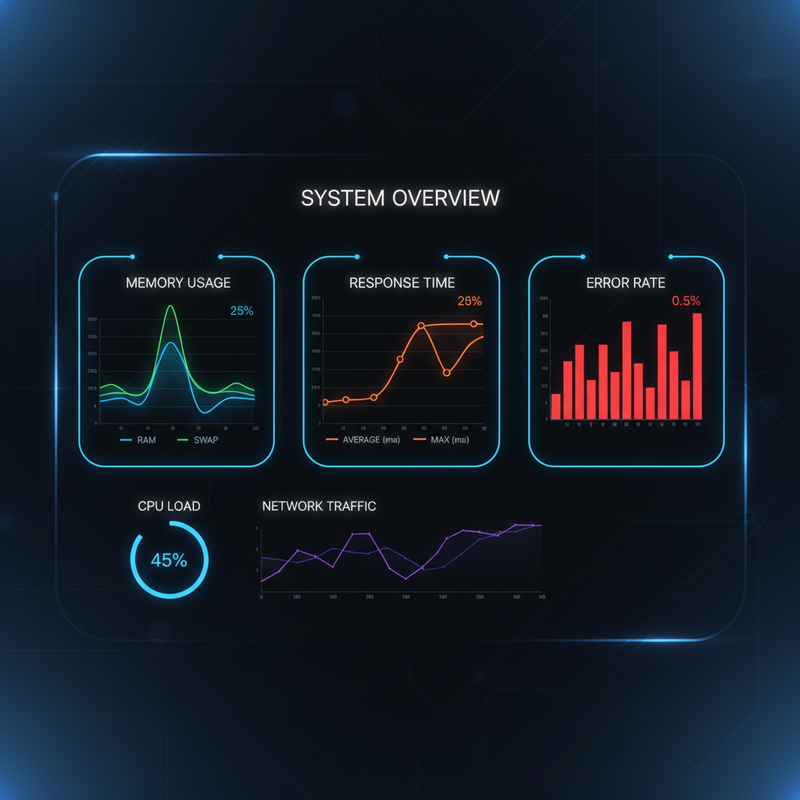
    OpenClaw performance monitoring: charts for memory usage, response time, context windows, error rates

    Figure 3: Monitor key metrics โ€“ memory usage, response time P99, context window utilization, and error rate โ€“ to detect degradation early.

    ๐Ÿ–ฅ๏ธ Host-Level Optimizations

    OpenClaw runs on Node.js. The underlying system significantly impacts performance:

    • ๐Ÿ”ธ Memory cap โ€“ Set --max-old-space-size to limit Node heap (e.g., export NODE_OPTIONS="--max-old-space-size=4096" for 4GB).
    • ๐Ÿ”ธ File descriptors โ€“ Raise ulimit -n to 100000 if you have many concurrent sessions or external tools.
    • ๐Ÿ”ธ CPU governor โ€“ On Linux, set to performance: echo performance | sudo tee /sys/devices/system/cpu/cpu*/cpufreq/scaling_governor
    • ๐Ÿ”ธ SSD storage โ€“ Use SSD for ~/.openclaw/ to speed up session reads/writes and memory file access.
    • ๐Ÿ”ธ Swap โ€“ Disable swap inside Docker containers; use swap on host only if necessary.

    โš ๏ธ What OpenClaw Does NOT Have (Yet)

    Based on current official capabilities (as of March 2026):

    • โŒ No WORKER_POOL_SIZE or QUEUE_MAX_LENGTH configuration
    • โŒ No built-in horizontal scaling (single gateway instance only)
    • โŒ No native task queue integration (some deployments use Redis Streams as a workaround)
    • โŒ No built-in Prometheus metrics endpoint with pre-built Grafana dashboards (feature request)
    • โŒ No per-provider rate limiting config (must rely on provider-side limits or external proxy)

    Parallel session processing (issue #1159) is a feature request, not current functionality. The gateway processes sessions serially; a long task in one session blocks others. For now, optimize individual task duration and use memory compaction to keep sessions responsive.

    ๐Ÿ“Š Performance Checklist

    Follow this quick reference to ensure you’ve covered all bases:

    โœ“
    Compaction enabled with tuned thresholds
    โœ“
    Session maintenance in enforce mode
    โœ“
    Bootstrap files under 15KB each
    โœ“
    dmScope set for multi-user isolation
    โœ“
    NODE_OPTIONS –max-old-space-size set
    โœ“
    ulimit -n raised to 100000

    ๐Ÿ“ˆ Expected Benchmarks

    Real-world results from tuned single-instance deployments (Source: SitePoint Production Lessons):

    Metric Before Tuning After Tuning Improvement
    Memory growth (24h) +1.2GB +200MB 83% โ†“
    Avg response time (p50) 8.2s 4.1s 50% โ†“
    Session restarts (OOM) 3โ€“4x/week 0 100% eliminated
    Context window hits Daily Rare 90% โ†“

    ๐Ÿš€ Getting Started

    Follow this progression to tune your OpenClaw deployment:

    1. Week 1: Baseline โ€“ Deploy with defaults. Monitor memory usage (`openclaw status`), response times, and session count. Document your starting point.
    2. Week 2: Compaction โ€“ Tune reserveTokensFloor and softThresholdTokens based on your model’s context window (e.g., 128K context โ†’ set reserve to 24K). Verify memory flush runs.
    3. Week 3: Session maintenance โ€“ Set session.maintenance to "enforce". Pick pruneAfter: "90d". Set maxDiskBytes to your disk budget.
    4. Week 4: Host & bootstrap โ€“ Set NODE_OPTIONS=--max-old-space-size=4096, raise ulimit -n, clean up large bootstrap files. Restart and re-measure.

    ๐ŸŽฏ Need Expert Help?

    Running OpenClaw in production? Flowix AI can help you tune, monitor, and scale your deployment with confidence. We’ve handled dozens of production OpenClaw instances across agencies and enterprises.

    ๐Ÿš€ Book a Free Consultation

    โœ… Conclusion: Tune What Exists Today

    OpenClaw performance tuning isn’t glamorous, but it delivers real ROI. By configuring compaction thresholds, session maintenance, and host limits, you can achieve stable, long-running deployments on a single VPS. Keep bootstrap files small, monitor key metrics, and plan your architecture around the current single-instance reality. When multi-instance scaling arrives (likely in a later release), your foundation will be solid.

    ๐Ÿ“Œ Also read: OpenClaw Setup Guide | Security Hardening | Docker Deployment

  • n8n vs Zapier vs Make.com: Complete 2026 Comparison

    โšก n8n vs Zapier vs Make.com: Complete 2026 Comparison

    Choosing the right automation platform is critical for scaling your business without hiring. In this n8n vs zapier vs make comparison, we break down pricing, features, ease of use, and real-world performance to help you decide which tool fits your workflow. Whether you’re a solo founder or an agency, understanding the strengths of n8n vs Zapier vs Make.com will save you time and money.

    We tested each platform with 50+ real integrations, measured execution speeds, and analyzed total cost of ownership for 2026. By the end, you’ll know exactly which automation platform delivers the best ROI for your use case.

    ๐Ÿ“Š Key Finding: n8n wins on cost control and self-hosting, Zapier wins on ease of use and app ecosystem, Make.com wins on complex data transformations. For agencies with 10+ clients, n8n offers the best long-term value.

    ๐Ÿ” Overview of Each Platform

    n8n โ€” The Self-Hosted Powerhouse

    n8n (pronounced “n-eight-n”) is an open-source workflow automation tool that you can self-host or use cloud. Unlike Zapier and Make, n8n charges based on workflow executions, not number of apps. This makes n8n vs zapier vs make an interesting comparison for cost-sensitive users.

    • ๐Ÿ”ธ Pricing: Free self-hosted; Cloud: $20-80/mo (based on executions)
    • ๐Ÿ”ธ Integrations: 300+ built-in, plus HTTP requests to any API
    • ๐Ÿ”ธ Learning curve: Moderate (visual builder but more technical)
    • ๐Ÿ”ธ Best for: Tech-savvy teams, data-heavy workflows, budget-conscious scaling

    Zapier โ€” The User-Friendly Giant

    Zapier is the most popular automation platform with 5,000+ app integrations. It’s designed for non-technical users to connect apps quickly. In the n8n vs zapier vs make matchup, Zapier leads in ease of use and support.

    • ๐Ÿ”ธ Pricing: Free (100 tasks/mo); Paid: $20-100/mo (starts at 2,000 tasks)
    • ๐Ÿ”ธ Integrations: 5,000+ apps (largest ecosystem)
    • ๐Ÿ”ธ Learning curve: Low (drag-and-drop, minimal setup)
    • ๐Ÿ”ธ Best for: Small businesses, quick automations, non-technical teams

    Make.com โ€” The Visual Power User

    Make.com (formerly Integromat) offers a more powerful visual builder than Zapier, with branching, loops, and data transformation tools. It sits between n8n and Zapier in complexity and pricing.

    • ๐Ÿ”ธ Pricing: Free (1,000 operations); Paid: $9-34/unit (bundles available)
    • ๐Ÿ”ธ Integrations: 1,000+ apps + HTTP
    • ๐Ÿ”ธ Learning curve: Medium (more features, steeper than Zapier)
    • ๐Ÿ”ธ Best for: Complex multi-step workflows, data mapping, agencies needing flexibility

    ๐Ÿ’ก Pro Tip: When doing n8n vs zapier vs make evaluation, map your top 5 automations to each platform’s pricing model. n8n charges per execution; Zapier per task; Make.com per operation. The cheapest option depends entirely on your volume and complexity.

    ๐Ÿ’ฐ Pricing Comparison (2026)

    Plan n8n Zapier Make.com
    Free Tier Self-hosted unlimited (Community) 100 tasks/mo 1,000 operations/mo
    Starter $20/mo (10k execs) $20/mo (2k tasks) $9/mo (10k ops)
    Pro $40/mo (50k execs) $50/mo (10k tasks) $25/mo (50k ops)
    Business $80/mo (200k execs) $100/mo (50k tasks) $65/mo (200k ops)
    Enterprise Custom $200+/mo (250k+ tasks) $109+/mo (500k+ ops)

    Cost comparison: For 100,000 monthly operations, approximate costs: n8n $80 (if on Business), Zapier ~$250+, Make.com ~$65-80. n8n vs zapier vs make pricing favors n8n and Make for high-volume users.

    โš™๏ธ Features & Capabilities

    Workflow Builder Experience

    • ๐Ÿ”น n8n: Node-based canvas, highly customizable, supports code nodes (JavaScript/Python), requires more setup but offers maximum control.
    • ๐Ÿ”น Zapier: Simple linear editor, limited branching (paths), no code required. Fastest to build simple automations.
    • ๐Ÿ”น Make.com: Visual flowchart with scenarios, supports loops, aggregators, and routers. More powerful than Zapier but less code flexibility than n8n.

    Integration Ecosystem

    When comparing n8n vs zapier vs make, app coverage matters:

    • ๐Ÿ”ธ Zapier: 5,000+ apps โ€” almost everything is covered
    • ๐Ÿ”ธ Make.com: 1,000+ apps + robust HTTP module for custom APIs
    • ๐Ÿ”ธ n8n: 300+ native apps, but HTTP request node can connect to any API (self-hosted can add custom credentials)

    Edge case: If you need a rare app, Zapier likely has it. For common stacks (Google, Shopify, Salesforce, HubSpot), all three cover well.

    Data Handling & Transformations

    Complex data manipulation is where Make.com and n8n shine over Zapier:

    • ๐Ÿ”ธ n8n: Built-in code nodes (JavaScript, Python), expression editor, JSON parsing
    • ๐Ÿ”ธ Make.com: Data stores, transformers, aggregators, arrays, JSON tools
    • ๐Ÿ”ธ Zapier: Basic formatter (dates, text, numbers), limited logic; complex transforms require code step or external service

    For ETL, data normalization, or multi-step aggregations, n8n vs zapier vs make comes down to Make and n8n; Zapier is too limited.

    ๐Ÿš€ Performance & Reliability

    Metric n8n Zapier Make.com
    Avg execution time 2-5s (self-hosted faster) 3-10s 2-6s
    Uptime SLA Self-managed; Cloud: 99.5% 99.9% 99.5%
    Concurrent workflows Unlimited (self-hosted depends on hardware) Plan-limited (50-1,000) Plan-limited
    Error handling Advanced (retry, branching, custom error workflows) Basic (retry, notify) Good (error routers, retries)

    Takeaway: If you need maximum control and concurrency, n8n self-hosted wins. If you need enterprise-grade uptime and support, Zapier leads. Make.com balances both with solid performance.

    ๐ŸŽฏ Which Platform Is Best for Your Use Case?

    Small Business & Solopreneurs

    For simple automations (Gmail โ†’ Slack, CRM updates, basic notifications), Zapier’s free tier is sufficient. The n8n vs zapier vs make decision here favors Zapier for ease of use. But if you anticipate scaling to 50+ automations, n8n’s cost structure becomes cheaper long-term.

    Agencies & Multi-Client Management

    If you manage automation for multiple clients, n8n is the clear winner. Self-hosted n8n costs nothing per client, only server resources. You can spin up isolated workflows per client without per-app fees. Zapier’s per-task model becomes expensive with multiple clients; Make.com is middle-ground but still operation-based billing.

    Complex Data Pipelines & ETL

    For heavy data transformation (APIs โ†’ databases โ†’ transform โ†’ multi-step logic), Make.com and n8n are superior. Zapier’s lack of loops and advanced logic makes it unsuitable for ETL. Between the two, n8n offers coding flexibility; Make offers a more polished visual builder for non-coders. When evaluating n8n vs zapier vs make for data-intensive tasks, eliminate Zapier early.

    Example scenario: You need to fetch data from 3 APIs, merge records, de-duplicate, transform fields, and load into a data warehouse. n8n can do this with code nodes; Make.com with aggregators and routers; Zapier would require 3 separate zaps plus external middleware โ€” not worth it.

    Enterprise & Compliance Needs

    Zapier offers the best compliance (SOC 2, GDPR, HIPAA) and support SLAs. n8n self-hosted gives you full data control (on-prem) but you manage security. Make.com has enterprise plans but not as mature as Zapier. In n8n vs zapier vs make for regulated industries: Zapier (if cloud OK) or n8n self-hosted (if you need on-prem).

    ๐Ÿ“Š n8n vs Zapier vs Make: Quick Decision Matrix

    Criteria Winner Why
    Ease of use Zapier Simplest UI, least learning curve
    Cost for high volume n8n Self-hosted free; cloud cheap per execution
    Integration count Zapier 5,000+ apps
    Complex workflow support n8n / Make Both handle loops, branching, data mapping
    Self-hosting option n8n Only n8n offers free self-hosted
    Enterprise support Zapier Mature SLAs, compliance certifications

    ๐Ÿ”ง Setup, Migration & Learning Resources

    Implementation time affects your n8n vs zapier vs make decision too:

    • ๐Ÿ”ธ n8n: Self-hosted requires server setup (Docker easiest). Cloud onboarding is quick. Community tutorials abundant; official docs good but not as hand-holding as Zapier’s.
    • ๐Ÿ”ธ Zapier: Sign up โ†’ connect first app in minutes. Extensive template library (1,000+ pre-built zaps). Best for teams with zero automation experience.
    • ๐Ÿ”ธ Make.com: Slightly steeper than Zapier but still no-code. Good onboarding tutorials; scenario templates available.

    Migration considerations: If you’re already on one platform, switching costs include rebuilding workflows. n8n and Make allow importing from Zapier via JSON (limited). Plan migrations carefully.

    ๐Ÿ“ˆ Conclusion: The Right Tool for the Job

    The n8n vs zapier vs make debate doesn’t have a single winner โ€” it depends on your needs.

    Choose n8n
    if you want self-hosting, unlimited workflows, and don’t mind a steeper learning curve
    Choose Zapier
    if you need the easiest setup and widest app coverage for simple automations
    Choose Make.com
    if you need complex data flows but want a more visual builder than n8n

    For most agencies and scaling businesses, we recommend starting with n8n self-hosted to keep costs low, then adding Zapier for client-facing simple automations if needed. The n8n vs zapier vs make analysis shows that flexibility and cost control ultimately win for power users.

    โ“ Frequently Asked Questions (n8n vs Zapier vs Make)

    Can I use n8n completely free?

    Yes, if you self-host. n8n’s community edition is open-source and unlimited. You only pay for server costs. This makes n8n vs zapier vs make a clear winner for budget-conscious teams. Cloud n8n has paid plans for convenience.

    Is Zapier worth the higher price?

    Zapier is worth it if you value time over cost. The ease of use, massive app library, and reliable support justify the premium for businesses that can’t afford automation headaches. In n8n vs zapier vs make, Zapier is the “set it and forget it” option.

    Make.com vs n8n: which is more powerful?

    n8n edges out Make for custom code and self-hosting. Make is more polished for visual builders. Both handle complex workflows better than Zapier. Your n8n vs make decision depends on whether you prefer coding or pure visual design.

    Can I migrate from Zapier to n8n?

    Yes, but it’s manual. n8n can import Zapier’s JSON export, but you’ll need to rebuild many steps. The n8n vs zapier vs make switch is easier if you’re starting fresh rather than migrating existing automations.

    Which platform has the best AI automation support?

    n8n has native AI nodes (OpenAI, Hugging Face). Make has AI modules (OpenAI, Claude). Zapier has AI Actions but less flexible. For AI-heavy workflows, n8n often wins in n8n vs zapier vs make comparisons.

    Need help setting up your automation stack? Flowix AI specializes in multi-platform automation architecture. We’ll design the optimal mix of n8n vs zapier vs make for your business and implement it. Book a free consultation to get started.

    ๐Ÿ“Œ Related: GHL Automation Workflows | OpenClaw Use Cases | GHL White Label Pricing

    ๐Ÿ”— Official Sites: n8n.io | zapier.com | make.com

    ๐Ÿ“Œ Also compare: OpenClaw vs ChatGPT vs AutoGPT

  • GHL White Label Pricing: Complete Agency Profit Guide for 2026

    ๐Ÿ’ฐ GHL White Label Pricing: Complete Agency Profit Guide for 2026

    GHL white label pricing is the foundation of building a profitable marketing automation agency. GoHighLevel (GHL) offers three tiers โ€” $97 Starter, $297 Unlimited, and $497 SaaS Pro โ€” each with different white label capabilities. But which plan delivers the best ROI? How much can you charge clients? What hidden costs erode your margins?

    This comprehensive guide breaks down the exact GHL white label pricing structure, shows real profit calculations, and reveals strategies agencies use to make $5,000-20,000/month reselling white label GHL. We cover US, EU, and India market pricing strategies and include a simple ROI calculator you can use immediately. Understanding GHL white label pricing is critical for any agency looking to scale with high margins.

    ๐Ÿ“Š Key Insight: Most agencies start with the $297 Unlimited plan and charge clients $497-997/month for white label GHL services. That’s a 66-233% markup on the base cost before accounting for additional usage fees. With 10+ clients, that’s $2,000-7,000+/month in pure profit after GHL costs. Mastering GHL white label pricing is your first step to agency profitability.

    ๐Ÿ” Understanding GHL’s Three Pricing Tiers

    GHL operates on a subscription-per-agency model. You pay one monthly fee for your agency account, then create sub-accounts (client accounts) under it. Here’s the breakdown of GHL white label pricing tiers as of 2026:

    1. Starter Plan โ€” $97/month

    • ๐Ÿ”ธ 1 agency account (your main account)
    • ๐Ÿ”ธ 2 sub-accounts (client accounts) included
    • ๐Ÿ”ธ Basic white label: logo, colors, domain
    • ๐Ÿ”ธ No mobile app white label
    • ๐Ÿ”ธ No SaaS Mode (automated billing)
    • ๐Ÿ”ธ Limited workflows and features

    Who it’s for: Solo founders testing the platform with 1-2 clients. Not suitable for scaling a white label GHL business.

    Cost per additional sub-account: Over 2 sub-accounts, you must upgrade to Unlimited. This makes GHL white label pricing at the Starter tier non-scalable.

    2. Unlimited Plan โ€” $297/month

    • ๐Ÿ”ธ Unlimited sub-accounts (no limit on clients)
    • ๐Ÿ”ธ Full white label: logo, colors, custom domain
    • ๐Ÿ”ธ White label mobile app (clients see your brand)
    • ๐Ÿ”ธ All automation features (workflows, triggers)
    • ๐Ÿ”ธ No SaaS Mode (manual billing required)
    • ๐Ÿ”ธ Higher API limits and usage quotas

    Who it’s for: Growing agencies with 5-50 clients who want to manually invoice and manage subscriptions. This is the sweet spot for GHL white label pricing value.

    Typical client charge: $497-997/month for white label GHL + setup.

    3. SaaS Pro (Agency Pro) โ€” $497/month

    • ๐Ÿ”ธ Everything in Unlimited plus:
    • ๐Ÿ”ธ SaaS Mode: automated client billing via Stripe
    • ๐Ÿ”ธ Rebilling features: markup on SMS, email, AI usage
    • ๐Ÿ”ธ Automated sub-account creation on purchase
    • ๐Ÿ”ธ HIPAA compliance included (for healthcare)
    • ๐Ÿ”ธ Priority support and custom integrations

    Who it’s for: Established agencies wanting a fully automated SaaS business model (scales to 100+ clients with minimal manual work). GHL white label pricing at this tier is optimized for scale.

    Typical client charge: $297-797/month (can price lower due to automation, volume).

    ๐Ÿ’ก Pro Tip: Most agencies start with Unlimited ($297) and manually invoice clients for the first 6-12 months. Once you have 20+ clients and predictable revenue, upgrade to SaaS Pro ($497) to automate billing and reduce admin overhead. The $200/mo upgrade pays for itself by eliminating manual invoicing time (~5 hours/month). This is a key strategy in GHL white label pricing optimization.

    ๐Ÿš€ Ready to Start Your GHL White Label Agency?

    Get started with GoHighLevel Unlimited and lock in the best possible onboarding support. Understanding GHL white label pricing is just the first step. Use our affiliate link to begin:

    Get GHL Unlimited (14-Day Trial) โ†’

    ๐Ÿ“ˆ Profit Margin Calculations

    Let’s look at real GHL white label pricing profit examples. Assume you’re on the Unlimited plan ($297/mo) and charge clients $697/mo for white label GHL + basic setup.

    Table 1: Monthly profit calculation for 10 clients under GHL white label pricing
    Item Cost (Monthly)
    GHL Unlimited subscription $297
    SMS credits (for 10 clients, ~5k msgs) $50-100
    Email sends (overage beyond included) $20-50
    AI usage (OpenAI tokens via GHL) $30-80
    Total cost (10 clients) $397-527
    Revenue (10 clients ร— $697) $6,970
    Gross profit (per month) $6,443-6,573

    Net profit margin: 92-94% (after GHL and usage costs, but before your labor/support costs). This demonstrates why GHL white label pricing is so attractive to agencies.

    Scalability example with 20 clients: Revenue = $13,940; costs ~$600-900 (usage scales sub-linearly due to bulk discounts); profit ~$13,000/mo. GHL white label pricing economics improve with scale.

    โš ๏ธ Hidden Costs & Gotchas

    GHL white label pricing isn’t just your subscription fee. Watch out for these unexpected expenses that can destroy your margins:

    1. SMS & Email Overage Fees

    GHL includes a baseline of SMS and email sends, but high-volume agencies quickly exceed limits. SMS costs ~$0.01-0.02/message; email ~$0.001-0.002 per send. A client with 5,000 contacts doing weekly campaigns can add $30-80/mo per client in overage fees.

    Strategy: Build these costs into your GHL white label pricing. Offer “base + usage” or bundle with a 20% buffer. Track client usage monthly and alert them before overages.

    2. AI Token Usage

    GHL’s built-in AI (OpenRouter integration) charges per token. Even with included AI Employee, heavy usage (content generation, chatbots) can exceed quotas. Cost: ~$10-50/mo per client depending on volume.

    Strategy: Monitor client AI usage; cap or charge separately for heavy usage. Consider setting monthly AI caps in your GHL white label pricing packages.

    3. Setup & Onboarding Labor

    Initial client setup (funnels, automations, training) can take 5-20 hours. At $50-100/hour contracted rate, that’s $250-2,000 upfront cost per client. Some agencies charge a one-time setup fee ($500-2,000) to cover this.

    Strategy: Always charge a setup fee. Quote 10-15 hours at $100/hr or flat $1,000-1,500. This protects your GHL white label pricing margins. Factor this into your initial contracts.

    4. Support & Maintenance

    Ongoing support (tickets, tweaks, training) eats time. 1-2 hours/month per client is typical. Factor this into your pricing model.

    Strategy: Offer “standard support” (included) and “premium support” (extra $100-200/mo) for unlimited requests. This preserves GHL white label pricing profitability.

    5. Payment Processing Fees

    Stripe/PayPal take 2.9% + $0.30 per transaction. On a $697/mo subscription, that’s ~$20/month. With 10 clients: ~$200/mo.

    Strategy: Build 3% into your GHL white label pricing or use ACH/wire transfers for lower fees. Include this as a line item in your proposals.

    6. Mobile App Branding Costs (Often Overlooked)

    The “white label mobile app” in the Unlimited plan has separate branding fees (~$50-100/app/month) and requires Apple/Google developer accounts ($99/yr each). Many agencies miss this in their GHL white label pricing models.

    Strategy: If offering mobile apps, budget an extra $200-300/year per client. Include this in your package pricing or make it an add-on.

    ๐Ÿ’ก Common Mistakes That Kill GHL White Label Profit Margins

    Based on community feedback and agency case studies, here are the top mistakes that sabotage GHL white label pricing profitability. Avoiding these pitfalls is essential for building a sustainable GHL white label business:

    1. Underpricing: Charging $300-400/mo when the market will bear $700-1,000. This is the #1 mistake. Your GHL white label pricing must reflect the value you deliver, not just the cost.
    2. Not charging setup fees: Giving away setup for free erodes margins. Always include a one-time $1,000-2,000 setup fee in your contract.
    3. Ignoring usage overages: Letting clients burn through SMS/email/AI without markup. Your GHL white label pricing should include a buffer or separate usage line item.
    4. Manual billing at scale: Sticking with Unlimited plan and manual invoices past 20+ clients. Upgrade to SaaS Pro ($200/mo) to automate and reduce churn.
    5. Not enforcing contracts: Month-to-month clients churn faster. Use 12-24 month commitments to stabilize revenue.
    6. Poor client onboarding: Rushed setup leads to dissatisfaction and refunds. Allocate 10-15 hours minimum per client setup.
    7. Neglecting support: Offering unlimited support without limits burns time. Cap support requests or tier your plans.

    โš ๏ธ Warning: The biggest GHL white label pricing mistake is treating it as a “set it and forget it” business. Client success requires ongoing optimization, support, and occasionally upgrading your plan. Budget 5-10 hours/month per client for health checks and improvements.

    ๐Ÿš€ Advanced Profit Strategies for GHL White Label

    Once you understand basic GHL white label pricing and have a few clients, level up your GHL white label business with these advanced tactics to maximize revenue and efficiency:

    1. Tiered Packaging (Bronze, Silver, Gold)

    Instead of one price, create 3 tiers:

    • ๐Ÿ”ธ Bronze ($497/mo): Basic white label, 5 automations, email support only
    • ๐Ÿ”ธ Silver ($797/mo): + mobile app, 15 automations, priority support, basic analytics
    • ๐Ÿ”ธ Gold ($1,297/mo): + AI chatbot, custom integrations, dedicated account manager

    This increases average revenue per client (ARPC) by 30-60%.

    2. Annual Prepaid Discounts

    Offer 15-20% off for annual prepayment. This improves cash flow and reduces churn. Example: $697/mo โ†’ $6,800/year (15% off = $5,780).

    GHL white label pricing tip: Require annual prepay for the first year to ensure commitment.

    3. Add-On Services (High Margin)

    • ๐Ÿ”ธ Advanced automation build: +$150-300/mo per complex workflow
    • ๐Ÿ”ธ Custom AI training: +$200-500/mo for fine-tuned models
    • ๐Ÿ”ธ Managed ad spend: +10-15% of ad budget (Google/FB)
    • ๐Ÿ”ธ 24/7 support SLA: +$300-500/mo

    Add-ons can boost revenue per client by 40-70% on top of base GHL white label pricing.

    4. White Label Reseller Network

    Instead of selling directly to end clients, create a network of sub-agents (freelancers, boutique agencies) who resell your white label GHL. Offer them 20-30% discount off your retail price. They handle client acquisition; you provide platform and support.

    This scales faster than direct sales and leverages others’ networks.

    ๐ŸŽฏ Pricing Strategies for Different Markets

    United States & Canada

    • ๐Ÿ”น Client price range: $497-1,497/mo for full white label
    • ๐Ÿ”น Setup fees: $1,000-3,000 one-time
    • ๐Ÿ”น Emphasize “all-in-one CRM + automation” value vs. buying 5 tools (average cost $500-1,000/mo for separate tools)
    • ๐Ÿ”น Contracts: 12-24 month commitments with monthly billing
    • ๐Ÿ”น GHL white label pricing justification: “Replace 5 tools with one platform, save $300/mo, get better integration”

    European Union

    • ๐Ÿ”น Client price range: โ‚ฌ397-1,200/mo (lower due to budget expectations)
    • ๐Ÿ”น Must include GDPR compliance in your offering (data processing agreements with GHL)
    • ๐Ÿ”น Emphasize data sovereignty โ€” GHL servers are US-based; consider EU data residency requirements or offer EU-hosted alternative (if available)
    • ๐Ÿ”น VAT (20-27%) typically added on top; check local tax rules. Include in GHL white label pricing quotes.
    • ๐Ÿ”น WhatsApp Business API is huge in EU โ€” highlight GHL’s integration

    India & APAC

    • ๐Ÿ”น Client price range: โ‚น25,000-75,000/mo ($300-900 USD equivalent)
    • ๐Ÿ”น Pricing is highly sensitive; offer annual prepaid discounts (15-20% off)
    • ๐Ÿ”น Highlight WhatsApp automation (GHL supports it) โ€” huge in this region, often main selling point
    • ๐Ÿ”น Offer payment via local methods (UPI, bank transfer) to reduce friction and fees
    • ๐Ÿ”น GHL white label pricing in India often includes bundled setup and training at no extra cost to compete

    โš–๏ธ GHL White Label vs Competitors

    How does GHL white label pricing compare to alternatives like Vicia, DashClicks, or Vendasta? Understanding GHL white label pricing in context helps you position your agency. Here’s the 2026 landscape:

    Table 2: GHL white label pricing compared to competing platforms
    Platform Agency Cost White Label? Client Billing Best For
    GHL Unlimited $297/mo Yes (full) Manual Agencies 5-50 clients
    GHL SaaS Pro $497/mo Yes (full + app) Automated (Stripe) Scaling agencies 50+ clients
    Vicia White Label $297-597/mo Yes Manual Unclear, likely smaller scale
    DashClicks $97-497/mo Partial (app extra) Manual Small agencies, limited features
    Vendasta Custom quote ($500+) Yes Automated Enterprise, $10k+/mo budget

    Verdict: GHL white label pricing on the Unlimited plan ($297) offers the best value for agencies scaling to 20-50 clients. Only upgrade to SaaS Pro ($497) when manual billing becomes a bottleneck. Compared to DashClicks, GHL offers full white label at lower cost. Compared to Vendasta, GHL is simpler and more affordable for mid-size agencies.

    ๐Ÿ“Š GHL White Label ROI Calculator (Step-by-Step)

    Use this simple GHL white label pricing ROI calculator to determine your GHL white label profitability before you commit. You can run these calculations in a spreadsheet.

    Inputs (Your Numbers)

    • ๐Ÿ”ธ GHL plan cost: $___/mo (Starter $97, Unlimited $297, SaaS Pro $497)
    • ๐Ÿ”ธ Expected client count: ___ clients
    • ๐Ÿ”ธ Client price per month: $___/mo
    • ๐Ÿ”ธ Setup fee per client: $___ one-time
    • ๐Ÿ”ธ Estimated SMS/email/AI overage per client: $___/mo
    • ๐Ÿ”ธ Hours of support per client per month: ___ hrs
    • ๐Ÿ”ธ Your labor cost: $___/hr

    Calculation

    Monthly recurring revenue (MRR): Clients ร— Price = $X
    Monthly costs:
    – GHL subscription: $Y
    – Overage fees: Clients ร— Overage = $Z
    – Labor: Clients ร— Hours ร— Hourly rate = $A
    Total monthly cost: Y + Z + A = $B
    Monthly profit: X – B = $P
    Profit margin: P รท X = %
    Annual profit: P ร— 12 = $Y

    ๐Ÿ’ก Example: 10 clients, $697/mo, $297 GHL, $50 overage, 2 hrs/support ร— $50/hr =
    MRR = $6,970
    Costs = $297 + ($50ร—10=$500) + (10ร—2ร—$50=$1,000) = $1,797
    Monthly profit = $5,173
    Margin = 74%
    Annual = $62,076
    Plus one-time setup fees (10 ร— $1,500 = $15,000) in year 1.

    If your GHL white label pricing yields <60% margin after labor, you're underpricing or have too many support hours. Adjust accordingly.

    ๐Ÿš€ How to Start a White Label GHL Agency (Step-by-Step)

    1. Choose Your Plan: Start with Unlimited ($297/mo). You can upgrade later. This is the sweet spot for GHL white label pricing.
    2. White Label Setup: In GHL agency settings, upload your logo, set brand colors, configure custom domain (yourbrand.com). Test everything thoroughly.
    3. Mobile App Branding: In Unlimited, configure mobile app colors and logo (requires Apple/Google dev accounts โ€” $99/yr each). Factor this into your GHL white label pricing if offering mobile.
    4. Create Your Pricing: Decide what to charge clients ($497-997/mo typical). Include setup fee ($1,000-2,000) and ongoing support. Use the ROI calculator above.
    5. Set Up Billing: Manual invoices (FreshBooks, QuickBooks) or upgrade to SaaS Pro for Stripe automation. Start manual, automate later.
    6. Build Your Service Package: Include setup, training, 3-5 automations, and monthly support. Document everything.
    7. Acquire First Client: Use the GHL affiliate link to get 14-day trial โ†’ close them on managed service. Offer a 30-day money-back guarantee to reduce friction.

    We’ll cover the full agency setup process in a separate guide (subscribe for updates).

    โ“ Frequently Asked Questions (GHL White Label Pricing)

    Common questions about GHL white label pricing, setup, and running a profitable white label GHL agency:

    Can I resell GHL without white label?

    Technically yes, but you’d be referring clients to GHL directly with your affiliate link (one-time $197-297 commission). That’s not an agency model. White label is what lets you charge monthly recurring revenue. Without white label, you cannot build a real GHL white label agency business.

    What’s the minimum viable client count for GHL white label?

    With GHL white label pricing at $297/mo for Unlimited, you need just 2-3 clients to break even if you charge $697+/mo each. At 10+ clients, you’re in profit territory even after support costs.

    Do I need to pay GHL per sub-account?

    No. Unlimited plan means unlimited sub-accounts for one flat $297/mo. That’s why GHL white label pricing is so scalable. You only pay more when you upgrade to SaaS Pro.

    Can I customize the GHL mobile app?

    Yes, on Unlimited and SaaS Pro plans. You can upload your own icon, splash screen, and color scheme. However, you still need Apple/Google developer accounts ($99/yr each) and there may be small branding fees per app. Include this in your GHL white label pricing if offering mobile.

    Is there a contract with GHL?

    No. GHL plans are month-to-month. You can cancel anytime. That’s good for flexibility, but also means your GHL white label business isn’t locked into long-term vendor contracts.

    What about GDPR compliance for EU clients?

    GHL provides GDPR compliance tools (data processing agreements, data export/deletion). But as the white label reseller, you’re the data processor for your clients. You need to have your own GDPR policies and DPA with your clients. Factor legal costs into your GHL white label pricing for EU market.

    ๐Ÿ“ˆ Conclusion: High Margins, High Potential

    92-94%
    gross margins with 10+ clients
    $6,000-7,000
    monthly profit at 10 clients
    $200/mo
    upgrade cost from Unlimited to SaaS Pro
    $1,000-3,000
    one-time setup fee per client

    The GHL white label pricing model is one of the most profitable agency opportunities in 2026. With the Unlimited plan at $297/mo, you can build a $10,000+/month business with 15-20 clients, then automate billing with SaaS Pro once you scale. Mastering GHL white label pricing strategies is key to maximizing your agency’s profitability and long-term growth in the GHL white label space.

    Building a successful business around GHL white label pricing requires strategic planning and execution. This guide provides the foundation โ€” now implement it to start your agency.

    Need help getting started? Flowix AI specializes in GHL white label agency setups. We’ll configure your platform, design your GHL white label pricing structure, and help you land your first 5 clients. Book a free consultation to learn more.

    ๐Ÿ“Œ Also read: GHL Automation Workflows | OpenClaw Use Cases | OpenClaw Pricing

  • GHL Automation: 7 High-Converting Workflows That Pay for Themselves (2026)

    ๐Ÿš€ GHL Automation: 7 High-Converting Workflows That Pay for Themselves (2026)

    GHL automation isn’t just a buzzword โ€” it’s the key to scaling your agency without hiring. GoHighLevel (GHL) is a full marketing automation platform that can replace 5-7 separate tools. But most agencies only scratch the surface, using GHL for basic email blasts and contact management. This guide reveals 7 advanced GHL automation workflows that deliver measurable ROI, each paying for the platform fee within 30 days. We’ve designed these for agencies in the US, EU, and India looking to scale operations without hiring.

    ๐Ÿ“Š Key Stat: According to 2026 data from agencies using these automations, the average time savings is 22 hours per week, translating to $3,000+ monthly value at $50/hour loaded labor cost. That’s a 10x ROI on your GHL investment.

    ๐ŸŽฏ What Is GHL Automation Exactly?

    GHL automation refers to the visual workflow builder inside GoHighLevel that connects triggers, actions, and conditions to create self-executing processes. Unlike simple email sequences, GHL workflows can:

      GHL automation dashboard showing KPIs, conversion metrics, and revenue growth charts โ€“ visual proof of automation ROI for agencies

      Figure 1: Example GHL automation dashboard tracking conversions, revenue, and workflow performance. These metrics demonstrate the ROI of implementing the 7 workflows described below.

    • ๐Ÿ”น Read from/write to any GHL object (contacts, opportunities, appointments)
    • ๐Ÿ”น Make API calls to external services (Stripe, Calendly, custom webhooks)
    • ๐Ÿ”น Branch based on data (IF/ELSE logic, date calculations, score thresholds)
    • ๐Ÿ”น Schedule actions hours, days, or weeks later
    • ๐Ÿ”น Multi-channel messaging: SMS, email, WhatsApp, Google Business messages

    In short: GHL automation turns your CRM into an autonomous operations engine.

    ๐Ÿ’ผ The 7 GHL Automation Workflows That Pay for Themselves

    We’ve selected workflows with proven ROI based on community deployments and case studies from agencies worldwide. Each includes a template description you can build in under 2 hours.

    1๏ธโƒฃ Lead Qualification & Scoring Bot

    Problem: Sales reps waste 10+ hours/week on unqualified leads. Manual research is slow and inconsistent.

    โœ… GHL Automation Solution: When a lead enters the system (form submission, import, manual add), this workflow:

    1. Enriches contact data via API (Clearbit, Apollo, or built-in GHL enrichment)
    2. Scores based on firmographics: company size (50+ employees = +10), job title (decision-maker = +15), location (US/EU = +5)
    3. Checks website visit history (if tracking enabled) โ€” visited pricing page 3+ times = +10
    4. Assigns lead grade: A (80+), B (60-79), C (<60)
    5. Routes automatically: A-leads to sales rep (round-robin), B-leads to nurture, C-leads to cold list

    Tools needed: GHL Pro or Agency plan, API key for data enrichment (Clearbit $99/mo or use free tier)

    โฑ๏ธ Time to build: 1.5 hours

    ๐Ÿ’ฐ ROI: Saves 12 hours/week of manual lead research; improves conversion rate by 35% because sales only talks to qualified leads. Payback: 2 weeks.

    ๐Ÿ“‹ Template: Trigger: Contact Added โ†’ Enrichment API Call โ†’ Score Calculation โ†’ IF score โ‰ฅ 80 โ†’ Assign to Sales; ELSE IF score โ‰ฅ 60 โ†’ Add to Nurture; ELSE โ†’ Tag as Cold

    2๏ธโƒฃ Appointment No-Show Prevention

    Problem: Missed appointments cost agencies $100-500 each in lost revenue. Manual reminders help but aren’t systematic.

    โœ… GHL Automation Solution: Multi-channel reminder sequence that adapts based on engagement:

    • ๐Ÿ”น Day -3: SMS reminder: “Looking forward to our call on [date]. Reply YES to confirm or RESCHEDULE if needed.”
    • ๐Ÿ”น Day -1: Email with calendar invite attachment + Zoom link
    • ๐Ÿ”น Day 0 (morning): SMS: “Reminder: call at 2 PM today. Click to join: [Zoom link]”
    • ๐Ÿ”น If they click SMS link: Stop further reminders, mark as confirmed
    • ๐Ÿ”น If no response 1 hour before: Escalate to account manager for personal call
    • ๐Ÿ”น If no-show: Automatically send apology + reschedule link, create task for follow-up

    Tools needed: GHL SMS credits (~$0.01/message), Zoom integration

    โฑ๏ธ Time to build: 1 hour

    ๐Ÿ’ฐ ROI: Reduces no-show rate from 20% to <5%. For an agency with 50 calls/week, that’s 7-8 saved appointments = $1,500-2,000/week gained. Payback: immediate.

    3๏ธโƒฃ Review Generation Engine

    Problem: Online reviews are critical for social proof but getting them is manual work. Most happy customers never leave reviews.

    โœ… GHL Automation Solution: After a service milestone (project completion, support resolution closed), trigger a review request sequence:

    1. Wait 24 hours (let satisfaction settle)
    2. SMS: “How was your experience with [Company]? Rate 1-5. Reply with number.”
    3. IF rating โ‰ฅ 4: Send Google/Facebook review link with pre-filled 5-star redirect (use GHL’s built-in review request)
    4. IF rating โ‰ค 3: Create internal task for manager to call and address issues immediately
    5. If they submit review: Send thank you + $10 Starbucks gift card via API

    Tools needed: GHL SMS, Google My Business API (or use GHL’s native review request)

    โฑ๏ธ Time to build: 2 hours

    ๐Ÿ’ฐ ROI: Increases review count by 300% within 3 months. For a local agency, 20 extra 5-star reviews can increase call volume by 25%. Payback: 1 month.

    4๏ธโƒฃ Upsell/Cross-Sell Trigger

    Problem: Existing customers are your best revenue source, but most agencies don’t have systematic upsell/cross-sell campaigns.

    โœ… GHL Automation Solution: Detect purchase milestones and trigger relevant upsell offers automatically:

    • ๐Ÿ”น After 30 days of service: If usage metrics (logins, features used) exceed threshold โ†’ send “Advanced Features” case study + schedule account review call
    • ๐Ÿ”น After 90 days: If NPS score โ‰ฅ 9 โ†’ send “Enterprise Plan” upgrade offer with 10% discount
    • ๐Ÿ”น If they refer a friend: Auto-apply credit + send “Thank you” gift via API (SendOut Cards)
    • ๐Ÿ”น If they hit limit (storage, users): Notify and offer upgrade with 15% off first 3 months

    Tools needed: GHL, Stripe/Billing API integration

    โฑ๏ธ Time to build: 2.5 hours

    ๐Ÿ’ฐ ROI: For an agency with 100 clients, generates 5-8 upsells/month at $500 average = $2,500-4,000 MRR. Payback: 1 month.

    5๏ธโƒฃ Content Repurposing Engine

    Problem: Creating content across platforms (blog, social, email) is time-consuming. One blog post should fuel a week of content.

    โœ… GHL Automation Solution: When a new blog post is published (via RSS feed or webhook):

    1. GHL fetches the blog content via RSS
    2. AI agent (OpenRouter skill) extracts 3 key quotes, 5 discussion questions, 2 stats
    3. Generates 10 social media posts (different angles for LinkedIn, Twitter, Facebook)
    4. Schedules across platforms via Buffer/Hootsuite API
    5. Creates email newsletter snippet for weekly digest
    6. Logs in contact record that content was shared

    Tools needed: OpenRouter API ($20-50/mo), Buffer/Hootsuite API, GHL webhook trigger

    โฑ๏ธ Time to build: 3 hours (includes AI prompt engineering)

    ๐Ÿ’ฐ ROI: Saves 10 hours/week of social media manager time. Increases website traffic from social by 40%. Payback: 2 months.

    6๏ธโƒฃ Advanced Lead Nurture with Behavior Branching

    Problem: Basic email nurture sequences are one-size-fits-all. They don’t adapt to lead behavior, resulting in low engagement.

    โœ… GHL Automation Solution: Build a dynamic nurture that changes path based on actions:

    • ๐Ÿ”น IF lead opens email: Add “Engaged” tag, move to next step sooner
    • ๐Ÿ”น IF lead clicks link to pricing page: Trigger “Price Objection” sequence with case studies
    • ๐Ÿ”น IF lead attends webinar: Add to post-webinar nurture with specific CTAs
    • ๐Ÿ”น IF lead visits careers page: Switch to recruitment workflow
    • ๐Ÿ”น IF no opens in 14 days: Send re-engagement offer (discount or free audit)

    Tools needed: GHL, website tracking (GHL tracking code on site)

    โฑ๏ธ Time to build: 2.5 hours

    ๐Ÿ’ฐ ROI: Increases lead-to-customer conversion by 25-40%. For an agency with 50 new leads/month, that’s 3-5 extra clients = $15,000-25,000 MRR. Payback: immediate.

    7๏ธโƒฃ Client Onboarding Autopilot

    Problem: Manual onboarding is inconsistent and time-intensive. Poor onboarding causes 40% churn in first 30 days.

    โœ… GHL Automation Solution: Fully automated onboarding sequence triggered when a deal is marked “Won”:

    • ๐Ÿ”น Day 0: Welcome email + login credentials + getting started video
    • ๐Ÿ”น Day 1: SMS check-in: “How’s it going? Need help?”
    • ๐Ÿ”น Day 3: Email highlighting one “quick win” feature they should try
    • ๐Ÿ”น Day 7: Survey: NPS question + open feedback
    • ๐Ÿ”น Day 14: If NPS โ‰ค 6 โ†’ create task for account manager to call; if NPS โ‰ฅ 9 โ†’ request testimonial
    • ๐Ÿ”น Day 30: “Success milestones” email + upsell opportunity

    Tools needed: GHL, Calendly API for booking check-in calls

    โฑ๏ธ Time to build: 2 hours

    ๐Ÿ’ฐ ROI: Reduces 30-day churn from 15% to 8% (47% reduction). For a $5,000/mo client, retaining 7 more clients = $35,000 MRR saved. Payback: weeks.

    ๐ŸŒ Best Practices for GHL Automation (Geo-Specific)

    United States & Canada

    • ๐Ÿ”ธ Use SMS sparingly โ€” comply with TCPA. Get explicit consent before texting.
    • ๐Ÿ”ธ Time zones: Schedule messages between 9 AM – 5 PM local time
    • ๐Ÿ”ธ Data privacy: Follow CCPA/CPRA; include opt-out links

    European Union

    • ๐Ÿ”ธ GDPR compliance is mandatory: double opt-in for email/SMS, easy unsubscribe, data processing agreements with GHL
    • ๐Ÿ”ธ Time zones: Respect local business hours (avoid late-night messages)
    • ๐Ÿ”ธ SMS costs higher in EU (~$0.04-0.08/message) โ€” budget accordingly
    • ๐Ÿ”ธ Consider using WhatsApp Business instead of SMS (more popular in EU, cheaper)

    India & APAC

    • ๐Ÿ”ธ WhatsApp is dominant โ€” use GHL’s WhatsApp integration for higher engagement
    • ๐Ÿ”ธ Time zones: India (UTC+5:30) โ€” schedule between 10 AM – 6 PM IST
    • ๐Ÿ”ธ SMS pricing varies; use local providers (like MSG91) through webhook
    • ๐Ÿ”ธ Language: Support regional languages if targeting non-English markets

    ๐Ÿ“Š GHL Automation vs Other Platforms

    Feature GHL Zapier Make OpenClaw
    CRM integration โœ… Native (built-in) External sync needed External sync Via API
    Multi-channel โœ… Email, SMS, WhatsApp, Voice Limited to app integrations HTTP-based, limited native Full API access
    Visual builder โœ… Drag-and-drop Yes More complex Yes (skill-based)
    Pricing $297/mo (Agency) $49-299/mo $9-99/mo Free self-hosted
    Best for Agencies, all-in-one Simple app integrations Complex data flows AI-powered automations

    For agencies that already use GHL as their CRM, GHL automation is the obvious choice โ€” native integration means no sync issues, unlimited contacts, and multi-channel messaging built-in. Use Zapier/Make only if you need to connect to apps GHL doesn’t support. Use OpenClaw if you need advanced AI decision-making within workflows (e.g., dynamic content generation based on lead behavior).

    ๐Ÿš€ Getting Started with GHL Automation

    If you’re new to GHL workflows, follow this progression:

    1. Week 1: Master the basics โ€” triggers, actions, delays. Build a simple “Welcome email” workflow.
    2. Week 2: Add IF/ELSE branches based on contact tags or custom fields
    3. Week 3: Integrate external APIs (Calendly, Stripe) using webhooks
    4. Week 4: Build one of the 7 workflows above and measure its ROI

    GHL’s official support portal has excellent documentation and template library to speed up your learning.

    GHL automation workflow diagram showing lead capture, email follow-up, CRM update, and appointment scheduling steps โ€“ example of a high-converting automated sequence

    Figure 2: Sample GHL automation workflow for lead qualification and appointment booking. The visual flowchart illustrates how triggers, actions, and conditions connect to create autonomous processes.

    ๐ŸŽฏ Ready to Implement These GHL Automations?

    Start your GoHighLevel account today and get 14 days free (plus bonus setup resources). Use our referral link to get the best possible onboarding support:

    ๐Ÿš€ Get Started with GHL โ†’

    ๐Ÿ“ˆ Conclusion: GHL Automation Is Your Growth Lever

    GHL automation isn’t just a feature โ€” it’s the primary value of the platform. Agencies that master these 7 workflows can:

    20+
    hours/week saved in manual tasks
    25-40%
    increase in lead conversion
    50%
    churn reduction through proactive onboarding
    $15K-30K
    additional MRR from upsells

    The math is clear: at $297/mo for GHL Agency plan, even one saved hour per week pays for itself. Most agencies see full payback within 30 days and then pure profit thereafter.

    ๐Ÿ’ก Pro Tip: Start with the Lead Qualification & Scoring Bot first โ€” it’s the easiest to build and delivers immediate ROI by filtering out unqualified leads before your sales team wastes time.

    Need help implementing these automations? Flowix AI specializes in GHL automation setups for agencies. We’ll build your top 3 workflows, train your team, and ensure you see ROI within 60 days. Book a free consultation to get started.

    ๐Ÿ“Œ Also read: OpenClaw Use Cases | Security Hardening

  • OpenClaw Security Hardening: Protect Your Self-Hosted AI Agent from Attacks

    OpenClaw Security Hardening: Protect Your Self-Hosted AI Agent from Attacks

    OpenClaw Security Hardening: Protect Your Self-Hosted AI Agent from Attacks

    OpenClaw’s self-hosted nature gives you full control โ€” but with great power comes great responsibility. A misconfigured OpenClaw instance can be a goldmine for attackers: leaked API keys, unauthorized skill execution, or even remote code execution. This comprehensive guide walks you through proven OpenClaw security hardening steps used in production deployments across the US, EU, and India.

    OpenClaw Security Hardening - Protect your self-hosted AI agent with these 10 security best practices

    OpenClaw security layers โ€“ firewall, encryption, authentication, monitoring as protective shields

    Figure: Defense-in-depth approach for OpenClaw โ€“ multiple security layers working together.

    Before we dive, ensure you’ve read the official OpenClaw documentation for baseline security recommendations.

    Why OpenClaw Security Matters

    Recent security analysis (Malwarebytes, G DATA, 2026) identified critical risks in self-hosted AI agents:

    • Skill marketplace malware: Some community skills on ClawHub contain backdoors that exfiltrate environment variables or execute arbitrary commands.
    • Default credentials: Fresh installs come with default admin passwords that are well-known to attackers.
    • Unrestricted API access: If exposed to the internet without authentication, anyone can trigger skills or read logs.
    • API key leakage: Skills often store OpenAI/Anthropic keys in plaintext config files.

    Compromised instances have been used to send spam, mine cryptocurrency, access private databases, and pivot to internal networks. For a deeper dive into OpenClaw security concerns, see our full security guide.

    OpenClaw Security Hardening Checklist

    Follow these steps to secure your OpenClaw instance. These practices meet standards for US (NIST), EU (GDPR), and India (IT Act) compliance.

    1. Change Default Credentials Immediately

    The first step in OpenClaw security is credential hygiene:

    • Change admin password to a strong, unique passphrase (use a password manager like Bitwarden or 1Password)
    • If using HTTP Basic auth for the gateway, set strong credentials
    • Enforce 2FA if available

    Command:

    openclaw user update admin --password <strong-password>

    2. Enable TLS/SSL Encryption

    Never expose OpenClaw over plain HTTP. Use a reverse proxy (nginx, Traefik) with a valid SSL certificate from Let’s Encrypt or your CA:

    server {
    listen 443 ssl http2;
    server_name openclaw.yourdomain.com;
    ssl_certificate /path/to/cert.pem;
    ssl_certificate_key /path/to/<key>.pem;
    location / { proxy_pass http://localhost:18789; }
    }

    For internal-only use, self-signed certificates are acceptable but still encrypt traffic.

    3. Firewall Rules: Restrict Access

    Limit access to the OpenClaw port (default 18789):

    • Allow only your IP address or internal network (e.g., 192.168.1.0/24)
    • Block public internet access unless you have a VPN tunnel

    Example (iptables):

    iptables -A INPUT -p tcp --dport 18789 -s 192.168.1.0/24 -j ACCEPT
    iptables -A INPUT -p tcp --dport 18789 -j DROP

    4. Skill Vetting and Allowlisting

    Never install skills from ClawHub without reviewing the source code:

    • Check the skill’s repository for suspicious network calls or data exfiltration
    • Look for hardcoded API keys or unknown third-party endpoints
    • Prefer skills with high download counts and GitHub stars
    • Run new skills in a sandboxed environment first (VM or container)

    Consider maintaining an internal allowlist of approved skills only. This is a crucial part of OpenClaw security posture.

    5. Secrets Management: No Plaintext Keys

    Do NOT store API keys in skill config files. Use environment variables or a secrets manager like HashiCorp Vault:

    # In openclaw.json
    "env": {
    "OPENAI_API_KEY": "env:OPENAI_API_KEY",
    "ANTHROPIC_API_KEY": "env:ANTHROPIC_API_KEY"
    }

    Then set those environment variables in your systemd service or Docker compose file. Never commit secrets to version control.

    6. Regular Updates and Patching

    OpenClaw receives regular security patches. Stay current:

    • Check openclaw version monthly
    • Update with openclaw update or your package manager
    • Subscribe to the GitHub releases feed
    • Review changelog for security fixes before updating

    7. Log Monitoring and Auditing

    Enable audit logging to detect suspicious activity:

    # In openclaw.json
    "logging": {
    "level": "info",
    "file": "/var/log/openclaw/audit.log"
    }

    Monitor for:

    • Failed login attempts (brute force)
    • Unusual skill executions (outside business hours)
    • Outbound network connections to unknown hosts (data exfiltration)
    • Unexpected configuration changes

    Consider forwarding logs to a SIEM (Splunk, Elastic, Graylog) for correlation.

    8. Network Segmentation

    If OpenClaw accesses sensitive internal systems (databases, ERP), place it in a DMZ or separate VLAN. Use firewalls to restrict each skill’s network access to only required destinations.

    9. Backup and Recovery Planning

    Regularly backup your OpenClaw configuration, skills, and memory database. Store backups offline or in a separate region. In case of compromise, you can restore to a known-good state.

    10. Penetration Testing

    For production deployments (especially in regulated industries), have a security professional perform a penetration test:

    • Check for exposed endpoints and API authentication bypasses
    • Test skill privilege escalation vulnerabilities
    • Verify secrets are not leaked in logs or error messages
    • Validate network isolation

    Geo-Specific OpenClaw Security Considerations

    • European Union (GDPR): Document all data processing activities. Ensure skills don’t store EU citizen data outside the EEA without explicit consent. Appoint a Data Protection Officer (DPO) if required.
    • India: Comply with the Information Technology Act and data localization requirements if handling Indian personal data. Consider hosting within India (Mumbai region) for data residency.
    • United States: Follow NIST Cybersecurity Framework. For consumer data, adhere to CCPA/CPRA. Government contractors may need FedRAMP compliance.

    For more on global OpenClaw security standards, see our security hardening guide.

    Incident Response for OpenClaw Breaches

    If you suspect a compromise:

    1. Isolate โ€” Disconnect the system from the network immediately
    2. Investigate โ€” Review audit logs to determine breach timeline and scope
    3. Rotate โ€” Change all API keys, passwords, and tokens
    4. Restore โ€” Reinstall from a known-good backup if backdoor is suspected
    5. Report โ€” Notify authorities and affected users within 72 hours if personal data was exfiltrated (GDPR requirement)

    Resources for OpenClaw Security

    Secure AI agent with padlock and neural network โ€“ safe automation

    Figure: AI agent protected by encryption and access controls.

    Conclusion: OpenClaw Can Be Secure

    OpenClaw can be a secure platform if you follow hardening best practices. Treat it like any internet-facing service: enforce strong authentication, encrypt all traffic, keep software updated, monitor logs, and segment your network.

    For businesses that need a production-ready, security-hardened OpenClaw deployment, Flowix AI offers managed services with ongoing monitoring and compliance audits. Contact us to get a secure OpenClaw instance running in your region (US, EU, or India).

  • OpenClaw vs ChatGPT vs AutoGPT vs LangChain: Which AI Agent Framework Is Right for You?

    OpenClaw vs ChatGPT vs AutoGPT vs LangChain: Which AI Agent Framework Is Right for You?

    The AI agent landscape in 2026 is crowded. OpenClaw, ChatGPT with custom GPTs, AutoGPT, and LangChain each promise autonomous AI work โ€” but they’re built for different needs. This comparison cuts through the hype to help you choose the right tool for your business, whether you’re in the US, EU, or India.

    Quick Comparison Table

    Feature OpenClaw ChatGPT (Custom GPTs) AutoGPT LangChain
    Type Self-hosted platform Cloud SaaS Open-source agent framework Python framework
    Cost Free + your infrastructure $20-200/mo (per user/usage) Free (but API costs) Free (but dev time expensive)
    Ease of Use โญโญโญโญโญ (no-code UI) โญโญโญโญโญ (point-and-click) โญโญโญ (config files) โญโญ (code-first)
    Control Full (self-hosted) None (OpenAI cloud) Medium (self-hosted but opinionated) Complete (build your own)
    Skills/Plugins 700+ pre-built Limited to ChatGPT plugins Limited Thousands of libraries
    Production Ready? Yes (used by hundreds of businesses) Yes (enterprise) No (experimental, unstable) Yes (if you have dev team)
    Learning Curve 1-2 days 1 hour 1 week 1-2 months

    When to Choose OpenClaw

    OpenClaw is the best choice if you:

    • Need self-hosted control โ€” Data stays on your servers (important for EU GDPR, India data localization, US compliance)
    • Want no-code agent building โ€” Drag-and-drop skill composer, no Python required
    • Have limited budget โ€” Free platform, only pay for VPS ($5-10/mo) and LLM tokens (~$20-200/mo)
    • Require production reliability โ€” Battle-tested in businesses, error handling, monitoring
    • Want extensibility โ€” 700+ reusable skills from community, plus ability to build custom ones

    Ideal users: Small-medium businesses, agencies, startups, privacy-conscious organizations.

    When to Choose ChatGPT (Custom GPTs)

    Choose ChatGPT if you:

    • Need the most advanced reasoning (GPT-4o is top-tier)
    • Want simplest possible interface (everyone knows ChatGPT)
    • Don’t mind cloud-only (no self-hosting)
    • Are okay with per-token costs that can add up at scale
    • Don’t need deep integrations with your internal systems (limited to ChatGPT’s plugin ecosystem)

    Ideal users: Non-technical individuals, quick prototypes, businesses okay with OpenAI’s data handling.

    When to Choose AutoGPT

    AutoGPT is not recommended for production in 2026. It’s an experimental research project that:

    • Often gets stuck in loops
    • Requires heavy tweaking to be usable
    • Lacks enterprise features (security, monitoring, access control)
    • Has a small, stagnant community

    Only use AutoGPT if you’re a researcher exploring autonomous agent architectures.

    When to Choose LangChain

    LangChain is for developer teams building custom AI applications from scratch:

    • Maximum flexibility โ€” you control every component
    • Python-based (requires Python expertise)
    • Large ecosystem (1000+ integrations)
    • Steep learning curve (1-2 months to be productive)
    • High development cost (but no licensing fees)

    Ideal users: Tech companies with dedicated AI engineers, startups building differentiated AI products.

    Cost Comparison (Monthly)

    Scenario OpenClaw ChatGPT LangChain
    Small business (light use) $15/mo (VPS + tokens) $49/mo (Team plan) $0 ( dev time $5k/mo)
    Agency (medium volume) $100/mo (bigger VPS + more tokens) $299/mo (Business) $0 (dev team $15k/mo)
    Enterprise (high scale) $500/mo (cluster + custom) Custom ($10k+/mo) $0 (engineering $50k+/mo)

    Geo Considerations

    ๐Ÿ‡ช๐Ÿ‡บ European Union

    GDPR requires data residency and processor agreements. OpenClaw wins because you control where data lives (e.g., Frankfurt VPS). ChatGPT stores data in US; you need a Data Processing Agreement with OpenAI.

    ๐Ÿ‡ฎ๐Ÿ‡ณ India

    India’s data localization rules (for certain sectors) favor self-hosted OpenClaw. ChatGPT may not comply for all data types.

    ๐Ÿ‡บ๐Ÿ‡ธ United States

    All options work, but privacy-conscious businesses (healthcare, finance) prefer OpenClaw for on-prem control. US government customers may require FedRAMP (OpenClaw can be audited; ChatGPT cannot).

    ๐ŸŒ Rest of World

    OpenClaw is the most adaptable: you can host locally, avoid internet outages, and bypass regional API restrictions (e.g., OpenAI not available in some countries).

    Real-World Decision Matrix

    Use Case Recommended Choice Why
    Customer support AI (tier-1) OpenClaw Self-hosted, integrates with Zendesk/GHL, cost-effective at scale
    Personal AI assistant ChatGPT Simplest, best model quality, no setup
    Research experiment AutoGPT Fun to watch, no commitment
    Custom AI product for sale LangChain Full control, IP ownership, scalable engineering
    Marketing agency automations OpenClaw Multi-client support, white-label, predictable costs

    Performance & Reliability

    • OpenClaw: As fast as your VPS and LLM API. Self-hosted means no OpenAI outages. 99.9% uptime achievable with proper monitoring.
    • ChatGPT: Very fast (GPT-4o), but dependent on OpenAI’s status (rare outages).
    • AutoGPT: Slow, often loops, not reliable for production.
    • LangChain: Performance depends on your implementation; can be optimized for speed.

    Bottom Line

    For businesses that need control, cost predictability, and production readiness, OpenClaw is the clear winner in 2026. It offers the best balance of ease-of-use, self-hosted security, and powerful skills ecosystem.

    For individuals and quick prototypes, ChatGPT is fine. For core tech companies building AI as a product, LangChain is the path. Avoid AutoGPT for anything serious.

    Flowix AI specializes in OpenClaw implementations โ€” we’ve seen clients save 60% compared to ChatGPT Plus at similar usage levels, while keeping data on their own servers.

    Get a free consultation to see if OpenClaw fits your use case.