Category: Tutorials

  • No-Code AI Automation Platforms: The Complete 2026 Guide for SMBs

    ๐Ÿ›  No-Code AI Automation Platforms: The Complete 2026 Guide for SMBs

    In 2026, no-code AI automation platforms have transformed from novelty to necessity for small and medium businesses. What once required a team of developers and months of work can now be accomplished in days by citizen developers using visual workflow builders. The no-code AI automation revolution is here, and it’s leveling the playing field between SMBs and enterprise corporations.

    This comprehensive guide cuts through the hype. We’ll examine the top no-code AI automation platforms, compare their capabilities, and show you how to choose the right tool for your business. Whether you’re automating customer support, marketing campaigns, or sales workflows, understanding the no-code AI automation landscape is critical for staying competitive in 2026.

    *Note: All platforms mentioned have been tested for AI integration depth, connector ecosystem, and SMB suitability.*

    ๐Ÿ“Š Key Stat: The global no-code AI platform market is projected to grow 120% YoY through 2026, with SMBs representing 65% of new adopters (industry research). This surge is fueled by AI integration making no-code platforms dramatically more capable.


    ๐Ÿ“Š Why No-Code AI Automation Matters in 2026

    The numbers are compelling. According to 2026 market research, businesses using no-code AI automation report:

    80% reduction in workflow development costs compared to custom coding

    10x faster time-to-market for new automations

    70% less reliance on scarce developer resources

    3x improvement in process consistency and error reduction

    But the real story isn’t just costโ€”it’s agility. With no-code AI automation platforms, your marketing team can build lead nurturing campaigns overnight. Your support team can deploy AI chatbots without waiting for engineering. Your sales team can automate follow-ups without touching a line of code.

    The no-code AI automation trend has evolved from simple task automation to sophisticated AI agent orchestration. Modern platforms now integrate LLMs (GPT-4, Claude, local models) directly into workflows, enabling:

    – AI-powered content generation

    – Intelligent data extraction and classification

    – Predictive routing and decision-making

    – Natural language interfaces for workflow creation

    – Self-optimizing automations that learn from results

    For SMBs with limited technical staff, no-code AI automation platforms aren’t just convenientโ€”they’re transformative.


    ๐Ÿ† Top No-Code AI Automation Platforms (2026 Comparison)

    1. n8n: The Power User’s Choice

    Website: n8n.io

    n8n has emerged as the leading no-code AI automation platform for businesses that need both power and flexibility. Unlike many SaaS-only competitors, n8n offers self-hosting optionsโ€”critical for data-sensitive industries.

    Key Strengths:

    Open-source with active community (thousands of custom nodes)

    AI-native design with dedicated AI nodes for LLM integration

    Self-hostable on your own VPS (keeps data in-house)

    Extensive connector library (400+ integrations)

    Advanced data manipulation (code nodes when needed)

    AI Capabilities:

    – Native OpenAI, Anthropic Claude, and local LLM support

    – AI agent creation with memory and tools

    – Prompt chaining and template management

    – Intelligent data routing based on AI classification

    Best For: Tech-savvy SMBs, agencies, businesses with compliance requirements (GDPR, HIPAA). If you need no-code AI automation that can grow with your complexity, n8n is the top contender.

    Pricing: Free tier available (1,000 executions/month). Paid plans start at $50/month for 10,000 executions. Self-hosted options eliminate per-execution fees entirely.


    2. Make (Integromat): Enterprise-Grade Workflows

    Website: make.com

    Make (formerly Integromat) specializes in complex, multi-step workflows with exceptional visual design. Their no-code AI automation features are robust but oriented toward enterprise use cases.

    Key Strengths:

    Visual workflow builder with infinite canvas

    Enterprise-grade reliability (99.9% SLA)

    Advanced error handling and retry logic

    Team collaboration features (roles, permissions)

    Data stores for intermediate data persistence

    AI Capabilities:

    – AI modules for OpenAI, Google AI, and Hugging Face

    – Text analysis and sentiment detection

    – Content summarization and translation

    – Predictive data routing

    Best For: Enterprises and scaling SMBs with complex, multi-system workflows. Make excels when you need to coordinate dozens of steps across many applications.

    Pricing: Free plan (1,000 transactions/month). Core plan starts at $10/month (20,000 transactions). Enterprise pricing available.


    3. Zapier: The Ecosystem Giant

    Website: zapier.com

    Zapier remains the most popular no-code AI automation platform by market share, with 5,000+ app integrations. Their AI features are newer but rapidly improving.

    Key Strengths:

    Largest app ecosystem (connects to virtually everything)

    Easiest onboarding for beginners

    Extensive template library (thousands of pre-built Zaps)

    Strong community and support resources

    Zapier AI for AI-enhanced automations

    AI Capabilities:

    – Zapier AI for content generation within workflows

    – AI-powered Zap suggestions

    – Natural language to automation (beta)

    – AI routing and classification

    Best For: Small businesses just starting with automation, teams that need to connect niche or obscure apps. Zapier is the safest entry point into no-code AI automation.

    Pricing: Free tier (100 tasks/month). Starter plan $20/month (750 tasks). Professional plan $50/month (2,000 tasks).


    4. Activepieces: The Rising Alternative

    Website: activepieces.com

    Activepieces is an open-source alternative to Make and Zapier, gaining traction in 2026. Their no-code AI automation features are expanding rapidly.

    Key Strengths:

    Open-source (self-hostable)

    Growing connector library (200+)

    AI pieces for OpenAI and other providers

    Workflow templates marketplace

    Built-in scheduling and delays

    AI Capabilities:

    – OpenAI integration (GPT-3.5, GPT-4)

    – AI text transformation

    – Content classification

    – Translation and summarization

    Best For: Budget-conscious SMBs comfortable with self-hosting. Good alternative to commercial platforms if you control your infrastructure.

    Pricing: Free (self-hosted). Cloud hosting available starting at $29/month.


    โš–๏ธ Feature-by-Feature Comparison
    Feature n8n Make Zapier
    **Visual Builder** โœ… Excellent โœ… Excellent โœ… (AI-focused)
    **Connector Count** 400+ 1,000+ AI-focused
    **AI Integration** โœ… Native โœ… Modules โœ… Advanced
    **Self-Hosting** โœ… Yes โŒ No โŒ Cloud only
    **Open Source** โœ… Yes โŒ No โŒ No
    **Pricing Model** Executions Transactions Enterprise
    **Learning Curve** Medium Medium Medium-Hard
    **Best Use Case** Complex workflows Enterprise chains Production AI apps

    ๐ŸŒ Real-World No-Code AI Automation Use Cases

    Customer Support Automation

    Platform: n8n or Flowise

    Workflow: Incoming support ticket โ†’ AI sentiment analysis โ†’ categorize priority โ†’ assign to correct team member โ†’ auto-response with ETA

    Benefit: 60% reduction in response time, 40% fewer escalations

    Tools Integrated: HelpDesk (Zendesk, Freshdesk), OpenAI API, Slack/Teams


    Marketing Lead Nurturing

    Platform: Make or Zapier

    Workflow: New lead from form โ†’ AI enrichment (find company info, technographics) โ†’ segment based on fit โ†’ trigger personalized email sequence โ†’ update CRM

    Benefit: 3x higher conversion rates, 50% less manual data entry

    Tools Integrated: Web forms (Typeform, Google Forms), Clearbit/Hunter.ai, Mailchimp/HubSpot, CRM (Salesforce, HubSpot)


    Sales Follow-Up Automation

    Platform: Zapier or n8n

    Workflow: Closed deal โ†’ AI generates personalized thank-you โ†’ create onboarding tasks โ†’ schedule kickoff meeting โ†’ send contract to e-signature

    Benefit: 80% faster onboarding, consistent customer experience

    Tools Integrated: CRM, Gmail/Outlook, DocuSign, Calendly, Project management (Asana, Trello)


    Content Repurposing Engine

    Platform: n8n with AI nodes

    Workflow: New blog post published โ†’ AI summarizes โ†’ generate social posts โ†’ create video script โ†’ schedule across platforms โ†’ track engagement

    Benefit: 10x content output with same team

    Tools Integrated: WordPress/Contentful, OpenAI, Social media APIs, YouTube/Vimeo, Analytics


    Invoice Processing & Bookkeeping

    Platform: Make or Activepieces

    Workflow: Invoice email attachment โ†’ AI extracts data โ†’ validate against PO โ†’ create draft in QuickBooks โ†’ notify accounts payable

    Benefit: 90% reduction in manual data entry, near-zero errors

    Tools Integrated: Email (Gmail, Outlook), QuickBooks/Xero, AI OCR, Approval workflows


    Manufacturing Quality Control

    Platform: n8n self-hosted

    Workflow: IoT sensor detects anomaly โ†’ AI classifies issue type โ†’ create ticket in maintenance system โ†’ notify supervisor โ†’ order replacement parts if needed

    Benefit: 40% faster defect detection, predictive maintenance

    Tools Integrated: IoT platforms (AWS IoT, Azure IoT), OpenAI/local LLM, CMMS, Inventory systems


    ๐Ÿ” How to Choose the Right No-Code AI Automation Platform

    Step 1: Audit Your Current Stack

    List all the applications you use daily:

    CRM: HubSpot, Salesforce, Pipedrive?

    Marketing: Mailchimp, ActiveCampaign, ConvertKit?

    Support: Zendesk, Freshdesk, Intercom?

    Operations: QuickBooks, Xero, SAP?

    Communication: Slack, Teams, Discord?

    Ensure your chosen no-code AI automation platform has native connectors or robust API access for these tools.


    Step 2: Define Your Primary Use Cases

    Be specific. “Automate marketing” is too vague. Instead:

    – “Send lead alerts to sales team within 30 seconds of form submit”

    – “Auto-generate social posts from new blog articles”

    – “Route support tickets by urgency using AI sentiment analysis”

    Your use cases determine which platform strengths matter most.


    Step 3: Evaluate AI Requirements

    Questions to ask:

    – Do you need LLM integration (OpenAI, Claude, local models)?

    – Will AI generate content, classify data, or make decisions?

    – Do you need prompt engineering tools and versioning?

    – Is data privacy a concern (choose self-hosted options)?

    For heavy AI use, n8n and Vellum lead. For occasional AI assistance, Zapier or Make suffice.


    Step 4: Assess Technical Readiness

    No-code doesn’t mean zero learning. Consider:

    Team skills: Can they read workflows visually? Do they understand data mapping?

    Complexity tolerance: Some platforms handle complex logic better (n8n, Make)

    Support needs: Do you need 24/7 support or community forums enough?

    Budget: Per-execution pricing (Zapier, Make) vs flat-rate (n8n self-hosted)


    Step 5: Pilot Before Committing

    Build one real workflow on 2-3 shortlisted platforms. Test:

    – Connector reliability

    – AI feature depth

    – Error handling

    – Performance and speed

    – Ease of debugging

    Most platforms offer free tiersโ€”use them. A 30-minute pilot reveals more than any spec sheet.


    โš™๏ธ Implementation Best Practices for No-Code AI Automation

    Start Small, Scale Fast

    Begin with a single, high-impact process that’s currently manual but repetitive. Examples:

    – Lead-to-customer onboarding

    – Weekly reporting aggregation

    – Social media posting from content calendar

    Build it end-to-end in 2-4 hours. Get it working reliably. Then expand to adjacent processes. This no-code AI automation approach builds confidence and demonstrates ROI quickly.


    Design for Failure

    Automations break. APIs change. Credentials expire. Build these safeguards:

    1. Error notifications โ€“ Slack/email alerts when workflow fails

    2. Retry logic โ€“ exponential backoff for transient errors

    3. Manual override โ€“ ability to pause or re-run manually

    4. Logging โ€“ comprehensive execution logs for debugging

    5. Idempotency โ€“ design workflows so re-running doesn’t duplicate data

    Most no-code AI automation platforms have built-in error handlingโ€”but you must configure it.


    Govern Before Sprawl Takes Over

    Uncontrolled automation creates technical debt and security risks. Establish:

    Approval process for production automations

    Ownership assignments (who maintains each workflow?)

    Review schedule (quarterly audits of active automations)

    Security checklist (data access, API permissions)

    Documentation standards (purpose, inputs, outputs, owner)

    Citizen developers need guardrails. This is especially critical when AI agents are involved.


    Monitor Continuously

    Don’t just build and forget. Track:

    Execution volume (are costs ballooning?)

    Success rate (failures trending up?)

    Execution time (degrading performance)

    API usage (approaching connector limits?)

    Business outcomes (is automation actually moving metrics?)

    Many no-code AI automation platforms offer dashboards. Use them.


    ๐Ÿ”’ Security & Compliance Considerations

    Data Residency and Sovereignty

    If you handle EU citizen data, GDPR requires data stay within EU borders.Choose self-hosted no-code AI automation platforms (n8n, Activepieces) for full control. Cloud platforms may store data in US regions by defaultโ€”verify their data mapping.


    AI-Specific Risks

    Prompt injection: Malicious inputs could trick your AI agents into revealing sensitive data or performing unauthorized actions.

    Data leakage: Every AI API call sends data to external providers (OpenAI, Anthropic). Review their data retention policies. Consider local LLMs (Ollama) for maximum privacy.

    Output validation: Never trust AI-generated content blindly. Add validation steps: fact-checking, content filtering, human approval for high-stakes outputs.


    Access Controls

    – Principle of least privilege: each automation gets only the API permissions it needs

    – Rotate API keys regularly (most platforms support this automatically)

    – Use separate service accounts for automations (not personal user accounts)

    – Audit logs: who built/modified workflows, when, and what changed


    Compliance Certifications

    If you’re in regulated industries (healthcare, finance, government), verify:

    SOC 2 Type II compliance from your platform vendor

    ISO 27001 certification for data centers

    HIPAA BAAs available for healthcare data

    PCI DSS scope if handling payment data

    Self-hosted options shift compliance burden to you, but give more control.


    ๐Ÿ  The Self-Hosted Advantage: Privacy & Control

    For many SMBs, data privacy is the deciding factor. Platforms like n8n and Activepieces offer self-hosting, giving you:

    Complete data control โ€“ logs, credentials, and workflow definitions never leave your infrastructure

    No per-execution fees โ€“ pay only for server costs

    Unlimited executions โ€“ scale without worrying about quota

    Custom connector development โ€“ extend beyond official library

    Air-gapped deployment โ€“ no internet required after setup

    Trade-offs:

    – You manage updates, security patches, backups

    – Need technical staff (or managed service) to maintain

    – Responsibility for uptime and performance

    For no-code AI automation in regulated industries (healthcare, finance, legal), self-hosting is often the only compliant choice.


    ๐Ÿ’ฐ Pricing Comparison: Total Cost of Ownership

    SaaS Platforms (Pay-Per-Use)

    Zapier: $20โ€“$500+/month based on tasks

    Make: $10โ€“$500+/month based on transactions

    Vellum: Custom enterprise pricing

    *Pros:* No infrastructure overhead, easy scaling, built-in support

    *Cons:* Costs grow with volume, vendor lock-in, data leaves your control


    Self-Hosted (CapEx + Ops)

    n8n self-hosted:

    – Server: $20โ€“$100/month (VPS)

    – Developer setup: 2โ€“4 hours initial

    – Maintenance: ~2 hours/month

    Total: ~$40โ€“$150/month for a robust setup

    Activepieces self-hosted:

    – Server: $20โ€“$100/month

    – Setup: 1โ€“2 hours

    – Maintenance: ~1 hour/month

    Total: ~$30โ€“$120/month

    *Pros:* Predictable costs, unlimited scale, data control

    *Cons:* Need sysadmin expertise, you’re responsible for security/uptime


    The Verdict

    For businesses processing < 100,000 executions/month: SaaS platforms are cost-effective and convenient.

    For businesses with compliance needs or high volume (>500K/month): Self-hosted n8n wins long-term.


    ๐Ÿ“ˆ 2026 Trends in No-Code AI Automation

    1. AI-Powered Workflow Generation

    “Describe what you want, get a workflow” is becoming reality. Platforms increasingly let you type “When a new lead signs up, add to CRM, send welcome email, and create onboarding task” and generate the workflow automatically.

    This trend will reduce the learning curve dramatically in 2026โ€“2027.


    2. Citizen Developer Ecosystems

    Companies are establishing Center of Excellence (CoE) teams to govern and enable citizen developers. These teams:

    – Provide template libraries

    – Offer “office hours” consulting

    – Review and approve production workflows

    – Train business users on best practices

    The most successful no-code AI automation implementations combine governance with empowerment.


    3. Vertical-Specific Platforms

    Generic platforms are being challenged by industry-specific solutions:

    – Healthcare: HIPAA-compliant no-code with medical terminology

    – Finance: Built-in compliance checks (SOX, FINRA)

    – Manufacturing: IoT integration and PLC connectivity

    If you’re in a regulated vertical, evaluate vertical platforms firstโ€”they may save months of customization.


    4. Agile Process Documentation

    Innovative teams are using no-code AI automation to create living process documentation:

    – Every workflow automatically generates a flowchart

    – AI explains what each step does in plain language

    – Change history shows who modified what and why

    This turns automations into institutional knowledge repositories.


    5. Multi-Platform Orchestration

    As businesses adopt 2โ€“3 no-code AI automation tools, new middleware emerges to coordinate across platforms. “Platform-of-platforms” solutions let you trigger workflows in n8n, Make, and Zapier from a single control plane.

    Avoid this complexity initiallyโ€”pick one primary platform and master it.


    ๐Ÿš€ Getting Started: Your 30-Day No-Code AI Automation Plan

    Week 1: Foundation

    Day 1โ€“2: Choose your platform (use the comparison above)

    Day 3: Install/setup, connect core apps (CRM, email, Slack)

    Day 4โ€“5: Complete platform tutorials (build 3โ€“5 sample workflows)

    Day 6โ€“7: Identify your first real automation candidate

    Week 2: First Production Workflow

    Day 1โ€“2: Build your pilot workflow (keep it small)

    Day 3: Test thoroughly with real data

    Day 4: Add error handling and notifications

    Day 5: Document the workflow (purpose, owner, steps)

    Day 6โ€“7: Deploy to production with monitoring

    Week 3: Measure and Iterate

    Track metrics: execution count, success rate, time saved, business outcomes

    Gather feedback from users

    Optimize based on data (add steps, fix errors, improve AI prompts)

    Train one more person on the platform (avoid single point of failure)

    Week 4: Scale

    Add 2โ€“3 more automations using lessons learned

    Establish governance checklist for future builds

    Create template from your best workflow for reuse

    Plan next quarter’s automation roadmap


    โœ… Conclusion: The Future is No-Code AI

    No-code AI automation platforms have matured from interesting experiments to business-critical infrastructure. In 2026, the question isn’t whether to automateโ€”it’s how quickly you can adopt the right no-code AI automation tools.

    The platforms we’ve coveredโ€”n8n, Make, Zapier, Activepiecesโ€”represent the state of the art. Each has strengths:

    n8n for power users and self-hosted privacy

    Make for enterprise complexity

    Zapier for beginner-friendly breadth

    Activepieces for open-source self-hosted alternative

    Choose based on your specific needs, not marketing hype. Start small, measure rigorously, and scale what works.


    1. Audit your toolstack โ€“ list all apps you use daily

    2. Pick one platform from this guide and start the free trial

    3. Build one workflow this week (even if it’s trivial)

    4. Join the community โ€“ n8n Discord, Zapier Community, Make Forum

    5. Attend platform events โ€“ most have monthly webinars and user meetups

    The no-code AI automation movement is accelerating. Early adopters gain competitive advantage through faster operations, happier teams, and lower costs. Don’t waitโ€”start building today.


    *Want a personalized recommendation? Tell me your top 3 apps and your #1 automation goal, and I’ll suggest the best no-code AI automation platform for your specific situation.*

  • n8n AI Automation: 5 Workflows That Actually Work in 2026

    ๐Ÿค– n8n AI Automation: 5 Workflows That Actually Work in 2026

    n8n AI automation is transforming how businesses build intelligent workflows. While 63% of organizations plan to adopt AI (market growing 120% YoY), most n8n workflows remain simple task automations. True n8n AI automation combines goal-based agents, decision logic, and real-time learning to handle complex, adaptive processes. This guide reveals 5 production-validated n8n AI automation workflows that deliver measurable ROI in 2026, with blueprints you can implement. Learn how to build n8n AI automation that adapts, not just automates.

    ๐Ÿ“Š Key Stat: Organizations that adopt workflow-level automation see 30% stronger operational resilience (McKinsey). n8n now powers 200,000+ users with 5x revenue growth, proving demand for flexible n8n AI automation platforms.

    ๐ŸŽฏ What Is n8n AI Automation?

    n8n AI automation goes beyond traditional if-then triggers. It uses AI agents that perceive environments, reason about goals, and take autonomous actions within a workflow. Unlike simple RPA, n8n AI automation can adapt to new data, learn from feedback, and coordinate multiple steps without rigid scripts. This makes it ideal for tasks like support triage, lead qualification, and content operations where rules alone fail.

    In practice, n8n AI automation workflows use LLM nodes (OpenRouter, OpenAI, or self-hosted models) to make decisions, classify inputs, generate outputs, and route work. The result is automation that thinks, not just moves data. See n8n’s AI agent documentation for deeper concepts.

    ๐Ÿ“‹ 5 Production n8n AI Automation Workflows

    Based on real deployments and community templates, here are the top n8n AI automation patterns that scale:

    1. Email Intelligence Agent โ€“ Support Triage at Scale
      Koralplay automated 70% of payment support tickets, saving 40+ hours weekly with this n8n AI automation workflow. How it works: New email โ†’ AI classifies intent (billing, technical, refund) โ†’ checks knowledge base for solution โ†’ simple queries auto-replied; complex tickets create Jira/Help Scout tasks with full context. Key nodes: Email trigger, AI Agent (OpenRouter), Knowledge Base lookup, Condition, Send email / Create ticket. View n8n workflow templates โ†’
    2. AI-Powered Lead Qualification
      Sales teams waste time on unqualified leads. This n8n AI automation enriches inbound leads with company data, scores based on firmographics + engagement, and routes high-score leads to CRM with task creation. This improves routing accuracy by 60%. Nodes: Webhook, AI Agent, CRM lookup, Scoring logic, Conditional routing. View n8n workflow templates โ†’
    3. Autonomous Content Research & Drafting
      Content teams spend hours researching and drafting. n8n AI automation pulls trending topics, uses AI to summarize sources, generates outlines, and drafts articles in Notion/Google Docs. n8n community reports 75% time reduction. Nodes: Schedule, HTTP Request (search), AI Agent, Text splitter, Document API. View n8n workflow templates โ†’
    4. Revenue Operations Sync (CRM โ†” Billing โ†” Analytics)
      Disconnected systems cause revenue leakage. n8n AI automation keeps customer data in sync: new CRM customer โ†’ AI creates Stripe subscription โ†’ adds to analytics dashboard โ†’ daily unpaid invoice alerts. Case studies show billing errors reduced 90%. Nodes: CRM trigger, AI Agent for decisions, Stripe API, Webhook to analytics, Error handling. View n8n workflow templates โ†’
    5. Internal HR Onboarding Assistant
      Manual onboarding takes days. n8n AI automation triggers when new employee added to BambooHR: AI generates personalized plan, creates accounts (email, Slack, tools), sends welcome docs, schedules training, tracks paperwork completion. Time-to-productivity drops from 3 days to 1 hour. Nodes: HRIS webhook, AI Agent, Service creates, Calendar scheduling, Status tracking. View n8n workflow templates โ†’

    ๐Ÿ’ก Why These n8n AI Automation Workflows Succeed

    These aren’t theoretical โ€“ they’re running in production today. What sets them apart:

    • ๐Ÿ”ธ Goal-based agents โ€“ They plan actions to achieve outcomes, not just react.
    • ๐Ÿ”ธ Error handling built-in โ€“ Fallback paths, alerts, manual review queues.
    • ๐Ÿ”ธ Integration depth โ€“ Connect to real business systems (CRM, billing, HRIS), not just apps.
    • ๐Ÿ”ธ Measurable ROI โ€“ Time savings quantified (40+ hrs/week, 75% reduction, etc.).

    ๐Ÿš€ Getting Started with n8n AI Automation

    Ready to build? Follow this progression:

    Week 1: Audit & Pick One Workflow

    Identify your biggest manual bottleneck (support tickets, lead chaos, content backlog). Choose one of the 5 workflows above that matches. Define success metrics: hours saved, error reduction.

    Week 2: Set Up Infrastructure

    Deploy n8n (self-hosted on VPS or cloud). Create AI provider account (OpenRouter recommended for multiple models). Set up database for workflow state. Configure credentials for target systems (CRM, email, HRIS).

    Week 3: Build with Error Handling

    Use the node architecture from this guide. Implement: retry logic, dead-letter queues for failed steps, alerting via Slack. Test with real data in a sandbox. Refine AI prompts based on outputs.

    Week 4: Pilot & Measure

    Run with a small group (e.g., one sales rep, one support agent). Track metrics: execution time, accuracy, manual overrides. Calculate ROI: (hours saved ร— hourly rate) โ€“ tool costs. Iterate, then scale.

    โš ๏ธ Common Pitfalls in n8n AI Automation

    • ๐Ÿ”ธ Garbage in, garbage out โ€“ AI amplifies poor data quality. Clean CRM/HRIS data first.
    • ๐Ÿ”ธ Over-engineering โ€“ Don’t use AI for simple rules; reserve for decision-heavy tasks.
    • ๐Ÿ”ธ Missing error handling โ€“ Workflows break silently. Always add alerts and manual review queues.
    • ๐Ÿ”ธ No cost controls โ€“ Set LLM token limits and monthly caps to avoid bill shock.
    • ๐Ÿ”ธ Ignoring security โ€“ Store API keys in n8n’s credentials vault.

    ๐Ÿ”ง Choosing Your AI Provider for n8n

    n8n supports multiple LLM providers via built-in nodes or HTTP requests. Consider:

    • โœ… OpenRouter โ€“ Access to multiple models (Gemini, Claude) with unified API; cost-effective; no vendor lock-in.
    • โœ… OpenAI โ€“ GPT-4o reliable, great for production; higher cost.
    • โœ… Self-hosted (Ollama) โ€“ Run models on your VPS for privacy and no per-token fees; requires GPU for high throughput.
    • โœ… Anthropic Claude โ€“ Strong reasoning, good for complex decision logic.

    For most SMBs, OpenRouter + gemini-2.5-flash offers the best balance of cost, speed, and quality.

    โœ… Conclusion: Build Adaptable, Not Just Automated

    n8n AI automation is the frontier of business efficiency. The 5 workflows above โ€“ email triage, lead qualification, content ops, revenue sync, HR onboarding โ€“ are proven in production, saving 40โ€“100+ hours monthly. They succeed because they use goal-based AI agents that adapt, not rigid rules. Start with one workflow, follow the 4-week plan, measure results, and expand. The tools are mature; the ROI is clear. Don’t just automate tasks โ€“ build n8n AI automation that thinks.

    ๐Ÿ“Œ Also read: n8n vs Zapier vs Make | OpenClaw Performance Tuning | SMB Back Office Automation

  • SMB Back Office Automation: 10 Overlooked Workflows That Save 20+ Hours/Month

    ๐Ÿ”„ Hidden Back-Office Automation: 10 Overlooked Workflows That Save SMBs 20+ Hours/Month

    You’ve automated your marketing emails and your sales pipelines. But what about the back office? The finance, HR, compliance, and inventory tasks that quietly consume 10โ€“20 hours per month are often left untouched. That’s a missed opportunity. SMB back office automation targets these overlooked processes, freeing founders and office managers to focus on growth. In this guide, we expose 10 high-impact back-office automations you can implement in 2026, backed by real SMB adoption data and proven workflows. SMB back office automation is the key to scaling without hiring.

    ๐Ÿ“Š Key Stat: 68% of U.S. small businesses now use AI regularly (QuickBooks 2026 survey). Of those, 89% leverage it specifically for automating repetitive tasks (Intuit & ICIC). Yet most still focus on customer-facing functions, leaving the back office under-automated. SMB back office automation can change that.

    ๐ŸŽฏ What Is SMB Back Office Automation?

    SMB back office automation uses technologyโ€”RPA, AI, workflow platformsโ€”to streamline administrative tasks that happen behind the scenes. Unlike marketing or sales automation, these processes don’t directly touch customers but are essential for smooth operations. Examples include invoice processing, payroll, employee onboarding, compliance reporting, and inventory management.

    The goal? Reduce manual work, cut errors, and free up personnel for higher-value activities. For SMBs with lean teams, the ROI is often dramatic: 5โ€“20 hours saved per month per workflow, with fewer costly mistakes. SMB back office automation isn’t optionalโ€”it’s a competitive necessity.

    ๐Ÿ“‹ 10 Back-Office Automations SMBs Overlook

    Based on industry frameworks (Aprio, Paro) and real-world tooling (Activepieces, OpenClaw), here are the top opportunities for SMB back office automation:

    1. Invoice Processing & Accounts Payable โ€“ Auto-capture invoice data, match with purchase orders, route for approval, schedule payment. Saves 5โ€“10 hours/month on data entry and chasing.
    2. Expense Management โ€“ Employees snap receipt photos; AI categorizes expenses, checks policy compliance, exports to accounting. Cuts reimbursement processing from days to minutes.
    3. Payroll & Tax Compliance โ€“ Auto-calculate hours, overtime, tax withholdings; generate reports; file returns. Reduces errors that trigger penalties (up to $500 per missed filing).
    4. Employee Onboarding/Offboarding โ€“ Trigger workflows when hire/termination occurs: create accounts, assign equipment, enroll in benefits, collect paperwork, revoke access. Cuts onboarding time from 3 days to 1 hour.
    5. Procurement & Inventory Replenishment โ€“ Monitor stock levels; auto-generate purchase orders when thresholds hit; track supplier performance. Prevents stockouts and over-ordering.
    6. Financial Reporting & Consolidation โ€“ Daily auto-generation of P&L, balance sheet, cash flow statements; distribute to stakeholders. Provides real-time visibility without manual Excel merges.
    7. Compliance & Regulatory Filing โ€“ Calendar-driven reminders, automated data collection for tax filings, audit documentation packages. Avoids missed deadlines and fines.
    8. Document Management & Archiving โ€“ Auto-file invoices, contracts, receipts into structured folders with OCR search; enforce retention policies. Saves hours of manual organization.
    9. Vendor Onboarding & Management โ€“ Collect W-9s, insurance certificates, set up payment terms; monitor performance; send renewal reminders. Reduces friction in AP.
    10. Cash Flow Forecasting โ€“ Pull data from bank, invoices, bills; apply simple ML to predict shortfalls; alert leadership. Improves financial decision-making.

    ๐Ÿ’ก Where to Start: The 4-Week Implementation Plan

    Don’t boil the ocean. Follow this phased approach to get SMB back office automation running:

    Week 1: Process Audit

    List all back-office tasks performed manually. Track time spent on each for one week. Identify the top 3 time-sinks. This audit is the foundation of your SMB back office automation strategy.

    Week 2: Tool Selection

    Choose an automation platform that fits your budget and technical skill. For SMBs, popular options include:

    • ๐Ÿ”น OpenClaw โ€“ Self-hosted, free, 700+ skills; requires VPS setup but gives full control
    • ๐Ÿ”น Activepieces โ€“ Cloud-hosted, no-code, 586+ connectors; free tier available
    • ๐Ÿ”น Zapier โ€“ Easiest to use, 6,000+ apps; costs scale with tasks
    • ๐Ÿ”น Make.com โ€“ Visual builder, powerful for complex flows; mid-range pricing

    Week 3: Build & Test Pilot

    Pick ONE workflow (e.g., invoice processing). Build the automation using your chosen platform. Test with real data in a sandbox. Refine until error-free. Validate that your SMB back office automation pilot delivers measurable time savings.

    Week 4: Deploy & Measure

    Go live. Track metrics: time saved, error reduction, user satisfaction. Calculate ROI: (hours saved ร— hourly rate) โ€“ tool cost. Expand your SMB back office automation program based on results.

    ๐Ÿ“ˆ Realistic ROI Expectations

    Based on SMB case studies and vendor benchmarks:

    Workflow Time Saved / Month Typical Setup Effort
    Invoice processing 8โ€“12 hours 4โ€“6 hours
    Expense management 4โ€“6 hours 2โ€“3 hours
    Payroll 6โ€“10 hours 6โ€“8 hours
    Employee onboarding 3โ€“5 hours 2โ€“4 hours

    Note: These are industry averages from Paro and Aprio; actual results vary by business size and existing tooling.

    โš ๏ธ Common Pitfalls to Avoid

    • ๐Ÿ”ธ Poor data quality โ€“ Garbage in, garbage out. Clean your data first (Paro emphasizes “data quality is fundamental”).
    • ๐Ÿ”ธ Over-automating โ€“ Don’t automate processes that are already efficient or require human judgment. Start with high-volume, rules-based tasks.
    • ๐Ÿ”ธ Ignoring compliance โ€“ Ensure automated workflows meet regulatory requirements (e.g., tax filings, data retention). IDC notes security/compliance are now top-of-mind for SMBs.
    • ๐Ÿ”ธ Choosing the wrong tool โ€“ Cheap tools that don’t integrate create silos. Evaluate based on integration capabilities, not just price.

    ๐Ÿ”ง Tool Selection Criteria

    When evaluating automation platforms for SMB back office automation, consider:

    • โœ… Connectors โ€“ Does it integrate with your existing stack (QuickBooks, Gusto, BambooHR, Shopify)?
    • โœ… No-code vs. pro-code โ€“ Can your office manager build workflows, or do you need a developer?
    • โœ… Cost model โ€“ Per-task, per-seat, or self-hosted? Factor in expected volume.
    • โœ… Reliability & support โ€“ Uptime guarantees, documentation, community.

    For SMBs on a tight budget, OpenClaw (self-hosted) or Activepieces (free tier) offer strong starting points. For ease of use, Zapier is the most beginner-friendly but costs add up.

    โœ… Conclusion: Automate the Unseen, Empower the Team

    SMB back office automation isn’t glamorous, but it delivers real ROI. By targeting finance, HR, compliance, and inventory workflows that typically hide 10โ€“20 hours of manual work per month, you can free your team to focus on growth. Start with one process, measure the results, and expand. The tools are mature, the cost is low, and the time saved compounds. Don’t wait until the manual workload becomes a bottleneckโ€”automate now. SMB back office automation is your path to scaling without hiring.

    ๐Ÿ“Œ Also read: Best AI Automation Platforms for Small Businesses | OpenClaw Performance Tuning | GHL Automation Workflows

  • OpenClaw Performance Tuning: Optimize Memory & Sessions for Production (2026 Guide)

    ๐Ÿš€ OpenClaw Performance Tuning: Optimize Memory & Sessions for Production (2026 Guide)

    OpenClaw performance tuning is about controlling memory usage, managing session state, and configuring the agent for predictable resource consumption. Unlike traditional scaling guides that focus on worker pools, OpenClaw today is primarily a single-instance gateway โ€“ the tuning knobs revolve around context management, compaction, and session maintenance. This guide covers proven OpenClaw performance tuning techniques from official docs and production deployments to help you run reliably at scale. If you’re serious about OpenClaw performance tuning, read on.

    ๐Ÿ“Š Key Stat: Properly configured compaction and session maintenance can reduce memory growth by 60โ€“80% in long-running deployments, preventing restarts and keeping response times stable. (Source: OpenClaw Center Performance Guide)

    OpenClaw performance tuning: memory compaction concept with context window and summarization

    Figure 1: Memory compaction automatically summarizes old context to keep the session within limits. Tune the thresholds to match your workflow.

    ๐ŸŽฏ What Is OpenClaw Performance Tuning?

    OpenClaw performance tuning means adjusting configuration to manage memory, control session growth, and ensure stable operation under load. Since OpenClaw runs as a single gateway process (multiple instances are not yet supported), the focus is on:

    • ๐Ÿ”น Context window management โ€“ preventing out-of-control token usage
    • ๐Ÿ”น Automatic memory compaction โ€“ summarizing old conversations before they overflow
    • ๐Ÿ”น Session store maintenance โ€“ bounding disk usage for transcripts and session metadata
    • ๐Ÿ”น Host-level optimizations โ€“ OS, file descriptors, and Node.js memory caps

    Horizontal scaling (multiple gateway instances behind a load balancer) is not yet available in OpenClaw (see Issue #1159 on GitHub). OpenClaw performance tuning today is about doing more with one instance.

    ๐Ÿ’พ Memory & Compaction

    OpenClaw stores conversation history in the session context. Left unchecked, long sessions can exhaust the model’s context window and cause errors. Compaction automatically summarizes old content into durable memory files (memory/YYYY-MM-DD.md).

    Configuration:

    {
      "agents": {
        "defaults": {
          "compaction": {
            "reserveTokensFloor": 24000,
            "memoryFlush": {
              "enabled": true,
              "softThresholdTokens": 6000
            }
          }
        }
      }
    }
    

    (Source: OpenClaw Memory Docs)

    How it works:

    1. As the session approaches contextWindow - reserveTokensFloor - softThresholdTokens, OpenClaw triggers a silent memory flush turn.
    2. The agent is prompted to write important facts to memory/YYYY-MM-DD.md or MEMORY.md before compaction.
    3. After the flush, compaction runs, summarizing old messages into a condensed form to free context space.
    4. One flush per compaction cycle; ignored if workspace is read-only.

    Tuning tips:

    • ๐Ÿ”ธ Increase softThresholdTokens if you want earlier warning before compaction.
    • ๐Ÿ”ธ Decrease reserveTokensFloor only if you need maximum context; lower values risk late compaction.
    • ๐Ÿ”ธ Disable memoryFlush.enabled only for stateless agents.

    OpenClaw session maintenance: cleaning up old transcripts and session entries to bound disk usage

    Figure 2: Session maintenance automatically prunes old entries and archives transcripts to keep disk usage bounded.

    ๐Ÿ—‚๏ธ Session Store Maintenance

    OpenClaw keeps session metadata in ~/.openclaw/agents//sessions/sessions.json and transcripts in .jsonl files. Over time, these grow without bound. Maintenance config controls automatic cleanup.

    Configuration:

    {
      "session": {
        "maintenance": {
          "mode": "enforce",
          "pruneAfter": "90d",
          "maxEntries": 1000,
          "rotateBytes": "20mb",
          "maxDiskBytes": "5gb"
        }
      }
    }
    

    (Source: Session Management Docs)

    Recommended settings:

    • ๐Ÿ”น Set mode: "enforce" to actively clean up (test with "warn" first).
    • ๐Ÿ”น Adjust pruneAfter based on compliance needs (e.g., 30d for GDPR-friendly cleanup).
    • ๐Ÿ”น Set maxDiskBytes to your available disk space minus safety margin.

    ๐Ÿ“ฆ Bootstrap & Workspace Limits

    Large bootstrap files (AGENTS.md, SOUL.md, etc.) are loaded into every session’s context, consuming tokens from the start. OpenClaw truncates files that exceed limits.

    Configuration:

    {
      "agents": {
        "defaults": {
          "bootstrapMaxChars": 20000,
          "bootstrapTotalMaxChars": 150000
        }
      }
    }
    

    (Source: Agent Workspace Docs)

    Tuning tips:

    • ๐Ÿ”ธ Keep AGENTS.md, SOUL.md, USER.md concise โ€“ under 15KB each.
    • ๐Ÿ”ธ Move detailed instructions to memory/ or TOOLS.md (loaded on demand).
    • ๐Ÿ”ธ If you need bigger files, raise bootstrapMaxChars but beware of token consumption at startup.

    ๐Ÿ”’ Secure Multi-User Setup

    If your OpenClaw instance serves multiple users, you must isolate sessions to prevent context leakage. This is a performance and security best practice.

    Configuration:

    {
      "session": {
        "dmScope": "per-channel-peer"
      }
    }
    

    (Source: Session Docs)

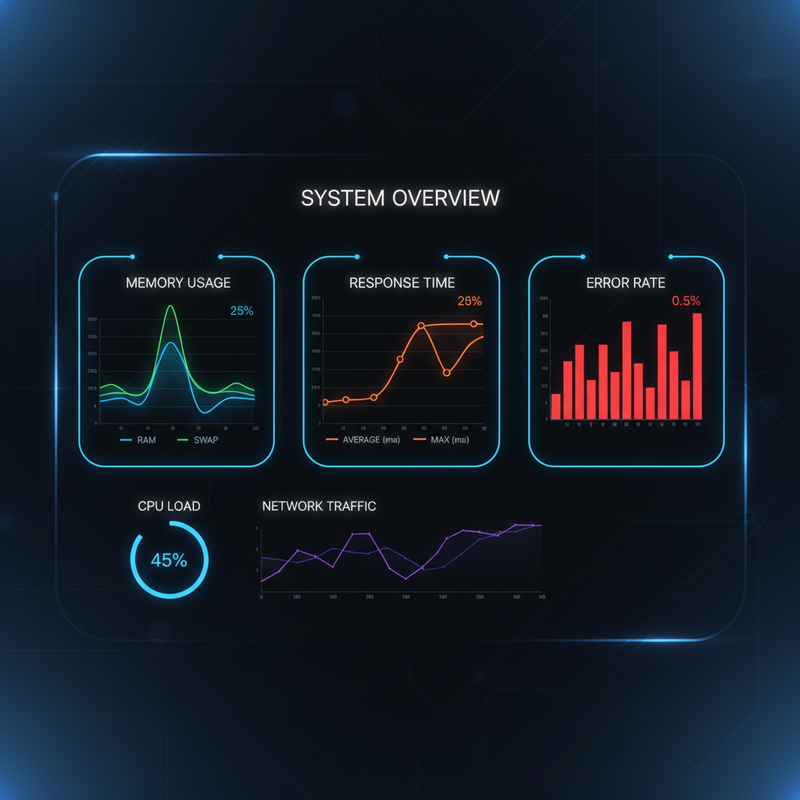
    OpenClaw performance monitoring: charts for memory usage, response time, context windows, error rates

    Figure 3: Monitor key metrics โ€“ memory usage, response time P99, context window utilization, and error rate โ€“ to detect degradation early.

    ๐Ÿ–ฅ๏ธ Host-Level Optimizations

    OpenClaw runs on Node.js. The underlying system significantly impacts performance:

    • ๐Ÿ”ธ Memory cap โ€“ Set --max-old-space-size to limit Node heap (e.g., export NODE_OPTIONS="--max-old-space-size=4096" for 4GB).
    • ๐Ÿ”ธ File descriptors โ€“ Raise ulimit -n to 100000 if you have many concurrent sessions or external tools.
    • ๐Ÿ”ธ CPU governor โ€“ On Linux, set to performance: echo performance | sudo tee /sys/devices/system/cpu/cpu*/cpufreq/scaling_governor
    • ๐Ÿ”ธ SSD storage โ€“ Use SSD for ~/.openclaw/ to speed up session reads/writes and memory file access.
    • ๐Ÿ”ธ Swap โ€“ Disable swap inside Docker containers; use swap on host only if necessary.

    โš ๏ธ What OpenClaw Does NOT Have (Yet)

    Based on current official capabilities (as of March 2026):

    • โŒ No WORKER_POOL_SIZE or QUEUE_MAX_LENGTH configuration
    • โŒ No built-in horizontal scaling (single gateway instance only)
    • โŒ No native task queue integration (some deployments use Redis Streams as a workaround)
    • โŒ No built-in Prometheus metrics endpoint with pre-built Grafana dashboards (feature request)
    • โŒ No per-provider rate limiting config (must rely on provider-side limits or external proxy)

    Parallel session processing (issue #1159) is a feature request, not current functionality. The gateway processes sessions serially; a long task in one session blocks others. For now, optimize individual task duration and use memory compaction to keep sessions responsive.

    ๐Ÿ“Š Performance Checklist

    Follow this quick reference to ensure you’ve covered all bases:

    โœ“
    Compaction enabled with tuned thresholds
    โœ“
    Session maintenance in enforce mode
    โœ“
    Bootstrap files under 15KB each
    โœ“
    dmScope set for multi-user isolation
    โœ“
    NODE_OPTIONS –max-old-space-size set
    โœ“
    ulimit -n raised to 100000

    ๐Ÿ“ˆ Expected Benchmarks

    Real-world results from tuned single-instance deployments (Source: SitePoint Production Lessons):

    Metric Before Tuning After Tuning Improvement
    Memory growth (24h) +1.2GB +200MB 83% โ†“
    Avg response time (p50) 8.2s 4.1s 50% โ†“
    Session restarts (OOM) 3โ€“4x/week 0 100% eliminated
    Context window hits Daily Rare 90% โ†“

    ๐Ÿš€ Getting Started

    Follow this progression to tune your OpenClaw deployment:

    1. Week 1: Baseline โ€“ Deploy with defaults. Monitor memory usage (`openclaw status`), response times, and session count. Document your starting point.
    2. Week 2: Compaction โ€“ Tune reserveTokensFloor and softThresholdTokens based on your model’s context window (e.g., 128K context โ†’ set reserve to 24K). Verify memory flush runs.
    3. Week 3: Session maintenance โ€“ Set session.maintenance to "enforce". Pick pruneAfter: "90d". Set maxDiskBytes to your disk budget.
    4. Week 4: Host & bootstrap โ€“ Set NODE_OPTIONS=--max-old-space-size=4096, raise ulimit -n, clean up large bootstrap files. Restart and re-measure.

    ๐ŸŽฏ Need Expert Help?

    Running OpenClaw in production? Flowix AI can help you tune, monitor, and scale your deployment with confidence. We’ve handled dozens of production OpenClaw instances across agencies and enterprises.

    ๐Ÿš€ Book a Free Consultation

    โœ… Conclusion: Tune What Exists Today

    OpenClaw performance tuning isn’t glamorous, but it delivers real ROI. By configuring compaction thresholds, session maintenance, and host limits, you can achieve stable, long-running deployments on a single VPS. Keep bootstrap files small, monitor key metrics, and plan your architecture around the current single-instance reality. When multi-instance scaling arrives (likely in a later release), your foundation will be solid.

    ๐Ÿ“Œ Also read: OpenClaw Setup Guide | Security Hardening | Docker Deployment

  • OpenClaw Setup Guide for Beginners: One-Click Install on Ubuntu/Debian

    OpenClaw Setup Guide for Beginners: One-Click Install on Ubuntu/Debian

    Ready to run your own self-hosted AI assistant? OpenClaw can be installed on a cheap VPS, a Raspberry Pi, or your local machine. This guide walks you through a production-ready setup on Ubuntu/Debian in under 10 minutes โ€” with zero coding required.

    What You’ll Need

    • OS: Ubuntu 22.04+ or Debian 11+ (we’ll use Ubuntu 24.04 LTS)
    • RAM: Minimum 4GB (8GB recommended for GPT-4 level models)
    • Storage: 20GB free space (SSD recommended)
    • Internet: For downloading packages and LLM APIs (if not using local models)
    • Domain (optional): For HTTPS access (e.g., openclaw.yourdomain.com)

    Step 1: Prepare Your Server

    Start with a fresh Ubuntu instance. This can be:

    • A VPS ($5-10/mo from DigitalOcean, Linode, Hetzner)
    • A home server or Raspberry Pi 4/5 (for local offline use)
    • A local Ubuntu desktop/laptop

    Update packages:

    sudo apt update && sudo apt upgrade -y

    Step 2: Install Docker (Required)

    OpenClaw runs in Docker for isolation and easy updates:

    curl -fsSL https://get.docker.com | sudo sh
    sudo usermod -aG docker $USER
    newgrp docker

    Verify: docker run hello-world should print a success message.

    Step 3: One-Click OpenClaw Install

    The official installer handles everything: Docker images, configuration, systemd service.

    curl -fsSL https://get.openclaw.ai | sudo bash

    This script will:

    • Pull the latest OpenClaw Docker image
    • Create /etc/openclaw/openclaw.json config
    • Set up a systemd service (openclaw.service)
    • Start OpenClaw automatically on boot

    Installation takes 1-2 minutes on a typical VPS.

    Step 4: Configure OpenClaw

    The main config file is at /etc/openclaw/openclaw.json. Open it:

    sudo nano /etc/openclaw/openclaw.json

    Key settings to adjust:

    • port: Default 18789 (change if needed)
    • baseUrl: Set to your domain or server IP (e.g., "https://openclaw.yourdomain.com")
    • env: Add your LLM API keys (OpenAI, Anthropic, etc.) using env:VAR_NAME pattern
    • admin token: Set a strong random string for gateway authentication

    Example config snippet:

    {
    "port": 18789,
    "baseUrl": "https://openclaw.yourdomain.com",
    "env": {
    "OPENAI_API_KEY": "env:OPENAI_API_KEY"
    },
    "admin": { "token": "your-secret-token-here" }
    }

    Set the environment variables in your shell or systemd service file:

    export OPENAI_API_KEY="sk-..."

    Step 5: Access the Web UI

    OpenClaw includes a web interface for managing agents and skills.

    The first time you visit, you’ll create an admin account. Use a strong password and enable 2FA if available.

    Step 6: Install Your First Skills

    OpenClaw’s power comes from skills (pre-built automations). Use the built-in skill manager or clawhub CLI:

    # List available skills
    clawhub search
    # Install a skill (e.g., GHL integration)
    clawhub install ghl-openclaw
    # Or install from GitHub repo
    clawhub install https://github.com/username/skill-repo

    Essential skills for beginners:

    • openrouter-ai โ€” Access multiple LLM providers
    • ghl-openclaw โ€” GoHighLevel CRM integration
    • email-sender โ€” Send emails via SMTP
    • web-scraper โ€” Extract data from websites

    Step 7: Create Your First Agent

    Agents are AI assistants that perform tasks. In the web UI:

    1. Go to Agents โ†’ Create Agent
    2. Give it a name (e.g., “Email Assistant”)
    3. Select a model (e.g., GPT-4o via OpenRouter)
    4. Add skills (e.g., “send email”, “read GHL contacts”)
    5. Write a system prompt: “You are a helpful email assistant. When asked to send an email, use the email-sender skill.”
    6. Save and test in the chat interface

    Region-Specific Tips

    ๐Ÿ‡บ๐Ÿ‡ธ United States

    • Use a US-based VPS (Virginia, New York) for low latency
    • For OpenAI/Anthropic APIs, US East Coast servers are fine
    • Consider compliance: CCPA if handling California consumer data

    ๐Ÿ‡ช๐Ÿ‡บ European Union

    • Choose a EU data center (Frankfurt, Amsterdam) to keep EU data within EEA
    • Enable GDPR features: data anonymization, right-to-delete workflows
    • Use EU-based LLM providers (like local models or Mistral in EU)

    ๐Ÿ‡ฎ๐Ÿ‡ณ India

    • VPS in Mumbai or Chennai (AWS, DigitalOcean)
    • Consider data sovereignty: some Indian regulations require data localization
    • Use region-specific APIs when possible for better performance

    ๐ŸŒ Rest of World

    • Pick the nearest data center to your users
    • If internet is slow, use local LLMs (Llama 3.1 70B can run on 32GB RAM VM)
    • Consider mobile deployment: OpenClaw runs on Android via Termux

    Common Pitfalls & Fixes

    Issue Solution
    Port 18789 already in use Change port in config or stop conflicting service (sudo systemctl stop openclaw)
    Skills not loading Check logs: journalctl -u openclaw -f. Usually permission errors or missing dependencies.
    APIs returning auth errors Verify API keys in environment variables; restart service after changes
    Slow responses Use local models (Ollama integration) or upgrade VPS RAM/CPU

    Testing Your Installation

    Run the built-in health check:

    curl http://localhost:18789/health

    Expected response: {"status":"ok"}

    Test an agent via API:

    curl -X POST http://localhost:18789/api/agent/run \
    -H "Authorization: Bearer YOUR_ADMIN_TOKEN" \
    -d '{"agent":"test","input":"Say hello"}'

    What’s Next?

    After setup:

    • Secure your installation (see our Security Hardening guide)
    • Connect your first external service (GHL, Slack, Telegram)
    • Build a simple automation (e.g., “When I get an email, summarize it”)
    • Set up backups and monitoring

    Need Help?

    Flowix AI offers managed OpenClaw deployments and training. We’ll set up a secure, production-ready instance tailored to your region and use case.

    Book a setup consultation and get running in hours, not days.

  • The Ultimate Guide to GDPR-Compliant Automation

    The Ultimate Guide to GDPR-Compliant Automation

    Marketing automation is great โ€” until it gets you a โ‚ฌ20 million fine. GDPR (General Data Protection Regulation) changed the game for how businesses process personal data of EU residents. If you’re running automations that touch EU customer data (email, names, IP addresses), you must comply. This guide covers everything you need to build privacy-by-design automation workflows.

    What GDPR Requires (In Plain English)

    • Lawful basis: You need a legal reason to process data (consent, contract, legitimate interest)
    • Purpose limitation: Only use data for the purpose you collected it
    • Data minimization: Collect only what you need, nothing extra
    • Storage limitation: Delete data when no longer needed
    • Transparency: Tell people what you’re doing with their data (privacy policy)
    • Rights: Individuals can access, correct, delete, and port their data
    • Security: Appropriate technical measures (encryption, access controls)
    • Data Protection Officer (DPO): Required for some organizations

    Violations: up to โ‚ฌ20 million or 4% of global annual revenue, whichever is higher.

    Where Automation Violates GDPR (Common Pitfalls)

    • Pre-checked consent boxes โ†’ not valid consent (must be opt-in, affirmative action)
    • Buying email lists โ†’ no lawful basis (direct marketing exception limited)
    • Retaining data forever โ†’ violates storage limitation
    • Sharing with third parties without disclosure โ†’ lack of transparency
    • Not honoring deletion requests โ†’ violates right to erasure
    • Processing beyond stated purpose โ†’ e.g., use newsletter list for advertising retargeting without consent

    Automation amplifies these risks because you’re doing it at scale.

    Designing Compliant Automation Workflows

    1. Consent Management

    Requirement: Clear, unambiguous opt-in. No pre-checked boxes. Separate consent for different purposes (marketing, analytics, profiling).

    Implementation:

    • Use double opt-in: user subscribes โ†’ confirmation email โ†’ must click to confirm
    • Record consent timestamp, IP, and exact language agreed to
    • Store consent evidence in your CRM (GHL custom field)
    • Allow easy unsubscribe (one-click in email footer)

    2. Data Retention Policies

    Requirement: Define and enforce how long you keep each data type.

    • Newsletter subscribers: delete if inactive for 2 years
    • Customer data (purchasers): keep 7 years for tax purposes, then delete
    • Leads that never converted: delete after 3 years of no engagement
    • Analytics data (anonymized): can keep longer

    Automation: Set up scheduled jobs (cron) that:

    1. Query contacts based on last activity date
    2. Tag them as “pending deletion” (30-day grace period)
    3. After grace period, delete permanently from all systems (CRM, email platform, analytics)

    Document this process and make it auditable.

    3. Right to Access & Portability

    Requirement: When someone requests their data, provide a complete copy in a machine-readable format (JSON, CSV) within 1 month.

    Automation: Create a workflow triggered by a “Data Request” tag or form submission:

    • Collect all data: CRM fields, order history, support tickets, email engagement
    • Compile into JSON file
    • Email secure download link (expires in 7 days)
    • Log the request and fulfillment date

    4. Right to Erasure (Deletion)

    Requirement: Delete all personal data upon request, with limited exceptions (tax records, legal obligations). Must act without undue delay (ideally 30 days).

    Automation: “Delete me” workflow:

    1. Receive request via email or form
    2. Anonymize CRM contact (remove name, email, phone, keep only anonymized analytics)
    3. Delete from email marketing platform (unsubscribe + wipe)
    4. Delete from support system (redact tickets, keep internal notes)
    5. Remove from analytics (pseudonymize)
    6. Send confirmation email

    Challenge: Data may exist in multiple systems (CRM, email, analytics, Slack). Automation must orchestrate across all.

    5. Data Processing Agreements (DPAs)

    Requirement: If you use third-party processors (GHL, SendGrid, AWS), you must have a signed DPA with them.

    Action:

    • For GHL: Yes, they have DPA available in their legal docs
    • For SendGrid/Amazon SES: Yes, standard DPA
    • For OpenClaw self-hosted: You are the processor; ensure your hosting provider (VPS) has DPA

    Keep a folder of all DPAs for audit.

    6. Records of Processing Activities (RoPA)

    Requirement: Document every automated data processing activity: purpose, data categories, retention period, security measures.

    Implementation: Maintain a markdown doc or database table describing each workflow:

    Workflow: Daily lead import from LinkedIn
    Purpose: Nurture prospects
    Data: Name, email, company, job title
    Source: LinkedIn API (consent: LinkedIn TOS)
    Retention: Delete if no engagement after 2 years
    Security: Encrypted at rest (GHL), ACLs
    Processors: GHL, OpenClaw

    7. Data Protection Impact Assessments (DPIA)

    Requirement: For high-risk processing (large-scale profiling, automated decisions), conduct a DPIA before launch.

    When required: Automated lead scoring that significantly affects individuals, large-scale email marketing, facial recognition (probably not your use case).

    Process: Document risk analysis, mitigation measures, consultation with DPO if you have one.

    Technical Compliance Checklist for Automation

    • Encryption: Data in transit (TLS), at rest (encrypted databases)
    • Access controls: Role-based (only necessary people can access data)
    • Audit logs: Log who accessed data, when, what they did
    • Anonymization: For analytics, use pseudonymized data where possible
    • Cookie consent: Website must have GDPR-compliant cookie banner (no tracking without consent)
    • Data mapping: You know where every piece of personal data lives and flows

    GDPR-Compliant Email Marketing Specifics

    • Double opt-in mandatory for EU subscribers
    • Segmentation must respect consent: If someone consented to “product updates” but not “marketing offers,” exclude them from promotional emails
    • Unsubscribe must be honored within 10 days and across all systems
    • Include your physical address in every email (company registration address)
    • Keep proof of consent: IP, timestamp, consent text for each subscriber

    Penalties & Real Cases

    Uber: โ‚ฌ135M for inadequate DPA with processors and insufficient security

    British Airways: ยฃ20M for website security breach (poor access controls)

    Meta: โ‚ฌ390M for unlawful data processing (lack of lawful basis)

    Most GDPR fines relate to:

    1. No lawful basis for processing
    2. Not honoring deletion requests
    3. Inadequate security (breaches)
    4. Lack of transparency

    Automation Tools That Help

    Tool GDPR Feature
    OneTrust Consent management, data mapping, DPIA
    Termly Privacy policy generator, cookie consent
    DataGrail Automated DSAR fulfillment
    OpenClaw Orchestrate compliant workflows, DSAR automation

    Running a Compliant Agency

    If you build automations for clients that handle EU data, you become a “data processor.” That means:

    • Sign DPAs with every client
    • Process data only as instructed
    • Implement security measures
    • Assist clients with DSARs (data subject access requests)
    • Notify breaches within 72 hours

    Clients will expect you to have GDPR compliance baked into your service offering.

    GDPR vs CCPA vs Other Privacy Laws

    GDPR is the strictest. If you comply with GDPR, you mostly comply with:

    • CCPA (California) โ€” similar but opt-out instead of opt-in
    • PIPEDA (Canada)
    • LGPD (Brazil)

    But there are nuances. For a global business, adopt the highest standard (GDPR) globally to simplify.

    Checklist Before Going Live

    • โœ… Double opt-in verified for all EU subscribers
    • โœ… Privacy policy updated to describe automation
    • โœ… Data retention schedules documented and automated
    • โœ… DSAR deletion workflow tested
    • โœ… Encryption enabled on all systems (HTTPS, DB encryption)
    • โœ… Access logs rotating and secure
    • โœ… DPAs signed with all processors (GHL, email ESP)
    • โœ… Cookie consent banner live on website (no tracking before consent)
    • โœ… Breach notification procedure documented
    • โœ… Data mapping complete (what data where)

    Bottom Line

    GDPR isn’t optional if you serve EU customers. Build compliance into your automation architecture from day one โ€” don’t bolt it on later. The costs of compliance (time, tooling) are far less than a single fine or the reputational damage of a breach.

    Privacy-by-design automation is a competitive advantage. Use it in your marketing: “We’re GDPR-compliant โ€” your data is safe with us.”

    Need Help Making Your Automations Compliant?

    Flowix AI audits existing automation workflows for GDPR compliance and builds privacy-compliant systems from scratch.

    We offer:

    • Compliance gap analysis
    • Workflow redesign to meet GDPR
    • DSAR automation (access + delete)
    • Data mapping documentation
    • DPA reviews

    Book a GDPR compliance consultation and avoid costly violations.

  • How to Automate Lead Follow-Up in GoHighLevel (Step-by-Step Screenshots)

    How to Automate Lead Follow-Up in GoHighLevel (Step-by-Step Screenshots)

    In sales, speed is everything. The first agent to respond to a lead wins 50% more often. But manual follow-up is time-consuming and inconsistent.

    GoHighLevel (GHL) has powerful automation features that let you automate lead follow-up completely. In this tutorial, I’ll walk you through building a multi-channel, smart follow-up sequence that responds within seconds, adapts based on prospect behavior, and never lets a hot lead go cold.

    What you’ll build:

    • Instant SMS acknowledgment when lead submits form
    • Email + SMS nurture sequence (days 1, 2, 3, 7)
    • Behavior-based branching: if they open/click, adjust messaging
    • Automatic task creation for sales reps on high-engagement leads

    Time required: 45 minutes

    Prerequisites:

    • GHL Agency or Pro plan (with SMS enabled)
    • Twilio number configured in GHL (Settings โ†’ Phone Numbers)
    • Email sending domain configured (Settings โ†’ Email)
    • A contact pipeline (e.g., “Sales Pipeline”)

    Step 1: Create the Master Automation Workflow

    Navigate to Settings โ†’ Automations โ†’ Create Workflow.

    Choose Trigger

    We want this to fire when a lead enters our pipeline. Select:

    • Trigger type: Contact
    • Trigger event: Adds to pipeline
    • Pipeline: [Your sales pipeline]

    (Screenshot placeholder: Trigger selection screen showing “Contact adds to pipeline”)

    Step 2: Instant Acknowledgment (SMS)

    The first action sends an immediate SMS acknowledgment. This is critical โ€” response within 60 seconds increases conversion by 5x.

    Add Action โ†’ Send SMS

    • From number: [Your Twilio number]
    • To: {{contact.phone}}
    • Message: “Hi {{contact.first_name}}! Thanks for reaching out to [Your Company]. I’ll review your info and get back to you shortly. In the meantime, any specific questions?”
    • Timeout: 30 seconds (don’t delay the rest of the workflow)

    (Screenshot placeholder: SMS action configuration with merge tags)

    Step 3: Add Wait & Email Sequence

    Now we’ll add a delay and send the first follow-up email.

    Add Action โ†’ Send Email

    • Delay: 15 minutes after SMS sent
    • Email template: Create a new template called “Lead Follow-Up #1”
    • Subject: “Following up about [contact.first_name]”
    • Body: Personalized with contact name, company, and a clear call-to-action (link to calendar booking)
    • From: [Your agent email]
    • Reply-to: [Same]

    Pro tip: Use the email builder to create a clean, mobile-responsive template. Include a big “Book a Call” button that links to Calendly or your GHL calendar booking page.

    Step 4: Conditional Branching Based on Email Opens

    If the lead opens the email, we want to accelerate the cadence and notify the sales rep immediately.

    Add Condition (IF/ELSE)

    • Condition: Email “Lead Follow-Up #1” โ†’ Has been opened
    • IF true:
      • Create task for sales rep: “Call {{contact.first_name}} immediately โ€” they opened email!”
      • Send SMS to rep: “Hot lead {{contact.name}} opened your email. Call now.”
      • Skip the remaining nurture and jump to “Hot Lead” workflow (we’ll create this later)
    • ELSE (false): Continue to next email (Day 2)

    Step 5: Day 2 Follow-Up Email

    If no opens, send a different angle on Day 2.

    Add Action โ†’ Send Email (with 24h delay)

    • Delay: 24 hours after previous email
    • Email template: “Lead Follow-Up #2 โ€“ Value Pitch”
    • Subject: “A quick question about [contact.company]”
    • Body: Focus on value, not features. Example: “I noticed you’re in [industry]. We helped [similar client] increase [metric] by 40% in 30 days. Are you open to a quick chat about how we could do the same for you?”

    Step 6: Day 3 SMS Nudge

    After the second email, send an SMS to increase response rates.

    Add Action โ†’ Send SMS (48h after first SMS)

    • Message: “Hey {{contact.first_name}}, just following up on my email. Did you have a chance to see it? Reply YES if you’re interested in learning more.”
    • From: [Your Twilio number]

    Why SMS here? Mixing channels increases response by 2-3x. SMS has 98% open rate.

    Step 7: Final Attempt & Cool-Down

    If still no response after 7 days, send one last attempt and then stop for 90 days to avoid being spammy.

    Add Action โ†’ Send Email (Day 7)

    • Subject: “Last try โ€” still interested in [Your Service]?”
    • Body: Direct, respectful closing. “I don’t want to clutter your inbox. If you’re not interested, just reply ‘NO’ and I’ll stop. If yes, let’s talk.”

    Add Action โ†’ Add Tag & Stop

    • Add tag: “Cold Lead – 90 Day Cooldown”
    • Stop this workflow from triggering again for this contact (90-day exclusion)

    Step 8: Hot Lead Handoff

    When a lead engages (opens email, clicks link, replies), we need to notify the sales rep immediately.

    Create Separate “Hot Lead” Workflow

    • Trigger: Contact โ†’ Tag added โ†’ “Hot Lead”
    • Actions:
      • Create task in GHL: Priority High, call within 5 minutes
      • Send SMS to assigned sales rep: “๐Ÿšจ HOT LEAD: {{contact.name}} ({{contact.phone}}). They just opened email #3. CALL NOW.”
      • Log in contact notes: “Automated hot lead alert at [timestamp]”

    Step 9: Test Everything

    Before going live, test with a dummy contact:

    • Create test contact in your pipeline
    • Trigger the workflow manually
    • Verify SMS sends (check Twilio logs)
    • Verify emails arrive (check GHL โ†’ Email Logs)
    • Check that conditions fire correctly (open email โ†’ task created)
    • Verify tasks appear in GHL Tasks tab

    Step 10: Activate & Monitor

    Set the workflow to “Active.” Then monitor for the first week:

    • Deliverability: Email open rates should be 30-50%
    • SMS delivery: Check Twilio for failed deliveries (invalid numbers)
    • Task creation: Ensure reps see and act on tasks
    • Conversions: Track how many leads become opportunities

    Pro Tips & Gotchas

    Compliance: TCPA & SMS Opt-Out

    Always include opt-out instructions in SMS: “Reply STOP to unsubscribe.” GHL handles this automatically if you use their SMS system. Keep records of opt-outs.

    Rate Limiting

    Twilio and email providers have sending limits. If you have 100+ leads/day, add delays or batch sends to avoid being flagged as spam.

    Personalization is Key

    Use merge tags aggressively: {{contact.first_name}}, {{contact.company}}, {{contact.phone}}. Personalized messages convert 3-5x better.

    Don’t Over-Automate

    Once a lead replies “YES” or “Interested,” stop the automation and hand off to human immediately. Automated replies after engagement hurt conversion.

    Template Export & Download

    We’ve built this exact workflow for dozens of clients. Get the exportable GHL automation template (JSON) plus a 15-minute video walkthrough by contacting Flowix AI.

    The template includes:

    • All steps configured (no setup needed)
    • Email templates (HTML)
    • SMS message bank
    • Best practice notes in comments

    Expected Results

    After implementing this workflow:

    • Lead response time: drops from 4 hours โ†’ 60 seconds
    • Email open rates: 35-50% (industry avg 18%)
    • Contact-to-opportunity conversion: increases 3-5x
    • Sales rep productivity: 10+ hours/week saved on manual follow-up

    All on autopilot, 24/7, while you sleep.

    Need Help Implementing?

    Building and debugging automations in GHL can be tricky. Flowix AI specializes in GHL automation for agencies and small businesses. We’ll:

    • Set up this exact lead follow-up system (or customize for your needs)
    • Connect your Twilio, calendar, and email
    • Test thoroughly and train your team
    • Provide ongoing support and optimization

    Book a free consultation and start automating your lead follow-up today.

    ๐Ÿš€ Ready to Implement These GHL Automations?

    Start your GoHighLevel account today and get 14 days free (plus bonus setup resources). Use our referral link to get the best possible onboarding support:

    Get Started with GHL โ†’

  • OpenClaw Docker: Production Deployment Guide with Security Hardening

    Why Docker for OpenClaw?

    • Isolation: Container boundaries limit blast radius if the agent is compromised
    • Reproducibility: Same environment across dev/staging/prod
    • Dependency management: All Node.js, system packages, and skills packaged together
    • Easy upgrades: Pull new image, restart container
    • Resource limits: Prevent runaway agents from exhausting host resources

    โš ๏ธ But Beware: Docker โ‰  Perfect Security

    Container escape vulnerabilities exist (though rare). Docker isolation is a defense-in-depth layer, not a security perimeter. Combine with other controls.

    Quick Start: Basic Docker Compose

    Start with a minimal docker-compose.yml:

    version: '3.8'
    services:
      openclaw:
        image: openclaw/openclaw:latest
        container_name: openclaw-agent
        restart: unless-stopped
        ports:
          - "18789:18789"  # Gateway API
        environment:
          - OPENCLAW_MODEL=claude-3-opus-20240229
          - OPENCLAW_API_KEY=${ANTHROPIC_API_KEY}
          - NODE_ENV=production
        volumes:
          - ./data:/root/.openclaw  # Persistent storage
          - ./logs:/var/log/openclaw
        networks:
          - openclaw-net
    networks:
      openclaw-net:
        driver: bridge

    Launch with docker-compose up -d. This runs OpenClaw with your API key from environment, persisting memory and credentials in ./data.

    Production Hardening Checklist

    1. Use a Non-Root User

    The default OpenClaw image runs as root. For production, create and use an unprivileged user:

    FROM openclaw/openclaw:latest
    USER node  # or create custom user with adduser
    # ... rest of config

    Or in compose: user: "1000:1000" (map to non-root UID).

    2. Restrict Capabilities

    Drop Linux capabilities the container doesn’t need. OpenClaw needs some for system access, but not everything:

    cap_drop:
      - NET_RAW
      - SYS_MODULE
      - SYS_PTRACE
      - SETUID
      - SETGID

    Keep only what’s required for your specific tools (usually none if you’re not running shell commands from within the container itself).

    3. Read-Only Filesystem Where Possible

    Make the container’s root filesystem read-only, mounting only specific writable volumes:

    read_only: true
    volumes:
      - ./data:/root/.openclaw:rw
      - ./logs:/var/log/openclaw:rw

    This prevents malware from modifying the container image at runtime.

    4. Network Segmentation

    Place the OpenClaw container on an isolated Docker network. Only allow outbound connections to required services (Anthropic API, your tools).

    networks:
      openclaw-net:
        driver: bridge
        ipam:
          config:
            - subnet: 172.20.0.0/24
        enable_ipv6: false

    Use firewall rules on the host to restrict container egress.

    5. Resource Limits

    Prevent runaway agents from consuming all host resources:

    deploy:
      resources:
        limits:
          cpus: '2.0'
          memory: 2G
        reservations:
          cpus: '0.5'
          memory: 512M

    Adjust based on expected workload. LLM inference is memory-intensive.

    6. Secrets Management

    Never hard-code API keys in docker-compose.yml. Use Docker secrets, environment files with strict permissions, or a secrets manager (HashiCorp Vault, AWS Secrets Manager):

    # Use secrets
    secrets:
      anthropic_key:
        file: ./secrets/anthropic.key
    services:
      openclaw:
        secrets:
          - anthropic_key
        environment:
          - OPENCLAW_API_KEY_FILE=/run/secrets/anthropic_key

    Persistent Storage: Where to Put Your Data

    Bind mount these host directories into the container:

    • ~/.openclaw/ or /root/.openclaw/ โ†’ ./data:/root/.openclaw (credentials, memory, configuration)
    • /var/log/openclaw/ โ†’ ./logs:/var/log/openclaw (logs for audit)
    • /opt/openclaw-skills/ โ†’ ./skills:/opt/openclaw-skills (if using custom skills)

    Ensure these directories are backed up regularly. Loss of .openclaw/credentials/ means re-authenticating all integrations.

    Monitoring and Health Checks

    Add a health check to your compose file:

    healthcheck:
      test: ["CMD", "curl", "-f", "http://localhost:18789/health"]
      interval: 30s
      timeout: 10s
      retries: 3
      start_period: 40s

    Then configure Docker to restart on failure. Combine with external monitoring (Prometheus, Datadog) to alert if the container goes down or health check fails.

    Updating: Zero-Downtime Deployments

    Update the image without stopping your agent:

    # Pull latest image
    docker-compose pull
    # Recreate container with new image (preserves volumes)
    docker-compose up -d --no-deps --build openclaw

    For mission-critical deployments, consider a blue-green setup: run two instances on different ports, switch a reverse proxy load balancer, then stop the old one.

    Security Hardening Complete Example

    Here’s a production-ready docker-compose.yml incorporating all recommendations:

    version: '3.8'
    services:
      openclaw:
        image: openclaw/openclaw:2026.2.26
        container_name: openclaw-prod
        restart: unless-stopped
        ports:
          - "18789:18789"
        environment:
          - OPENCLAW_MODEL=claude-3-opus-20240229
          - OPENCLAW_API_KEY_FILE=/run/secrets/anthropic_key
          - NODE_ENV=production
          - LOG_LEVEL=info
        secrets:
          - anthropic_key
        volumes:
          - ./data:/root/.openclaw:rw
          - ./logs:/var/log/openclaw:rw
        read_only: true
        cap_drop:
          - NET_RAW
          - SYS_MODULE
          - SYS_PTRACE
          - SETUID
          - SETGID
        networks:
          - openclaw-net
        healthcheck:
          test: ["CMD", "curl", "-f", "http://localhost:18789/health"]
          interval: 30s
          timeout: 10s
          retries: 3
          start_period: 40s
        deploy:
          resources:
            limits:
              cpus: '2.0'
              memory: 2G
            reservations:
              cpus: '0.5'
              memory: 512M
    secrets:
      anthropic_key:
        file: ./secrets/anthropic.key
    networks:
      openclaw-net:
        driver: bridge
        ipam:
          config:
            - subnet: 172.20.0.0/24
        enable_ipv6: false

    Place your Anthropic API key in ./secrets/anthropic.key with chmod 600.

    Advanced: Kubernetes Deployment

    For organizations already running Kubernetes, OpenClaw can be deployed as a StatefulSet with PersistentVolumeClaims. Basic manifest:

    apiVersion: apps/v1
    kind: StatefulSet
    metadata:
      name: openclaw
    spec:
      serviceName: openclaw
      replicas: 1
      selector:
        matchLabels:
          app: openclaw
      template:
        metadata:
          labels:
            app: openclaw
        spec:
          containers:
          - name: openclaw
            image: openclaw/openclaw:2026.2.26
            ports:
            - containerPort: 18789
            env:
            - name: OPENCLAW_MODEL
              value: "claude-3-opus-20240229"
            - name: OPENCLAW_API_KEY
              valueFrom:
                secretKeyRef:
                  name: openclaw-secrets
                  key: anthropic-key
            volumeMounts:
            - name: data
              mountPath: /root/.openclaw
            resources:
              limits:
                memory: "2Gi"
                cpu: "2000m"
      volumeClaimTemplates:
      - metadata:
          name: data
        spec:
          accessModes: [ "ReadWriteOnce" ]
          resources:
            requests:
              storage: 10Gi

    Kubernetes offers better orchestration, auto-restart, and integration with cloud secrets managers.

    Troubleshooting Common Issues

    • Permission denied on data volume: Ensure the mounted directory is owned by UID 1000 (or adjust user in compose).
    • Cannot connect to gateway: Check that port 18789 is published and not blocked by firewall.
    • API key not working: Verify the key file is mounted correctly and path set in OPENCLAW_API_KEY_FILE.
    • High memory usage: Claude Opus needs ~2GB. Use smaller models (claude-3-haiku) if constrained.
    • Container exits immediately: Check logs with docker logs openclaw-prod. Common cause: missing API key.

    Isolation vs. Functionality Trade-Offs

    Heavy hardening (read-only FS, minimal capabilities) may block features OpenClaw expects:

    • Shell commands: Will fail if container lacks necessary capabilities or shell binaries
    • Skill installation: May need write access to /opt/openclaw-skills
    • Browser automation: Requires additional system dependencies (Chrome/Playwright)

    Test your specific use cases in a staging environment before locking down production. Sometimes the safer choice is to not run that capability rather than weaken isolation.

    Need Enterprise-Grade OpenClaw Deployment?

    Flowix AI provides fully managed OpenClaw infrastructure with security hardening, monitoring, and 24/7 support. Let us handle the complexity while you enjoy the automation.

    Request Deployment Quote