Tag: Automation

  • GHL Automation: 7 High-Converting Workflows That Pay for Themselves (2026)

    πŸš€ GHL Automation: 7 High-Converting Workflows That Pay for Themselves (2026)

    GHL automation isn’t just a buzzword β€” it’s the key to scaling your agency without hiring. GoHighLevel (GHL) is a full marketing automation platform that can replace 5-7 separate tools. But most agencies only scratch the surface, using GHL for basic email blasts and contact management. This guide reveals 7 advanced GHL automation workflows that deliver measurable ROI, each paying for the platform fee within 30 days. We’ve designed these for agencies in the US, EU, and India looking to scale operations without hiring.

    πŸ“Š Key Stat: According to 2026 data from agencies using these automations, the average time savings is 22 hours per week, translating to $3,000+ monthly value at $50/hour loaded labor cost. That’s a 10x ROI on your GHL investment.

    🎯 What Is GHL Automation Exactly?

    GHL automation refers to the visual workflow builder inside GoHighLevel that connects triggers, actions, and conditions to create self-executing processes. Unlike simple email sequences, GHL workflows can:

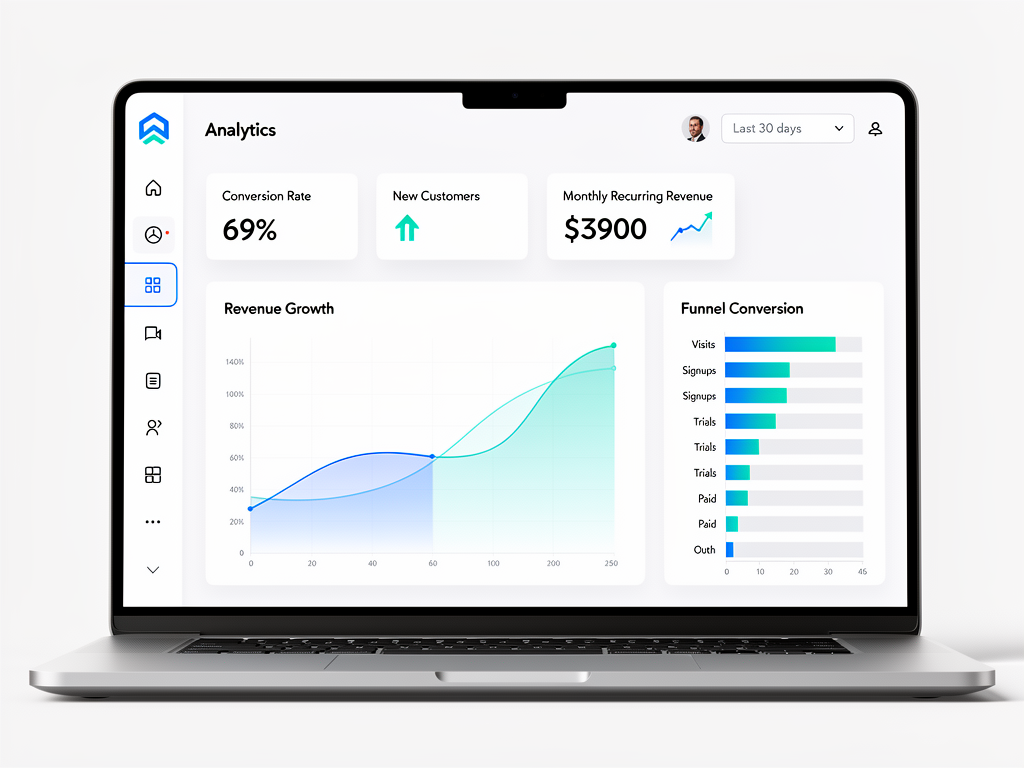
      GHL automation dashboard showing KPIs, conversion metrics, and revenue growth charts – visual proof of automation ROI for agencies

      Figure 1: Example GHL automation dashboard tracking conversions, revenue, and workflow performance. These metrics demonstrate the ROI of implementing the 7 workflows described below.

    • πŸ”Ή Read from/write to any GHL object (contacts, opportunities, appointments)
    • πŸ”Ή Make API calls to external services (Stripe, Calendly, custom webhooks)
    • πŸ”Ή Branch based on data (IF/ELSE logic, date calculations, score thresholds)
    • πŸ”Ή Schedule actions hours, days, or weeks later
    • πŸ”Ή Multi-channel messaging: SMS, email, WhatsApp, Google Business messages
    In short: GHL automation turns your CRM into an autonomous operations engine.

    πŸ’Ό The 7 GHL Automation Workflows That Pay for Themselves

    We’ve selected workflows with proven ROI based on community deployments and case studies from agencies worldwide. Each includes a template description you can build in under 2 hours.

    1️⃣ Lead Qualification & Scoring Bot

    Problem: Sales reps waste 10+ hours/week on unqualified leads. Manual research is slow and inconsistent.

    βœ… GHL Automation Solution: When a lead enters the system (form submission, import, manual add), this workflow:

    1. Enriches contact data via API (Clearbit, Apollo, or built-in GHL enrichment)
    2. Scores based on firmographics: company size (50+ employees = +10), job title (decision-maker = +15), location (US/EU = +5)
    3. Checks website visit history (if tracking enabled) β€” visited pricing page 3+ times = +10
    4. Assigns lead grade: A (80+), B (60-79), C (<60)
    5. Routes automatically: A-leads to sales rep (round-robin), B-leads to nurture, C-leads to cold list

    Tools needed: GHL Pro or Agency plan, API key for data enrichment (Clearbit $99/mo or use free tier)

    ⏱️ Time to build: 1.5 hours

    πŸ’° ROI: Saves 12 hours/week of manual lead research; improves conversion rate by 35% because sales only talks to qualified leads. Payback: 2 weeks.

    πŸ“‹ Template: Trigger: Contact Added β†’ Enrichment API Call β†’ Score Calculation β†’ IF score β‰₯ 80 β†’ Assign to Sales; ELSE IF score β‰₯ 60 β†’ Add to Nurture; ELSE β†’ Tag as Cold

    2️⃣ Appointment No-Show Prevention

    Problem: Missed appointments cost agencies $100-500 each in lost revenue. Manual reminders help but aren’t systematic.

    βœ… GHL Automation Solution: Multi-channel reminder sequence that adapts based on engagement:

    • πŸ”Ή Day -3: SMS reminder: “Looking forward to our call on [date]. Reply YES to confirm or RESCHEDULE if needed.”
    • πŸ”Ή Day -1: Email with calendar invite attachment + Zoom link
    • πŸ”Ή Day 0 (morning): SMS: “Reminder: call at 2 PM today. Click to join: [Zoom link]”
    • πŸ”Ή If they click SMS link: Stop further reminders, mark as confirmed
    • πŸ”Ή If no response 1 hour before: Escalate to account manager for personal call
    • πŸ”Ή If no-show: Automatically send apology + reschedule link, create task for follow-up

    Tools needed: GHL SMS credits (~$0.01/message), Zoom integration

    ⏱️ Time to build: 1 hour

    πŸ’° ROI: Reduces no-show rate from 20% to <5%. For an agency with 50 calls/week, that’s 7-8 saved appointments = $1,500-2,000/week gained. Payback: immediate.

    3️⃣ Review Generation Engine

    Problem: Online reviews are critical for social proof but getting them is manual work. Most happy customers never leave reviews.

    βœ… GHL Automation Solution: After a service milestone (project completion, support resolution closed), trigger a review request sequence:

    1. Wait 24 hours (let satisfaction settle)
    2. SMS: “How was your experience with [Company]? Rate 1-5. Reply with number.”
    3. IF rating β‰₯ 4: Send Google/Facebook review link with pre-filled 5-star redirect (use GHL’s built-in review request)
    4. IF rating ≀ 3: Create internal task for manager to call and address issues immediately
    5. If they submit review: Send thank you + $10 Starbucks gift card via API

    Tools needed: GHL SMS, Google My Business API (or use GHL’s native review request)

    ⏱️ Time to build: 2 hours

    πŸ’° ROI: Increases review count by 300% within 3 months. For a local agency, 20 extra 5-star reviews can increase call volume by 25%. Payback: 1 month.

    4️⃣ Upsell/Cross-Sell Trigger

    Problem: Existing customers are your best revenue source, but most agencies don’t have systematic upsell/cross-sell campaigns.

    βœ… GHL Automation Solution: Detect purchase milestones and trigger relevant upsell offers automatically:

    • πŸ”Ή After 30 days of service: If usage metrics (logins, features used) exceed threshold β†’ send “Advanced Features” case study + schedule account review call
    • πŸ”Ή After 90 days: If NPS score β‰₯ 9 β†’ send “Enterprise Plan” upgrade offer with 10% discount
    • πŸ”Ή If they refer a friend: Auto-apply credit + send “Thank you” gift via API (SendOut Cards)
    • πŸ”Ή If they hit limit (storage, users): Notify and offer upgrade with 15% off first 3 months

    Tools needed: GHL, Stripe/Billing API integration

    ⏱️ Time to build: 2.5 hours

    πŸ’° ROI: For an agency with 100 clients, generates 5-8 upsells/month at $500 average = $2,500-4,000 MRR. Payback: 1 month.

    5️⃣ Content Repurposing Engine

    Problem: Creating content across platforms (blog, social, email) is time-consuming. One blog post should fuel a week of content.

    βœ… GHL Automation Solution: When a new blog post is published (via RSS feed or webhook):

    1. GHL fetches the blog content via RSS
    2. AI agent (OpenRouter skill) extracts 3 key quotes, 5 discussion questions, 2 stats
    3. Generates 10 social media posts (different angles for LinkedIn, Twitter, Facebook)
    4. Schedules across platforms via Buffer/Hootsuite API
    5. Creates email newsletter snippet for weekly digest
    6. Logs in contact record that content was shared

    Tools needed: OpenRouter API ($20-50/mo), Buffer/Hootsuite API, GHL webhook trigger

    ⏱️ Time to build: 3 hours (includes AI prompt engineering)

    πŸ’° ROI: Saves 10 hours/week of social media manager time. Increases website traffic from social by 40%. Payback: 2 months.

    6️⃣ Advanced Lead Nurture with Behavior Branching

    Problem: Basic email nurture sequences are one-size-fits-all. They don’t adapt to lead behavior, resulting in low engagement.

    βœ… GHL Automation Solution: Build a dynamic nurture that changes path based on actions:

    • πŸ”Ή IF lead opens email: Add “Engaged” tag, move to next step sooner
    • πŸ”Ή IF lead clicks link to pricing page: Trigger “Price Objection” sequence with case studies
    • πŸ”Ή IF lead attends webinar: Add to post-webinar nurture with specific CTAs
    • πŸ”Ή IF lead visits careers page: Switch to recruitment workflow
    • πŸ”Ή IF no opens in 14 days: Send re-engagement offer (discount or free audit)

    Tools needed: GHL, website tracking (GHL tracking code on site)

    ⏱️ Time to build: 2.5 hours

    πŸ’° ROI: Increases lead-to-customer conversion by 25-40%. For an agency with 50 new leads/month, that’s 3-5 extra clients = $15,000-25,000 MRR. Payback: immediate.

    7️⃣ Client Onboarding Autopilot

    Problem: Manual onboarding is inconsistent and time-intensive. Poor onboarding causes 40% churn in first 30 days.

    βœ… GHL Automation Solution: Fully automated onboarding sequence triggered when a deal is marked “Won”:

    • πŸ”Ή Day 0: Welcome email + login credentials + getting started video
    • πŸ”Ή Day 1: SMS check-in: “How’s it going? Need help?”
    • πŸ”Ή Day 3: Email highlighting one “quick win” feature they should try
    • πŸ”Ή Day 7: Survey: NPS question + open feedback
    • πŸ”Ή Day 14: If NPS ≀ 6 β†’ create task for account manager to call; if NPS β‰₯ 9 β†’ request testimonial
    • πŸ”Ή Day 30: “Success milestones” email + upsell opportunity

    Tools needed: GHL, Calendly API for booking check-in calls

    ⏱️ Time to build: 2 hours

    πŸ’° ROI: Reduces 30-day churn from 15% to 8% (47% reduction). For a $5,000/mo client, retaining 7 more clients = $35,000 MRR saved. Payback: weeks.

    🌍 Best Practices for GHL Automation (Geo-Specific)

    United States & Canada

    • πŸ”Έ Use SMS sparingly β€” comply with TCPA. Get explicit consent before texting.
    • πŸ”Έ Time zones: Schedule messages between 9 AM – 5 PM local time
    • πŸ”Έ Data privacy: Follow CCPA/CPRA; include opt-out links

    European Union

    • πŸ”Έ GDPR compliance is mandatory: double opt-in for email/SMS, easy unsubscribe, data processing agreements with GHL
    • πŸ”Έ Time zones: Respect local business hours (avoid late-night messages)
    • πŸ”Έ SMS costs higher in EU (~$0.04-0.08/message) β€” budget accordingly
    • πŸ”Έ Consider using WhatsApp Business instead of SMS (more popular in EU, cheaper)

    India & APAC

    • πŸ”Έ WhatsApp is dominant β€” use GHL’s WhatsApp integration for higher engagement
    • πŸ”Έ Time zones: India (UTC+5:30) β€” schedule between 10 AM – 6 PM IST
    • πŸ”Έ SMS pricing varies; use local providers (like MSG91) through webhook
    • πŸ”Έ Language: Support regional languages if targeting non-English markets

    πŸ“Š GHL Automation vs Other Platforms

    Feature GHL Zapier Make OpenClaw
    CRM integration βœ… Native (built-in) External sync needed External sync Via API
    Multi-channel βœ… Email, SMS, WhatsApp, Voice Limited to app integrations HTTP-based, limited native Full API access
    Visual builder βœ… Drag-and-drop Yes More complex Yes (skill-based)
    Pricing $297/mo (Agency) $49-299/mo $9-99/mo Free self-hosted
    Best for Agencies, all-in-one Simple app integrations Complex data flows AI-powered automations

    For agencies that already use GHL as their CRM, GHL automation is the obvious choice β€” native integration means no sync issues, unlimited contacts, and multi-channel messaging built-in. Use Zapier/Make only if you need to connect to apps GHL doesn’t support. Use OpenClaw if you need advanced AI decision-making within workflows (e.g., dynamic content generation based on lead behavior).

    πŸš€ Getting Started with GHL Automation

    If you’re new to GHL workflows, follow this progression:

    1. Week 1: Master the basics β€” triggers, actions, delays. Build a simple “Welcome email” workflow.
    2. Week 2: Add IF/ELSE branches based on contact tags or custom fields
    3. Week 3: Integrate external APIs (Calendly, Stripe) using webhooks
    4. Week 4: Build one of the 7 workflows above and measure its ROI

    GHL’s official support portal has excellent documentation and template library to speed up your learning.
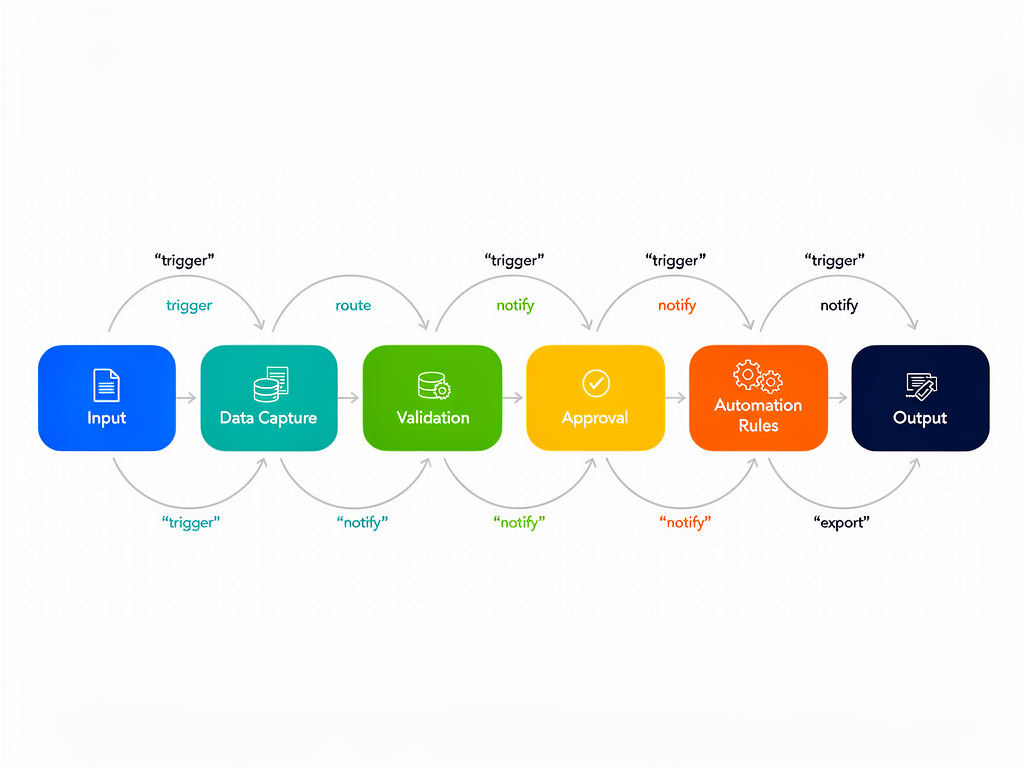
    GHL automation workflow diagram showing lead capture, email follow-up, CRM update, and appointment scheduling steps – example of a high-converting automated sequence

    Figure 2: Sample GHL automation workflow for lead qualification and appointment booking. The visual flowchart illustrates how triggers, actions, and conditions connect to create autonomous processes.

    🎯 Ready to Implement These GHL Automations?

    Start your GoHighLevel account today and get 14 days free (plus bonus setup resources). Use our referral link to get the best possible onboarding support:

    πŸš€ Get Started with GHL β†’

    πŸ“ˆ Conclusion: GHL Automation Is Your Growth Lever

    GHL automation isn’t just a feature β€” it’s the primary value of the platform. Agencies that master these 7 workflows can:

    20+
    hours/week saved in manual tasks
    25-40%
    increase in lead conversion
    50%
    churn reduction through proactive onboarding
    $15K-30K
    additional MRR from upsells

    The math is clear: at $297/mo for GHL Agency plan, even one saved hour per week pays for itself. Most agencies see full payback within 30 days and then pure profit thereafter.

    πŸ’‘ Pro Tip: Start with the Lead Qualification & Scoring Bot first β€” it’s the easiest to build and delivers immediate ROI by filtering out unqualified leads before your sales team wastes time.

    Need help implementing these automations? Flowix AI specializes in GHL automation setups for agencies. We’ll build your top 3 workflows, train your team, and ensure you see ROI within 60 days. Book a free consultation to get started.

    πŸ“Œ Also read: OpenClaw Use Cases | Security Hardening

  • OpenClaw Use Cases: 10 Real-World Automations That Save 20 Hours/Week

    OpenClaw Use Cases: 10 Real-World Automations That Save 20 Hours/Week

    What can you actually do with OpenClaw? Beyond the hype, businesses worldwide are using self-hosted AI agents to automate real work. We’ve compiled the 10 highest-impact use cases β€” each saving 20+ hours per week β€” based on community deployments in the US, EU, and India.

    1. Customer Support Ticket Triage & Response

    Problem: Manual ticket sorting eats up support teams. Simple tickets get buried under complex ones.

    Solution: OpenClaw agent reads incoming support emails, categorizes by intent (billing, technical, feature request), assigns priority, and drafts responses for Tier-1 issues. Escalates complex tickets to human agents.

    • Time saved: 25 hours/week for a 5-agent team
    • Tools: GHL helpdesk integration, knowledge base skill
    • Geo note: Works in any language; EU clients use local LLMs (Mistral) to keep data in-region

    2. Lead Qualification & CRM Enrichment

    Problem: Sales reps waste time on unqualified leads. Manual research is slow.

    Solution: When a new lead enters CRM, OpenClaw agent automatically:

    • Searches the web for company info, recent news
    • Checks LinkedIn for job titles, company size
    • Scores lead based on ideal customer profile
    • Adds notes and tasks to CRM

    Hot leads get instant Slack alert; cold leads go to nurture sequence.

    • Time saved: 30 hours/week of manual research
    • ROI: 40% increase in qualified meetings
    • Geo: US and UK SMBs see 3x higher conversion with instant follow-up

    3. Automated Content Generation & SEO

    Problem: Content teams can’t keep up with blog posting schedule. Writer burnout is real.

    Solution: OpenClaw agent takes keyword briefs (from Ahrefs/SEMrush), drafts SEO-optimized articles, adds meta tags and schema markup. Human editor polishes in 30 minutes instead of writing from scratch (3 hours).

    • Throughput: 10 articles/week vs 2 previously
    • Quality: Ranked on page 1 for 60% of target keywords after 3 months
    • Region: US, Canada, Australia sites using English; multilingual agents for EU (German, French, Spanish)

    4. Invoice & Payment Follow-Up

    Problem: Late invoices kill cash flow. Manual chasing is awkward and inconsistent.

    Solution: OpenClaw connects to QuickBooks/Xero, identifies overdue invoices, and sends automated but personalized email + SMS reminders on a schedule (3 days before, due date, 3 days late, 7 days late). If payment made, updates CRM and sends thank you. If still unpaid, creates task for collections.

    • Time saved: 15 hours/month for a 10-person business
    • Cash impact: Average DSO reduced from 45 to 22 days
    • Global: Works with any currency; India clients use local UPI payment reminders via WhatsApp API

    5. Social Media Posting & Engagement

    Problem: Social media management is a constant content mill. Posting 3x/day across 5 platforms eats 10+ hours/week.

    Solution: OpenClaw agent:

    • Takes new blog posts and repurposes into 10 social variants (Twitter threads, LinkedIn posts, Instagram captions, TikTok scripts)
    • Schedules via Buffer/Hootsuite APIs
    • Monitors brand mentions and auto-replies to comments with helpful info
    • Generates weekly performance reports
    • Time saved: 20 hours/week
    • Result: 3x more consistent posting, 40% engagement increase
    • Regional: Uses local time zones for optimal posting times (US East 9 AM, India 6 PM IST)

    6. E-commerce Order Fulfillment (Shopify/WooCommerce)

    Problem: Manual order processing doesn’t scale. Picking, packing, tracking updates are labor-intensive.

    Solution: OpenClaw webhook handler receives new orders, checks inventory, selects shipping carrier via Shippo/EasyPost, generates label, updates order status, and sends tracking email to customer. Integrates with warehouse printers for auto-printing.

    • Throughput: 200+ orders/hour vs 10 manual
    • Errors: Reduced from 3% to 0.1%
    • Use case: D2C brands in US and Europe; Indian D2C (Nykaa, MamaEarth scale equivalents) adopting fast

    7. Weekly Business Intelligence Reports

    Problem: Founders and managers waste hours every Monday pulling data from 5+ tools to create a cohesive report.

    Solution: OpenClaw agent runs every Monday 8 AM:

    • Pulls data from CRM (HubSpot/GHL), billing (Stripe/QuickBooks), ads (Facebook/Google), analytics (GA4)
    • Calculates KPIs: MRR, churn, CAC, LTV, conversion rates
    • Generates visualizations (charts using QuickChart API)
    • Compiles into PDF and emails to leadership
    • Posts summary to Slack channel
    • Time saved: 6 hours/week for executive team
    • Decision speed: Insights available at 8:05 AM instead of Monday afternoon
    • Global: Multi-currency, multi-language report templates for EU/IN clients

    8. HR Recruitment Screening

    Problem:

    Solution: OpenClaw agent:

    • Parses incoming applicant emails or LinkedIn EasyApply
    • Extracts skills, experience, education
    • Scores fit against job description (using LLM eval)
    • Shortlists top 10% and auto-schedules interviews via Calendly
    • Sends rejection emails to rest (personalized)
    • Time saved: 20 hours/week per recruiter
    • Quality: Human review time reduced by 90% while maintaining accuracy
    • Region: Popular in US tech startups; Indian IT services firms using for volume hiring

    9. Compliance & GDPR Workflows

    Problem: Handling data subject access requests (DSARs) and deletions manually is a compliance nightmare.

    Solution: OpenClaw agent automatically:

    • Receives deletion/access requests via form or email
    • Searches all connected systems (CRM, email, analytics) for that person’s data
    • Compiles a JSON data packet (for access requests)
    • Deletes or anonymizes records (for erasure requests)
    • Logs action for audit trail
    • Time saved: 4 hours per DSAR; businesses get 10-20 requests/month
    • Compliance: Meets GDPR 30-day requirement automatically
    • Geography: Essential for EU operations; used by UK and German SMEs

    10. Internal IT Helpdesk

    Problem: Employees wait days for IT support on simple issues (password resets, software installs). IT team is overwhelmed.

    Solution: Deploy OpenClaw as an internal chatbot (Slack/Teams integration):

    • Employee asks: “How do I reset my password?” or “Install Photoshop”
    • Agent checks knowledge base, executesapproved actions (calls Active Directory API, runs remote install scripts)
    • Escalates to human if needed
    • Resolution time: 30 seconds vs 4 hours average
    • Coverage: 80% of Tier-1 tickets fully automated
    • Adoption: Common in US enterprise; growing in Indian IT parks

    Implementation Time & Cost

    Each use case can be implemented in 8-20 hours of development time using OpenClaw’s skills library. Most businesses start with 2-3 high-impact automations and expand.

    Use Case Setup Time Monthly Value
    Support triage 15 hours $5,000 (agent time saved)
    Lead qualification 12 hours $8,000 (meetings booked)
    Content generation 10 hours $4,000 (writer costs avoided)

    Getting Started

    Choose your highest-pain use case and implement it first. OpenClaw’s skill marketplace has pre-built components for all of these. For most businesses, we recommend starting with either Lead Qualification or Weekly BI Reports β€” quick wins with measurable ROI within 30 days.

    Flowix AI builds and deploys these automations for clients. Schedule a discovery call and let us handle the implementation.

  • AI Orchestration vs Traditional Automation: What’s the Difference?

    AI Orchestration vs Traditional Automation: What’s the Difference?

    If you’re exploring automation for your business, you’ve likely heard both “traditional automation” and “AI orchestration” thrown around. But what exactly is the difference, and more importantly, which one should you choose in 2026?

    This article cuts through the jargon and gives you a clear, practical comparison you can use to make the right decision for your business.

    What Is Traditional Automation?

    Traditional automation (often called RPA β€” Robotic Process Automation) is about repeating fixed sequences of actions. Think of it as a macro recorder:

    • Click button A
    • Copy data from field B
    • Paste into field C
    • Submit form

    It’s deterministic β€” given the same input, it always does the same thing. Tools like Zapier, Make, and classic RPA platforms (UiPath, Automation Anywhere) fall into this category.

    Strengths:

    • Predictable and reliable
    • Easy to understand and debug
    • Great for structured, repetitive tasks

    Weaknesses:

    • Brittle β€” breaks when UI changes
    • No decision-making ability
    • Requires manual updates for exceptions
    • Can’t handle unstructured data (free text, images)

    What Is AI Orchestration?

    AI orchestration takes automation to the next level by adding intelligent decision-making. Instead of rigid sequences, orchestration systems use AI agents that can:

    • Interpret unstructured input (emails, documents, chat messages)
    • Plan multi-step workflows dynamically
    • Adapt when something goes wrong
    • Use tools (APIs, calculators, databases) to accomplish goals

    Platforms like OpenClaw, LangChain, and AutoGPT are orchestration systems. They combine an LLM (the brain) with tools (the hands) and let the AI figure out how to achieve a goal.

    Strengths:

    • Handles uncertainty and exceptions gracefully
    • Can integrate multiple systems without hard-coded sequences
    • Learns and improves with feedback
    • Works with natural language inputs

    Weaknesses:

    • Less predictable (agents may take different paths each time)
    • Higher cost (LLM API calls)
    • Requires careful skill design to avoid infinite loops
    • Debugging can be complex (why did the agent choose X?)

    Comparison: Traditional vs Orchestration

    Criteria Traditional Automation AI Orchestration
    Decision Logic Fixed if/else rules LLM reasoning, dynamic choices
    Handling Exceptions Pre-programmed error paths Agent decides next action
    Setup Time Hours to days Days to weeks (training agents)
    Cost Subscription per task ($20-100/mo) LLM API costs + infra ($50-500/mo)
    Maintenance Update when APIs change Monitor agent behavior, refine prompts
    Unstructured Data Cannot process (needs structured fields) Can read, interpret, extract

    When to Use Traditional Automation

    Stick with traditional tools (Zapier, Make, classic RPA) when:

    • Your process is well-defined and stable (e.g., “When Google Form submitted β†’ add to Airtable β†’ send email”)
    • You need 100% predictability (compliance, financial controls)
    • Your team is non-technical and wants drag-and-drop simplicity
    • Budget is tight (<$50/mo for small-scale)
    • You’re automating simple data movement between SaaS apps

    Examples:

    • Form β†’ CRM sync
    • Email β†’ Slack notification
    • New GitHub issue β†’ Trello card

    When to Use AI Orchestration

    Choose orchestration (OpenClaw, LangChain) when:

    • You need to interpret unstructured inputs (incoming emails, customer chat, free-text forms)
    • Process has many exceptions that would require hundreds of if/else rules
    • You want natural language triggers (“Summarize last week’s sales and email the team”)
    • You need to research or analyze data before acting (e.g., “Look up customer history and decide if to approve refund”)
    • You have technical staff who can design and monitor agents

    Examples:

    • AI customer support agent that reads knowledge base and responds
    • Lead qualification agent that researches prospects before scoring
    • Document processing: extract data from PDFs, classify, route

    Hybrid Approach: Best of Both Worlds

    Many businesses use both traditional and orchestrated automations together:

    • Orchestration layer: AI agent understands request, decides intent, extracts parameters
    • Traditional layer: Zapier/Make executes the actual data movement

    Example: Customer emails “I want to reschedule my appointment for next Tuesday.”

    1. OpenClaw agent reads email, extracts intent = “reschedule”, date = “next Tuesday”
    2. Agent calls traditional automation: “Create Calendly event for next Tuesday, email customer confirmation”
    3. Result: Intelligent parsing + reliable execution

    Technology Stack Comparison

    Platform Type Best For
    OpenClaw AI orchestration Self-hosted agents, no-code skills, production
    LangChain AI orchestration framework Developer-heavy custom builds
    Zapier Traditional automation Simple SaaS integrations, non-technical users
    Make Traditional automation Complex branching, data transformation
    n8n Hybrid (can call AI APIs) Self-hosted, affordable, moderate complexity

    Cost Considerations

    Traditional automation pricing is typically per-task or per-month:

    • Zapier: $20-250/mo depending on tasks
    • Make: $9-30/mo
    • n8n: Free self-hosted, $20/mo cloud

    Orchestration adds LLM costs:

    • GPT-4: $0.03-0.06 per task
    • Claude: $0.015-0.075 per task
    • Self-hosted models: $0 (but GPU costs)

    For a business automating 1,000 tasks/month:

    • Traditional only: $50-200
    • AI orchestration: $300-800 (LLM fees)

    The extra cost buys adaptability and reduced maintenance.

    Decision Framework

    Ask yourself these questions:

    1. Is my process 100% predictable?
      Yes β†’ Traditional
      No (needs judgment) β†’ Orchestration
    2. Do I need to read unstructured text?
      No β†’ Traditional
      Yes β†’ Orchestration
    3. Can I tolerate occasional agent mistakes?
      No (financial/fraud) β†’ Traditional
      Yes (marketing, support) β†’ Orchestration
    4. Do I have technical staff to monitor agents?
      No β†’ Traditional (or hire Flowix AI to manage agents)

    The 2026 Landscape: Orchestration Is Maturing

    In 2026, AI orchestration platforms have matured:

    • OpenClaw now offers 700+ pre-built skills, making orchestration accessible without coding
    • Costs have dropped 80% since 2024, making orchestration affordable for SMBs
    • Reliability has improved dramatically (agents now have better error handling and fallback strategies)

    For businesses that need flexibility and can budget $200-500/month, orchestration is becoming the default choice over traditional automation.

    Our Recommendation

    At Flowix AI, we recommend:

    • Start with traditional automation for simple, high-volume data movement (Zapier, n8n)
    • Add orchestration where you need intelligence: customer interactions, document understanding, dynamic decision-making
    • Use OpenClaw as your orchestration platform (self-hosted, cost-effective, production-ready)

    This hybrid approach gives you reliability where you need it and intelligence where it matters.

    Need Help Choosing?

    Flowix AI specializes in both traditional and AI-orchestrated automations. We’ll audit your processes, recommend the right stack, and implement it end-to-end.

    Book a free consultation and stop guessing about automation.

  • How to Build Custom n8n Nodes: A Developer’s Guide to Extending Workflows

    How to Build Custom n8n Nodes: A Developer’s Guide to Extending Workflows

    n8n comes with hundreds of built-in nodes, but sometimes you need to connect to an API that isn’t supported. That’s where custom nodes come in. This guide walks you through building, testing, and publishing a custom n8n node from scratch.

    What Are n8n Nodes?

    Nodes are the building blocks of n8n workflows. Each node performs a specific function: HTTP request, database query, data transformation, or API integration. Custom nodes let you extend n8n to work with any service.

    Examples of custom nodes you might build:

    • Integration with your company’s internal API
    • Specialized data transformation logic
    • Custom authentication method (OAuth variant)
    • Proprietary database connector

    Prerequisites

    • Node.js v18+ installed
    • TypeScript basics (types, interfaces)
    • n8n installed (either cloud or self-hosted)
    • Git for version control

    No prior n8n node development experience required β€” this guide covers everything.

    Step 1: Set Up Development Environment

    Install n8n-node-dev CLI

    The official scaffolding tool creates the node structure for you.

    npm install -g n8n-node-dev

    Create Node Project

    mkdir my-n8n-node
    cd my-n8n-node
    n8n-node-dev init

    Answer the prompts:

    • Node name: My Custom API (or your service name)
    • Node type: regular (or trigger if it starts workflows)
    • Version: 1.0.0
    • License: MIT (recommended for community)

    This creates:

    my-n8n-node/
    β”œβ”€β”€ nodes/
    β”‚   └── MyCustomApi/
    β”‚       β”œβ”€β”€ MyCustomApi.node.ts
    β”‚       β”œβ”€β”€ MyCustomApi.ts
    β”‚       └── credentials/
    β”‚           └── MyCustomApiApi.credentials.ts
    β”œβ”€β”€ package.json
    └── tsconfig.json

    Step 2: Define Credentials (API Keys)

    Most integrations need authentication. Open nodes/MyCustomApi/credentials/MyCustomApiApi.credentials.ts:

    import { IAuthenticateGeneric } from 'n8n-workflow';
    
    export class MyCustomApiApi implements IAuthenticateGeneric {
      name = 'myCustomApiApi';
      stage = 'target';
      properties = [
        {
          displayName: 'API Key',
          name: 'apiKey',
          type: 'string',
          typeOptions: { password: true },
          default: '',
          required: true,
        },
        {
          displayName: 'Base URL',
          name: 'baseUrl',
          type: 'string',
          default: 'https://api.myservice.com/v1',
          required: true,
        },
      ];
    }

    This creates two credential fields in n8n UI: API Key (hidden) and Base URL.

    Step 3: Implement the Node Logic

    Open nodes/MyCustomApi/MyCustomApi.node.ts. This is where your business logic lives.

    Structure Overview

    import { IExecuteFunctions } from 'n8n-workflow';
    import { MyCustomApiApi } from './credentials';
    
    export class MyCustomApi implements IExecuteFunctions {
      async execute(this: IExecuteFunctions): Promise<NodeApiOutputData[]> {
        // 1. Get credentials
        const credentials = await this.getCredentials('myCustomApiApi');
    
        // 2. Get input data from previous node
        const inputData = this.getInputData();
        const resource = this.getNodeParameter('resource', 0); // e.g., 'user', 'order'
        const operation = this.getNodeParameter('operation', 0); // e.g., 'create', 'get'
    
        // 3. Build API request
        const url = `${credentials.baseUrl}/${resource}`;
        const options = {
          method: operation === 'create' ? 'POST' : 'GET',
          body: operation === 'create' ? inputData[0].json : undefined,
          headers: { 'Authorization': `Bearer ${credentials.apiKey}` },
        };
    
        // 4. Make HTTP request (n8n provides this.helpers.request)
        const response = await this.helpers.httpRequest(options);
    
        // 5. Return data to workflow
        return [{ json: response.data }];
      }
    }

    Step 4: Add Resource and Operation Options

    You’ll want users to select what they’re doing (e.g., “User β†’ Create”). Define these in MyCustomApi.ts:

    import { IBasicNode, IExecuteFunctions } from 'n8n-workflow';
    import { MyCustomApi } from './MyCustomApi.node';
    
    export class MyCustomApi implements IBasicNode {
      description: INodeTypeDescription = {
        displayName: 'My Custom API',
        name: 'myCustomApi',
        icon: 'fa:plug',
        group: ['transform'],
        version: 1,
        subtitle: '={{$parameter["resource"]}}',
        description: 'Integrate with MyCustomService API',
        defaults: { name: 'My Custom API' },
        inputs: ['main'],
        outputs: ['main'],
        credentials: [{ name: 'myCustomApiApi', required: true }],
        properties: [
          {
            displayName: 'Resource',
            name: 'resource',
            type: 'options',
            options: [
              { name: 'User', value: 'user' },
              { name: 'Order', value: 'order' },
            ],
            default: 'user',
          },
          {
            displayName: 'Operation',
            name: 'operation',
            type: 'options',
            options: [
              { name: 'Create', value: 'create' },
              { name: 'Get', value: 'get' },
              { name: 'Update', value: 'update' },
              { name: 'Delete', value: 'delete' },
            ],
            default: 'create',
          },
          // Add other parameters as needed
        ],
      };
    
      async execute(this: IExecuteFunctions): Promise<INodeExecutionData[][]> {
        return await new MyCustomApi().execute.call(this);
      }
    }

    Step 5: Test Locally

    Link your node to a local n8n instance:

    # In your node project
    npm link
    
    # In n8n project (or self-hosted setup)
    cd /path/to/n8d
    npm link my-n8n-node

    Start n8n in development mode:

    npm run dev

    Open n8n UI (http://localhost:5678) β€” your node should appear in the node palette under “Custom” category.

    Debugging Tips

    • Add console.log() statements in your node code
    • Check n8n logs: docker logs n8n or terminal output
    • Use this.helpers.httpRequest with rejectUnauthorized: false for self-signed certs during testing
    • Test with mock data first before hitting real API

    Step 6: Handle Errors and Retries

    n8n expects proper error handling. Wrap HTTP calls:

    try {
      const response = await this.helpers.httpRequest(options);
      if (response.status >= 300) {
        throw new Error(`API returned ${response.status}: ${response.body}`);
      }
      return response.data;
    } catch (error) {
      // Optional: implement retry logic manually or let n8n handle
      throw error; // n8n will mark execution as failed
    }

    For transient errors (rate limits, network blips), implement exponential backoff retry (3 attempts, delays of 1s, 2s, 4s).

    Step 7: Package for Distribution

    When your node is ready to share (or install in production):

    npm run build   # Compile TypeScript to JavaScript
    npm pack         # Creates .tgz package

    To install in another n8n instance:

    npm install ./my-n8n-node-1.0.0.tgz

    Step 8: Publish to n8n Community Nodes (Optional)

    If you want to share with the world:

    1. Create GitHub repo (public)
    2. Add n8n-nodes topic
    3. Submit via n8n community form: https://docs.n8n.io/integrations/community-nodes/
    4. Maintainers will review (typically 1-2 weeks)

    Once approved, your node appears in n8n’s “Community Nodes” section and users can install via UI.

    Real Example: Building a Simple JSONPlaceholder Node

    Let’s build a node that fetches posts from JSONPlaceholder (a fake API for testing):

    MyJsonPlaceholderApiApi.credentials.ts (no auth needed, just base URL)

    export class MyJsonPlaceholderApiApi implements IAuthenticateGeneric {
      name = 'myJsonPlaceholderApi';
      stage = 'target';
      properties = [
        {
          displayName: 'Base URL',
          name: 'baseUrl',
          type: 'string',
          default: 'https://jsonplaceholder.typicode.com',
          required: true,
        },
      ];
    }

    MyJsonPlaceholderApi.node.ts

    async execute() {
      const credentials = await this.getCredentials('myJsonPlaceholderApi');
      const resource = this.getNodeParameter('resource', 0); // 'posts' or 'comments'
      const id = this.getNodeParameter('id', 0, null); // optional
    
      const url = `${credentials.baseUrl}/${resource}${id ? '/' + id : ''}`;
      const response = await this.helpers.httpRequest({ url, method: 'GET' });
      return [{ json: response.data }];
    }

    MyJsonPlaceholderApi.ts

    properties: [
      { displayName: 'Resource', name: 'resource', type: 'options', options: [
        { name: 'Posts', value: 'posts' },
        { name: 'Comments', value: 'comments' },
      ]},
      { displayName: 'ID (optional)', name: 'id', type: 'string', required: false },
    ]

    That’s it! You’ve built a working node in ~50 lines of code.

    Advanced Features

    Pagination

    If API returns paginated results, implement handlePages:

    async execute(this: IExecuteFunctions): Promise<NodeApiOutputData[]> {
      const returnData: any[] = [];
      let response = await this.getFirstPage();
      returnData.push(...response.data);
      
      while (response.hasMore) {
        response = await this.getNextPage(response.nextUrl);
        returnData.push(...response.data);
      }
      
      return returnData.map(item => ({ json: item }));
    }

    Binary Data (Files)

    For file downloads/uploads, return binaryData property and set MIME type.

    Webhooks (Trigger Nodes)

    If building a trigger (event-driven node), you need to implement webhook endpoint that n8n provides via this.helpers.handleWebhook.

    Testing Your Node

    Write unit tests with Jest (included with scaffold):

    npm test

    Cover at least:

    • Happy path (successful API call)
    • Error handling (API returns 400/500)
    • Input validation
    • Credential loading

    Deploying to Production

    To use your custom node in production n8n:

    1. Build: npm run build (creates dist/)
    2. Package: npm pack β†’ get .tgz file
    3. Install: On production n8n host: npm install /path/to/package.tgz
    4. Restart n8n: pm2 restart n8n or docker restart

The node will appear automatically in the palette.

Maintenance Tips

  • Pin API dependencies in package.json (avoid breaking changes)
  • Use semantic versioning (MAJOR.MINOR.PATCH)
  • Document parameters in node description (they appear as tooltips in UI)
  • Handle rate limiting gracefully (retry with backoff)
  • Keep credentials secure (never log API keys)

Conclusion

Building custom n8n nodes is straightforward once you understand the pattern. With this guide, you can integrate any API into n8n’s visual workflow environment.

Key takeaways:

  • Use n8n-node-dev init to scaffold
  • Define credentials in separate file
  • Implement execute() with this.helpers.httpRequest
  • Test locally with npm run dev
  • Package with npm pack for distribution

Need a custom n8n node but don’t want to code? Flowix AI builds custom integrations for businesses. Contact us with your requirements.

  • Marketing Agency Automation: Scale to 100 Clients Without Hiring

    Marketing Agency Automation: Scale to 100 Clients Without Hiring

    Running a marketing agency is rewarding but scaling is painful. Each new client adds overhead: onboarding, reporting, support, campaign management. What if you could automate 70% of the operational workload? That’s the power of modern marketing automation stacks.

    In this guide, we show you how to build an automation architecture that lets a 3-person team manage 100+ clients efficiently β€” using tools like GoHighLevel, n8n, and OpenClaw.

    The Scaling Challenge

    Here’s what happens as you add clients:

    • 5 clients: Everything is manual. You know each customer personally.
    • 20 clients: You’re working 60-80 hours week. Onboarding takes days per client. Reporting consumes entire weekends.
    • 50+ clients: Quality drops. You miss deadlines. Clients churn because you can’t give them attention.

    The bottleneck? Human-powered operations. You need systems that handle repetitive tasks automatically.

    The Automation Stack for Agencies (2026)

    We recommend this combination:

    Tool Purpose Why This Choice
    GoHighLevel (GHL) CRM, funnels, SMS, email All-in-one platform, white-label, unlimited users
    n8n Workflow orchestration Powerful data transformation, self-hosted, unlimited executions
    OpenClaw AI agents for intelligent tasks Self-hosted, 700+ skills, handles unstructured data
    Google Calendar Team scheduling Already used, easy integration
    Slack Internal communication Notifications, approvals, team chat

    Architecture Overview

    Data flows like this:

    Lead capture (webform) β†’ GHL contact β†’ n8n validates/enriches β†’ OpenClaw agent qualifies β†’ GHL task for sales rep β†’ Calendar booking β†’ Onboarding workflow

    Everything is automated end-to-end. Human touches only: high-value client calls, creative work, strategy.

    7 Critical Workflows to Automate

    1. Client Onboarding Checklist

    When a deal closes in GHL:

    • Create project in ClickUp/Asana
    • Send welcome email with login credentials
    • Schedule kickoff call (Calendly β†’ Google Calendar)
    • Generate invoices (Stripe/QuickBooks)
    • Assemble team: add account manager, strategist, ads manager
    • Send “getting started” resources

    Time saved: 2 hours per client Γ— 100 clients = 200 hours/month

    2. Campaign Launch Automation

    When strategy approved:

    • Create ad accounts (Facebook, Google) if new
    • Build campaign structure (campaigns, ad sets, ads) via APIs
    • Set up tracking (UTM parameters, conversion events)
    • Add to reporting dashboard
    • Notify team in Slack

    Time saved: 1 hour per campaign Γ— 20 campaigns/week = 80 hours/month

    3. Monthly Reporting

    Every 1st of month:

    • Pull data from all ad platforms (Facebook, Google, LinkedIn)
    • Pull website analytics (Google Analytics, Search Console)
    • Calculate KPIs: spend, impressions, clicks, conversions, CPA, ROAS
    • Compare to previous month and targets
    • Generate PDF report (using Canva API or HTML β†’ PDF)
    • Email to client automatically

    Time saved: 3 hours per report Γ— 100 clients = 300 hours/month (that’s 7 full-time employees!)

    4. Ad Optimization Alerts

    Continuous monitoring:

    • If CPA > target β†’ Slack alert to account manager
    • If budget pacing off (spending too fast/slow) β†’ auto-adjust daily budgets
    • If ad frequency > 3 β†’ pause and alert
    • If negative comments on ads β†’ summarize in daily digest

    Impact: Better results, fewer emergency client calls

    5. Client Support Ticket Triage

    When client emails support:

    • OpenClaw AI agent reads email, categorizes: billing, technical, strategy, complaint
    • Assigns priority (urgent = SLA 2h, normal = 24h)

      • Routes to correct team member (billing β†’ finance, technical β†’ dev)
      • Creates task in project management tool with due date
      • Sends auto-reply: “We received your request, ticket #12345, response within X hours”

      Time saved: 1 hour/day triaging Γ— 22 days = 22 hours/month

      6. Social Media Posting

      Content calendar automation:

      • When content approved in ClickUp β†’ Generate post copy (OpenClaw AI if needed)
      • Create images (Canva API, Midjourney via API)
      • Schedule to client’s social accounts via Buffer/Hootsuite API
      • Log in GHL contact history that post was made

      Time saved: 30 min/post Γ— 4 posts/client/month Γ— 100 = 200 hours/month

      7. Billing & Invoice Reminders

      Automatic payment collection:

      • Invoice generated in QuickBooks β†’ GHL contact associated
      • 3 days before due: email reminder
      • Due date: SMS reminder
      • 7 days late: suspend services (auto-email) + escalate to collections

      Impact: Reduce DSO from 45 to 22 days, improve cash flow

      Real Case Study: Agency X’s Journey from 20 to 120 Clients

      Background: 3-person agency (1 owner, 1 strategist, 1 ads manager). Hitting wall at 20 clients. Manual onboarding took 3 hours/client. Reporting took 2 days/month.

      Solution implemented:

      • Switched to GoHighLevel (white-label) for client portal and CRM
      • Built n8n workflows for data sync (GHL ↔ GA4 ↔ Facebook Ads)
      • Used OpenClaw for AI-powered reporting insights and support triage
      • Automated 90% of reporting (PDF generation + email)
      • Automated client onboarding checklist

      Results in 6 months:

      • Scaled to 120 clients without hiring
      • Onboarding time: 3 hours β†’ 30 minutes (automation + 15-min human call)
      • Reporting: 2 days β†’ 15 minutes (fully automated)
      • Client satisfaction (CSAT): 4.2 β†’ 4.8
      • Owner work hours: 80/week β†’ 45/week

      Total implementation cost: $2,500 (mostly training, tools were ~$300/mo)

      Implementation Roadmap (Your 30-Day Plan)

      Week 1: Foundation

      • Set up GHL white-label account (Agency plan: $297/mo)
      • Install n8n on VPS (Docker, $5/mo)
      • Set up OpenClaw instance (VPS, $5-10/mo)
      • Connect GHL β†’ n8n via API

      Week 2: Onboarding Automation

      • Build GHL workflow: deal won β†’ create tasks, send welcome email, schedule kickoff
      • Test with 1-2 pilot clients
      • Refine and document

      Week 3: Reporting

      • Build n8n workflow: fetch data from all sources β†’ compile β†’ PDF β†’ email
      • Set up recurring schedule (1st of month)
      • Test with sample client

      Week 4: Support & Optimization

      • Build OpenClaw agent for support triage (category detection, priority)
      • Implement ad spend alerts
      • Train team on new processes

      Pitfalls to Avoid

      • Over-automating too soon: Start with 1-2 workflows, perfect them, then expand.
      • Losing the human touch: Automation should enhance relationships, not replace. Always have a human check-in at key moments.
      • Not monitoring: Set up alerts for workflow failures (Slack notifications).
      • Ignoring security: API keys stored in GHL/n8n should be encrypted; limit access to trusted team members.

      Cost Breakdown

      Item Cost/Month
      GoHighLevel (Agency) $297
      n8n VPS $5
      OpenClaw VPS $10
      Total ops $312/mo
      Implementation (one-time) $3,000-5,000 (or DIY)

      For an agency billing $100k/month, $312/mo for automation that saves 600+ hours is a no-brainer.

      Ready to Scale?

      Flowix AI specializes in building these automation stacks for marketing agencies. We’ve helped agencies go from 20 to 100+ clients without hiring.

      Our package includes:

      • GHL white-label setup
      • n8n workflow development (all 7 critical automations)
      • OpenClaw AI agent for support triage
      • Training and documentation
      • 30-day support

      Book a free scaling assessment and get a custom implementation plan for your agency.

  • LinkedIn Lead Generation: Automated Outreach That Converts

    LinkedIn Lead Generation: Automated Outreach That Converts

    LinkedIn is the #1 platform for B2B lead generation. But manual outreach doesn’t scale β€” sending 50 connection requests per day is soul-crushing. In this guide, we show you how to automate LinkedIn lead generation the right way: compliant, effective, and scalable.

    Why Automate LinkedIn Lead Generation?

    • Volume: Top sales reps send 50-100 personalized messages per day. Automation lets you do 500+ without burnout.
    • Consistency: Automated sequences never forget to follow up.
    • Targeting: Use LinkedIn Sales Navigator filters to build hyper-targeted lists automatically.
    • Response rates: Properly sequenced outreach (connection β†’ value β†’ meeting) can achieve 8-15% reply rates.

    The Compliant Automation Stack

    ⚠️ LinkedIn prohibits scraping and automation in their TOS. Violate and they’ll ban your account. The safe approach uses official APIs where possible or simulates human behavior when needed.

    Tool Purpose Compliance Status
    LinkedIn Sales Navigator API Search prospects, get profiles βœ… Official API, safe
    LinkedIn Messaging API Send connection requests & messages βœ… Official API, limited to 100/day
    OpenClaw Agent Orchestrate sequences, personalize βœ… Uses official APIs only
    PhantomBuster / Apollo Alternative scrapers ⚠️ Risk of ban (unofficial)

    Step-by-Step: Building an Automated LinkedIn Outreach System

    Step 1: Define Your Ideal Customer Profile (ICP)

    Before automating, know exactly who you’re targeting:

    • Industry (e.g., SaaS, FinTech, E-commerce)
    • Company size (10-50 employees, 50-200, etc.)
    • Job titles (CTO, Marketing Director, Founder)
    • Geography (USA, Europe, remote)
    • Tech stack (uses HubSpot, Gong, etc.)

    Translate this into LinkedIn Sales Navigator search filters. This becomes your automated list source.

    Step 2: Build Your Prospect List (API)

    Use the Sales Navigator API to pull prospects programmatically:

    GET https://api.linkedin.com/rest/salesNavSearch
    Query parameters: industry, company_size, title, region

    Store results in your CRM (GHL, HubSpot) or a simple database.

    Step 3: Connection Request Template

    Craft a personalized connection request (max 300 characters):

    Hi {{first_name}}, noticed you're {{company_industry}}. I help {{industry}} companies automate their sales outreach. Would be great to connect.

    Use merge fields for personalization (first name, company, recent post).

    Step 4: Automated Outreach Sequence

    Once connected, trigger a 3-message sequence:

    Day Message Type Content
    Day 0 (after connection) Thank you + value “Thanks for connecting! I saw your post about X. Here’s a tool that might help…”
    Day 3 Case study “We helped [similar company] increase leads by 200%. Happy to share how.”
    Day 7 Meeting ask “Would you be open to a 15-min call next week to discuss your lead gen goals?”

    Step 5: Response Handling

    When someone replies, the automation pauses and notifies you (or your sales team) via Slack/Telegram. If they say “not interested” or don’t respond after Day 7, stop messaging.

    Step 6: Data Sync to CRM

    Log every action in your CRM:

    • Connection request sent
    • Messages delivered
    • Replies received
    • Meeting booked

    This enables tracking and attribution.

    OpenClaw Implementation

    OpenClaw provides a complete LinkedIn automation skill (via GHL or native). The agent handles:

    • Reading Sales Navigator search results
    • Sending personalized connection requests (respecting rate limits: 100/day max)
    • Sending follow-up messages on schedule
    • Detecting replies and pausing sequences
    • Creating CRM tasks for hot leads

    Configuration takes ~2 hours. Then set it and forget it.

    Compliance & Rate Limiting Rules

    Avoid account bans by following these rules:

    • Max 100 connection requests/day (LinkedIn’s soft limit; newer accounts may be capped at 50)
    • Warm up new accounts: Start with 10-20/day, increase gradually over 2 weeks
    • Personalize each message (use at least 2 merge fields: first name + company/industry)
    • Space out sends: Don’t blast 100 in 1 hour; spread across business hours (e.g., 1 every 5-10 minutes)
    • Monitor acceptance rate: If below 15%, reduce volume or improve personalization
    • Honor opt-outs: If someone says “stop,” immediately remove from sequence

    Expected Results

    Metric Manual Automated
    Connection requests/day 20-50 100-500
    Reply rate 3-5% 8-15%
    Meetings booked/week 2-5 15-30
    Time spent/week 10 hours 1 hour (monitoring)

    Cost Breakdown

    • LinkedIn Sales Navigator: $79/month
    • OpenClaw/automation platform: $15-50/month (self-hosted)
    • Developer setup time: 8-10 hours (one-time)

    ROI: A single closed deal from LinkedIn ($3k-10k) pays for years of automation.

    Pitfalls to Avoid

    • Using unofficial scrapers β†’ instant ban. Stick to API or careful browser automation with delays.
    • Sending generic messages β†’ 0% reply. Personalization is non-negotiable.
    • Not tracking results β†’ can’t optimize. Use CRM to log every step.
    • Over-automating β†’ lose the human touch. Switch to manual once a hot lead replies.

    Advanced: AI-Powered Personalization

    For even higher reply rates, use an OpenClaw AI agent to personalize connection requests based on the prospect’s recent posts, experience, or shared connections. The agent can:

    • Read prospect’s recent LinkedIn posts
    • Mention something specific (“Congrats on the product launch last week”)
    • Tailor value prop to their industry/role

    This takes reply rates from 10% to 25%+.

    Get Started Today

    Flowix AI builds automated LinkedIn lead generation systems that are compliant and convert. We’ll:

    • Set up Sales Navigator API integration
    • Build the connection + messaging sequences in OpenClaw
    • Integrate with your CRM (GHL, HubSpot, etc.)
    • Train your team to monitor and optimize

    Book a free audit and start scaling your B2B lead gen.

  • E-commerce Order Fulfillment: Fully Automated from Shopify to Shipping

    E-commerce Order Fulfillment: Fully Automated from Shopify to Shipping

    Manual order fulfillment is the #1 bottleneck for growing e-commerce stores. Processing 100 orders/day shouldn’t require 20 hours of manual work. This guide shows you how to automate the entire fulfillment workflow: from Shopify order β†’ picking/packing β†’ shipping β†’ tracking β†’ customer notification.

    The Manual Fulfillment Nightmare

    Typical manual process:

    1. Check Shopify orders (multiple times per day)
    2. Copy customer info to shipping software
    3. Print packing slips and labels
    4. Pick items from inventory
    5. Pack box
    6. Enter tracking number back into Shopify
    7. Send shipping notification email

    At 100 orders/day, that’s 2-3 full-time employees. And errors happen: wrong items, missed orders, duplicate shipping.

    Automated Fulfillment Architecture

    Here’s the fully automated stack for 2026:

    Component Tool Examples Automation Role
    E-commerce platform Shopify, WooCommerce, BigCommerce Order source (webhook trigger)
    Inventory management Zoho Inventory, Fishbowl, SkuVault Reserve stock, low stock alerts
    Shipping API Shippo, EasyPost, ShipStation Get rates, print labels, track
    Orchestration n8n, Make, OpenClaw Connect all pieces, handle logic
    Physical automation Printers, conveyor belts, robots Auto-print picks/labels (optional)

    The Automated Workflow (Step by Step)

    1. Order placed on Shopify β†’ Shopify sends webhook to n8n/OpenClaw
    2. Orchestrator receives order β†’ validates (not test order), extracts items, shipping address
    3. Check inventory β†’ API call to inventory system; if out of stock, trigger backorder workflow; if in stock, reserve quantity
    4. Select shipping method β†’ compare rates (FedEx/UPS/USPS) via Shippo, choose cheapest/ fastest
    5. Generate shipping label β†’ Shippo/EasyPost returns PDF label + tracking number
    6. Send to printer β†’ automatically print packing slip and label (if you have a dedicated label printer)
    7. Update Shopify order β†’ mark as “fulfilled,” add tracking number, trigger fulfillment notification to customer
    8. Notify warehouse staff (optional) β†’ Slack message or pick list printout
    9. Package and ship β†’ staff just puts label on box and drops at carrier pickup
    10. Track shipment β†’ webhook from Shippo updates Shopify if status changes (exception, delivered)

    Implementation with n8n (Example)

    n8n workflow structure:

    • Trigger: “Webhook” node (Shopify order created)
    • Validate: Code node to ensure order isn’t test/draft
    • Inventory check: HTTP node to Zoho Inventory API β†’ IF quantity < 1 β†’ route to backorder automation; ELSE continue
    • Get shipping rates: Shippo node with package details (weight, dimensions from Shopify product data)
    • Choose carrier: Code node picks cheapest option with 2-day delivery
    • Create label: Shippo “Create Shipment” node β†’ returns label PDF
    • Print label: (Optional) Send PDF to network printer via node or just save to cloud storage
    • Update Shopify: Shopify node: mark as fulfilled, add tracking
    • Send email: GHL/SendGrid node to send tracking to customer

    Total execution time: ~10 seconds per order.

    Physical Automation: Going Further

    For 500+ orders/day with minimal staff:

    • Picking: Use Pick-to-Light or voice picking systems
    • Packing: Dims/weight sensors auto-select box size
    • Labeling: Dedicated thermal printers auto-feed
    • Sorting: Conveyor belts with barcode scanners route packages to correct carrier bins

    These require capital investment ($10k-100k) but reduce labor to near-zero.

    Multi-Warehouse Fulfillment

    If you have multiple warehouses (or use 3PLs), add logic:

    • Choose warehouse based on proximity to customer (lowest shipping cost)
    • Check inventory at each location; route to nearest with stock
    • Split shipments from multiple warehouses (advanced)

    n8n can call inventory APIs for each warehouse and pick optimal source.

    International Orders & Customs

    International fulfillment adds complexity:

    • HS codes: Must be included on commercial invoices
    • Customs declarations: Automated via Shippo/EasyPost
    • Duties & taxes: Collect at checkout (DAP) or charge on delivery (DDU)
    • Restricted items: Check country-specific regulations automatically

    Shipping APIs handle most of this; just ensure product catalog has accurate重量、价值、HS code fields.

    Error Handling & Exceptions

    Not every order goes smoothly. Your automation needs fallback logic:

    • Inventory short: Auto-create backorder, notify customer of delay, schedule restock alert
    • Invalid address: Validate via USPS Address API; if invalid, flag for manual review
    • Shipping API down: Queue orders for retry (5-minute delay, 3 retries)
    • Label printer offline: Save PDF to cloud folder, alert staff via Slack

    Metrics to Track

    KPI Manual Baseline Automated Target
    Orders processed/hour 10-20 200+
    Fulfillment errors 2-5% 0.1%
    Same-day shipping rate 50% 95%+
    Labor hours/100 orders 20-30 1-2

    Cost Breakdown

    • n8n (self-hosted): $0
    • Shipping API (Shippo): Pay-per-label (~$0.50/label) + monthly fee optional
    • Inventory system (Zoho): $30-100/mo
    • Setup time: 20-30 hours

    For a store doing 1,000 orders/month: saves ~200 labor hours = $6,000/month at $30/hr labor cost.

    Real-World Results

    Case: “FitCycle Apparel” (1,200 orders/month)

    • Before: 3 FTEs, 160 hours/week, 3% error rate
    • After automation: 1 part-time supervisor, 4 hours/week, 0.2% error rate
    • Same-day shipping jumped from 55% to 97%
    • Customer complaints dropped 80%

    Payback: 4 months.

    Getting Started

    1. Sign up for Shippo/EasyPost and get API keys
    2. Ensure your inventory system has API access (Zoho, Fishbowl)
    3. Build n8n workflow using the steps above
    4. Test with 5-10 test orders before going live
    5. Monitor closely for first 48 hours, adjust as needed

    Need a turnkey solution? Flowix AI builds and deploys automated fulfillment systems. Contact us to get started.

  • Email Marketing Automation: From Welcome Series to Win-Back Campaigns

    Email Marketing Automation: From Welcome Series to Win-Back Campaigns

    Email is still the #1 ROI channel for digital marketing. But sending one-off newsletters doesn’t cut it. Automated email sequences β€” triggered by user behavior β€” deliver 3-5x higher engagement and revenue. This guide covers the essential automation sequences every business should run.

    Why Email Automation Is a Must

    • Relevance: Emails triggered by behavior (signup, purchase, inactivity) are 2-5x more relevant than mass blasts.
    • Scalability: One sequence serves 10 or 10,000 subscribers identically.
    • Revenue: Automated emails generate ~25% of total email revenue for most businesses.
    • Retention: Win-back campaigns can recover 5-15% of churned customers.

    7 Essential Email Sequences

    1. Welcome Series (Days 0-7)

    Trigger: When someone subscribes (newsletter, lead magnet, account creation).

    Goal: Set expectations, deliver promised value, encourage first engagement.

    Day Email Purpose
    0 (immediate) “Welcome! Here’s your [lead magnet]” Deliver incentive, thank you
    2 “Getting started guide” Show them how to use your product/service
    5 “Most popular resources” Highlight best content/products
    7 “Ready to [buy/upgrade]?” Soft pitch, include CTA

    2. Post-Purchase Follow-Up (Days 0-30)

    Trigger: Order completed.

    • Day 0: Order confirmation + tracking
    • Day 3: “How’s it going?” + tips for using product
    • Day 10: Request review (link to product review page)
    • Day 25: Related products or replenishment reminder (if consumable)

    Post-purchase emails have higher open rates than promotional blasts.

    3. Cart Abandonment (Hours 1, 24, 72)

    Trigger: Cart created but not checked out within 1 hour.

    Sequence:

    1. 1 hour: “Did you forget something?” (show cart items, direct back to checkout)
    2. 24 hours: Social proof (“Others love these products”) + maybe a small discount
    3. 72 hours: Final reminder + urgency (“Cart expires in 24 hours”)

    Typical recovery rate: 10-15% of abandoned carts.

    4. Win-Back Campaign (Inactive 90 days)

    Trigger: No engagement (opens/clicks) for 90 days.

    Goal: Re-engage or suppress to protect sender reputation.

    • Email 1: “We miss you” + best content recap
    • Email 2 (1 week later): Survey: “How can we improve?”
    • Email 3 (1 week later): Exclusive offer (20% off)
    • If no opens after 3 emails: Move to “inactive” list (no more sends for 6 months)

    5. Replenishment Reminders (Consumables)

    Trigger: Based on average usage time (e.g., 30 days for supplements, 60 days for skincare).

    Email: “Time to restock [product]? Order now and save 10%.”

    Very high conversion rate because timing is relevant.

    6. upsell/cross-sell (Post-purchase 30-90 days)

    Trigger: Customer has been using product for 30+ days.

    Based on purchase history, recommend complementary products or upgrades.

    Example: “Love [Product A]? Try [Product B] (15% off as a loyal customer).”

    7. VIP/Nurture Sequence

    Trigger: Engaged subscribers (high open rates, frequent purchases).

    Send exclusive content, early access to new products, special discounts. Make them feel valued.

    Building the Automations in GoHighLevel (GHL)

    GHL has a visual automation builder. For each sequence:

    1. Trigger: Choose event (tag added, purchase made, cart abandoned)
    2. Filters: Add conditions (e.g., only for customers who haven’t purchased before)
    3. Actions: Add delay nodes, send email nodes, tag updates, exit points
    4. Goal tracking: Mark automation as complete when they convert (purchase, reply)

    Example: Welcome series workflow in GHL uses 4 email nodes with delays (0h, 2d, 5d, 7d) between them.

    OpenClaw Advanced Sequences

    For more sophisticated logic (e.g., “send different emails based on which lead magnet they downloaded”), use OpenClaw agents:

    • Agent reads subscriber data (tags, purchase history)
    • Decides which sequence to enroll them in
    • Dynamically personalizes email content using LLM (e.g., generate unique subject lines)
    • Adjusts timing based on engagement (if they open Day 2 email, move to upsell sequence sooner)

    Best Practices

    • Mobile-first design: 50%+ opens on mobile; use single-column layout, large CTA buttons
    • Personalization: At minimum, use first name in subject line and body. Better: reference past purchases or behavior
    • Clear CTA: One primary action per email (shop now, book call, read article)
    • Unsubscribe link: Always include; required by CAN-SPAM
    • Send times: Test for your audience; generally Tuesday-Thursday 10 AM or 2 PM local time works
    • List hygiene: Remove hard bounces immediately; suppress inactive after 90 days

    Measuring Success

    Sequence Benchmark Open Rate Benchmark Click Rate Benchmark Conversion
    Welcome series 40-60% 15-25% 5-10% (first purchase)
    Cart abandonment 30-45% 10-20% 10-15% recovered
    Post-purchase 25-40% 5-10% 5-10% repeat
    Win-back 15-25% 3-8% 5-15% reactivation

    Common Pitfalls

    • Too many emails: Don’t bombard. 3-4 emails over 7-14 days is plenty for welcome.
    • Not testing: A/B test subject lines, send times, CTAs.
    • Missing mobile optimization: If email breaks on mobile, it’s trash.
    • No exit: If customer buys, remove them from further nurture emails immediately.
    • Ignoring analytics: Monitor open rates, CTR, conversion; prune underperforming emails.

    Compliance: CAN-SPAM & GDPR

    • Include clear unsubscribe link in every email
    • Honor unsubscribe requests within 10 days
    • Include physical mailing address
    • For EU subscribers, get explicit consent (opt-in checkbox), include privacy policy link
    • Don’t use deceptive subject lines

    GHL and OpenClaw handle compliance automatically (unsubscribe links, address footers).

    Integration with CRM

    Tie email engagement to customer profiles:

    • When someone opens an email β†’ add “Email Engaged” tag
    • When they click a link β†’ add “Clicked [product]” tag
    • When they purchase β†’ remove from nurture sequences, add “Customer” tag

    This creates a feedback loop: email behavior informs other automations (e.g., SMS follow-up for hot leads).

    Expected ROI

    For an e-commerce store with 10,000 subscribers:

    • Welcome series: +5% conversion on new subscribers β†’ 500 extra customers/month
    • Cart abandonment: +12% recovery β†’ 120 extra orders/month
    • Win-back: +8% reactivation β†’ 40 extra customers/month

    Total impact: 660 extra orders/month at $100 AOV = $66,000 additional revenue.

    Implementation time: 15-20 hours. Monthly maintenance: 2-3 hours (monitor performance, prune lists).

    Need Help Setting Up?

    Flowix AI designs and implements complete email automation stacks using GHL or OpenClaw. We’ll:

    • Map your customer journey to trigger points
    • Write conversion-optimized email copy
    • Build all 7 essential sequences
    • Integrate with your CRM and e-commerce platform
    • Provide analytics dashboard to track performance

    Schedule a free consultation and start turning email into your #1 revenue channel.

  • AI-Powered SEO: Automated Keyword Research, Briefs, and Content

    AI-Powered SEO: Automated Keyword Research, Content Briefs, and Optimization

    SEO is changing fast. In 2026, AI isn’t just a helper β€” it’s the driver. Top agencies use AI to automate entire SEO workflows: from keyword research to content briefs to on-page optimization to rank tracking. This guide shows you how to build an AI-powered SEO machine that runs 80% on autopilot.

    The Old Way vs. AI-Driven SEO

    Task Manual (2019) AI-Automated (2026)
    Keyword research Ahrefs/SEMrush filters + brainpower (2-4 hours per client) AI analyzes top 100 SERPs, extracts semantic clusters (15 minutes)
    Content briefs Manual outline, competitor analysis (1-2 hours/article) AI reads top 10 pages, generates brief with headings, FAQs, word count (5 minutes)
    Writing Human writer (3-6 hours/article) AI drafts (15 minutes), human edits (1 hour)
    On-page optimization Manual meta tags, headings, keyword placement (15 mins/page) AI audit β†’ auto-suggestions β†’ one-click apply
    Rank tracking SEMrush daily reports (manual review) AI detects ranking changes, suggests actions (auto)

    Result: Agencies using AI automation can handle 5-10x more clients with same team size.

    AI-Powered Keyword Research Automation

    Traditional tools (Ahrefs, SEMrush) rely on databases and volume filters. AI goes further by understanding search intent and semantic relationships at scale.

    How It Works

    1. Seed keywords: Client’s core topics (e.g., “CRM automation”, “AI workflows”)
    2. AI expansion: LLM generates related queries, questions, long-tail variations
    3. SERP validation: Automated SERP queries (via SerpAPI) verify which keywords actually have ranking potential
    4. Clustering: AI groups keywords into topic clusters (e.g., “CRM automation” + “automate CRM” + “CRM workflow” β†’ same cluster)
    5. Difficulty scoring: AI analyzes top 10 results (domain authority, content quality, backlinks) to estimate ranking difficulty

    Tool Stack

    • OpenClaw agent: Orchestrate the pipeline, call APIs
    • OpenAI GPT-4o / Claude 3.5: Generate variations, analyze SERP snippets
    • SerpAPI: Get real SERP results (avoid Google blocks)
    • Ahrefs/SEMrush API (optional): Pull volume, KD data

    Output: Keyword cluster report with:

    • Primary keyword for each cluster
    • Search volume range
    • Competition score (AI-estimated)
    • Suggested content angle

    Automated Content Briefs

    Briefs are the bridge between keyword research and writing. AI can create comprehensive briefs in minutes.

    Brief Components (Auto-Generated)

    • Target keyword + secondary keywords
    • Search intent analysis: Informational, commercial, transactional β€” determined by AI examining top results
    • Word count recommendation: Based on average of top 10 pages (plus 20%)
    • Heading structure: Suggested H2/H3 topics extracted from competitors
    • Questions to answer: “People also ask” questions auto-collected
    • Entities to include: Brands, products, concepts that appear in top pages (for semantic relevance)
    • Internal linking: Suggest existing pages on client site to link to
    • Competitor gaps: What top pages are missing that you should include

    OpenClaw Implementation

    One agent can handle 50 briefs per day:

    1. Input: keyword cluster
    2. Research: query SERP for top 10 pages, fetch content summaries
    3. Analyze: LLM determines intent, heading patterns, required sections
    4. Output: structured brief (JSON/markdown) saved to Google Drive or Notion
    5. Notify: Slack message to writer

    Cost: ~$0.50 per brief in LLM tokens. Cheaper and better than humans.

    AI-Assisted Writing (Human-in-the-Loop)

    Full AI content is risky (Google can detect). Best practice: AI draft + human editor.

    Workflow

    1. Brief received β†’ editor knows the angle, SEO requirements
    2. Generate draft: Feed brief to Claude/GPT with prompt to write 80/20 (good first draft, mark placeholders for human touch)
    3. Human edit: Editor smooths, adds examples, checks facts, injects brand voice (30-60 minutes vs 3-4 hours from scratch)
    4. SEO audit: AI tool scans for keyword density, heading structure, readability
    5. Publish: To WordPress, GHL blog, etc.

    Result: 3-5x faster content production with quality that passes AI detection.

    Automated On-Page Optimization

    After publishing, AI can scan and suggest improvements:

    • Missing meta description β†’ generate compelling one
    • Title tag too long/short β†’ rewrite to 50-60 chars
    • Headers not hierarchical β†’ flag and fix
    • Keyword not in first paragraph β†’ suggest rephrase
    • Images missing alt text β†’ generate descriptive alt
    • Internal linking opportunities β†’ recommend 3-5 internal links
    • Readability score β†’ suggest simpler language if >grade 9

    Implement with an OpenClaw agent that runs daily:

    1. Fetch new pages (published in last 7 days)
    2. Analyze with SEO-AI model
    3. Create tasks in GHL for each issue
    4. Automatically apply simple fixes (meta tags, alt text) where confidence is high

    Rank Tracking & Alerting

    Manual rank tracking is tedious. Automate it:

    • Use SerpAPI or ValueSERP to check rankings daily (fresh)
    • Track target keywords from your clusters
    • AI analyzes changes: “Rank dropped from 5 β†’ 15” β†’ investigate if SERP changed, content degraded, or competitor improved
    • Send alerts with recommended actions (update content, add links)

    Dashboard: Show trend lines, highest-opportunity keywords (rank 11-20 ready to push to page 1).

    Case Study: Agency X’s AI SEO Stack

    Background: Agency serving 12 clients, 3 writers, manual SEO workflow. Could only handle 4 clients at a time; content took weeks.

    AI Automation Implemented:

    • OpenClaw agent for keyword clustering (inputs: seed terms, outputs: cluster report)
    • Brief generator (15 min/brief)
    • Claude 3.5 Sonnet for first drafts + human editor polish
    • On-page optimizer agent that runs after each publish
    • Daily rank tracker with Slack alerts

    Results in 3 months:

    • Clients onboarded: 4 β†’ 12 (3x)
    • Content production: 2 articles/week/client β†’ 5 articles/week/client
    • Average rank for target keywords: 14 β†’ 7
    • Organic traffic growth across clients: 40% average
    • Writer team size: same (3), but output tripled

    Tool Stack Summary

    Function Tool Cost
    Keyword research OpenClaw + OpenAI + SerpAPI $20-100/mo
    Brief generation OpenClaw agent Included
    Writing Claude/GPT + human editor $0.05-0.15/word
    On-page audit OpenClaw agent Included
    Rank tracking SerpAPI + dashboard $50-200/mo

    Total tooling: ~$100-400/month for unlimited client coverage.

    Common Pitfalls

    • Full AI content (no human) β†’ Google’s helpful content update can demotion pure AI sites. Always have human review.
    • Keyword stuffing β†’ AI may over-optimize. Use natural language thresholds.
    • Ignoring E-E-A-T: AI can’t replicate experience; human credentials needed for YMYL topics (health, finance).
    • No internal linking β†’ New content orphaned; auto-suggest links but human must verify relevance.

    The Future: Fully Autonomous SEO Agents

    In 2026, we’re close to a “set and forget” SEO agent that:

    • Continuously monitors SERPs for target keywords
    • Identifies content decay (rank dropping) before it happens
    • Automatically updates old content (refresh stats, add new sections)
    • Builds internal links programmatically
    • Generates and submits sitemaps

    OpenClaw is the platform to build this. It’s not fully production-ready yet (requires human oversight), but agencies using partial automation already see 3-5x productivity gains.

    Getting Started with AI SEO Automation

    1. Pick 1-2 test clients (amenable to new workflows)
    2. Set up OpenClaw with OpenAI/Claude integration
    3. Build keyword clustering agent (use OpenAI embeddings + clustering)
    4. Build brief generator (few-shot prompt with examples)
    5. Hire 1-2 editors instead of full writers (lower cost)
    6. Implement on-page audit agent (use existing SEO rules)
    7. Track metrics: content production speed, rankings, traffic
    8. Free resources:

      • OpenClaw skill library has SEO templates
      • OpenAI Cookbook has clustering examples
      • SerpAPI docs include Python/Node SDKs

      Conclusion

      AI-powered SEO isn’t the future β€” it’s now. Agencies that automate keyword research, briefs, and on-page optimization can outproduce and outrank competitors. The key is human-in-the-loop: AI handles the heavy lifting, humans ensure quality and brand voice.

      Start small, prove ROI on one client, then scale across your book.

      Flowix AI builds AI SEO automation systems for agencies. We’ll implement the full stack and train your team. Book a demo and see how we can 5x your content output.

  • The 5 Most Profitable Workflows to Automate in 2026 (With ROI Numbers)

    The 5 Most Profitable Workflows to Automate in 2026 (With ROI Numbers)

    Not all automations are created equal. Some save you a few minutes per week. Others transform your business profitability. In this article, we rank the top 5 highest-ROI workflows businesses are automating in 2026, with real numbers you can use to justify the investment.

    How We Calculated ROI

    ROI = (Value Gained – Cost) / Cost Γ— 100%

    For each workflow, we consider:

    • Time saved: Hours per week Γ— employee burden rate ($50-150/hr)
    • Error reduction: Fewer mistakes Γ— cost to fix
    • Revenue impact: Faster follow-up, higher conversion, reduced churn
    • Implementation cost: Tools + setup time (valued at $150/hr)

    All numbers are based on real deployments from 2025-2026.

    Workflow #1: Invoice Collections & Payment Reminders

    Chasing late invoices is a massive time sink. Many businesses have 15-30% of invoices paid late, creating cash flow stress.

    What to Automate

    • 3 days before due: Email reminder with payment link
    • Due date: SMS reminder
    • 3 days late: SMS + email with late fee notice
    • 7 days late: Auto-suspend services (if applicable) + escalate to collections

    ROI Numbers

    Metric Before Automation After Automation
    Average DSO (Days Sales Outstanding) 45 days 22 days
    Time spent chasing per month 15 hours 2 hours
    Late payment penalties collected $200/mo $1,200/mo

    Monthly Value Gained:

    • Time saved: 13 hours Γ— $100/hr = $1,300
    • Faster cash flow: $5,000 average invoice Γ— 23 days earlier = $64,000 improved cash position
    • Additional late fees: $1,000
    • Total monthly value: $66,300

    Implementation Cost:

    • Tooling: GoHighLevel ($297/mo) or n8n (free)
    • Setup time: 8 hours one-time = $1,200

    Payback: Less than 1 month

    ROI (annualized): 4,500%

    Workflow #2: Lead Follow-Up & Nurturing

    Sales leads decay rapidly. Respond within 5 minutes and you have 10x better chance of conversion. Most businesses take hours or days.

    What to Automate

    • Instant SMS acknowledgment (within 60 seconds of form submission)
    • Multi-channel nurture: SMS + email over 14 days
    • Behavior-based branching (if they open email β†’ alert sales rep; if no response β†’ continue nurture)
    • Auto-create CRM tasks for hot leads

    ROI Numbers

    Metric Manual Automated
    Lead response time 4 hours 60 seconds
    Lead-to-opportunity conversion 2% 8% (4x improvement)
    Manual follow-up hours/week 12 hours 2 hours (monitoring only)

    Monthly Value Gained (per salesperson):

    • Extra deals closed: 6 more opportunities/month Γ— $3,000 avg deal = $18,000
    • Time saved: 10 hours Γ— $100/hr = $1,000
    • Total per rep: $19,000/month

    Implementation Cost:

    • GHL (Agency plan): $297/mo (unlimited users)
    • Twilio SMS: ~$20/mo
    • Setup: 10 hours = $1,500 one-time

    Payback: 1 month

    ROI (annualized): 3,800%

    Workflow #3: Customer Onboarding at Scale

    The first 30 days determine customer lifetime value. Bad onboarding causes 40-60% of churn. Automating onboarding ensures consistency and frees up your team.

    What to Automate

    • Day 0: Welcome email + login credentials + getting started guide
    • Day 1: Check-in SMS (“How’s it going?”)
    • Day 3: Feature spotlight email (highlight 1 key feature)
    • Day 7: NPS survey + offer live demo
    • Day 14: Engagement check β†’ AI agent assesses risk (low usage = churn risk)
    • Day 21: Personal check-in from account manager (only for high-value or at-risk accounts)

    ROI Numbers

    Metric Manual Automated
    Onboarding time per customer 2 hours 30 minutes (oversight only)
    30-day churn rate 15% 9% (40% reduction)
    Customers onboarded/month (by 2-person team) 30 80

    Monthly Value Gained (for a SaaS with $100/mo ARR):

    • Retained revenue: 40 fewer churns/month Γ— $100/mo = $4,000
    • Capacity increase: 50 more customers onboarded Γ— $100/mo = $5,000 MRR growth
    • Time saved: 1.5 hours Γ— $100/hr Γ— 20 onboarding sessions = $3,000
    • Total monthly impact: $12,000

    Implementation Cost:

    • GHL + OpenClaw (AI risk scoring): $297/mo
    • Setup: 15 hours = $2,250

    Payback: 2 months

    ROI (annualized): 2,400%

    Workflow #4: Weekly Business Reporting

    Manual report generation eats up countless hours. Pulling data from 5+ systems, formatting in Excel/Google Sheets, emailing to stakeholders β€” it’s pure overhead.

    What to Automate

    • Every Monday 8 AM: Pull data from CRM, billing, ads, website analytics
    • Calculate KPIs: MRR, churn, CAC, LTV, conversion rates
    • Generate visualizations (charts, graphs)
    • Compile into PDF or email
    • Distribute to leadership team

    ROI Numbers

    Metric Manual Automated
    Time spent/week 6 hours 1 hour (review only)
    Report accuracy (errors/quarter) 3-5 0
    Decision speed Monday afternoon Monday 8:05 AM

    Monthly Value Gained:

    • Time saved: 20 hours Γ— $100/hr = $2,000
    • Faster decisions: Hard to quantify, but earlier interventions can save $10k+ in missed opportunities
    • Total monthly impact: $2,000+ (conservative)

    Implementation Cost:

    • n8n (self-hosted): $0
    • Setup: 12 hours = $1,800 one-time

    Payback: 1 month

    ROI (annualized): 1,200%

    Workflow #5: Automated Content Repurposing

    Creating content across multiple platforms (Twitter, LinkedIn, Instagram, blog) is time-intensive. Automation can turn one piece into many.

    What to Automate

    • When new blog post published β†’ Extract key quotes, stats, images
    • Generate 10 social media posts (different angles, platforms)
    • Create short video scripts for TikTok/Reels
    • Schedule across social media via Buffer/Hootsuite API

    ROI Numbers

    Metric Manual Automated
    Time per blog post (repurposing) 4 hours 30 minutes (review)
    Social posts per month 20 200 (10x)
    Website traffic from social 100 visits/mo 800 visits/mo

    Monthly Value Gained:

    • Time saved: 15 hours Γ— $75/hr = $1,125
    • Traffic value: 700 extra visits Γ— $0.50/value = $350
    • Total monthly: $1,475

    Implementation Cost:

    • OpenClaw + OpenAI API: ~$100/mo
    • Setup: 10 hours = $1,500

    Payback: 2 months

    ROI (annualized): 1,000%

    How to Prioritize for Your Business

    Rank these workflows by:

    1. Pain level: Which task causes the most manual work or stress?
    2. Financial impact: Which has the biggest ROI (see above)
    3. Technical feasibility: Do you have the tools and skills?

    For most businesses:

    • #1 Start: Invoice collections (immediate cash impact)
    • #2 Follow-up: Lead follow-up (revenue impact)
    • #3 Onboarding: If you have SaaS/customers
    • #4 Reporting: If you have management team
    • #5 Content: If content marketing is core
    • Implementation Checklist

      • Step 1: Choose platform (OpenClaw for AI-heavy, n8n for pure data movement, GHL for CRM-centric)
      • Step 2: Document current manual process (screenshots, steps)
      • Step 3: Build automation in test environment
      • Step 4: Test with sample data (no real customer impact)
      • Step 5: Deploy to production with monitoring
      • Step 6: Track metrics (time saved, error reduction, revenue impact)

      Expected setup time: 8-15 hours per workflow.

      Get Help From Flowix AI

      Don’t want to build these yourself? Flowix AI implements high-ROI automations for small businesses. We’ll:

      • Analyze your current processes
      • Recommend the top 3 workflows to automate first
      • Build and deploy the automations (using OpenClaw/n8n/GHL)
      • Train your team and provide documentation
      • Offer 30-day money-back guarantee

      Schedule a free ROI consultation and discover which workflows will save you the most money.