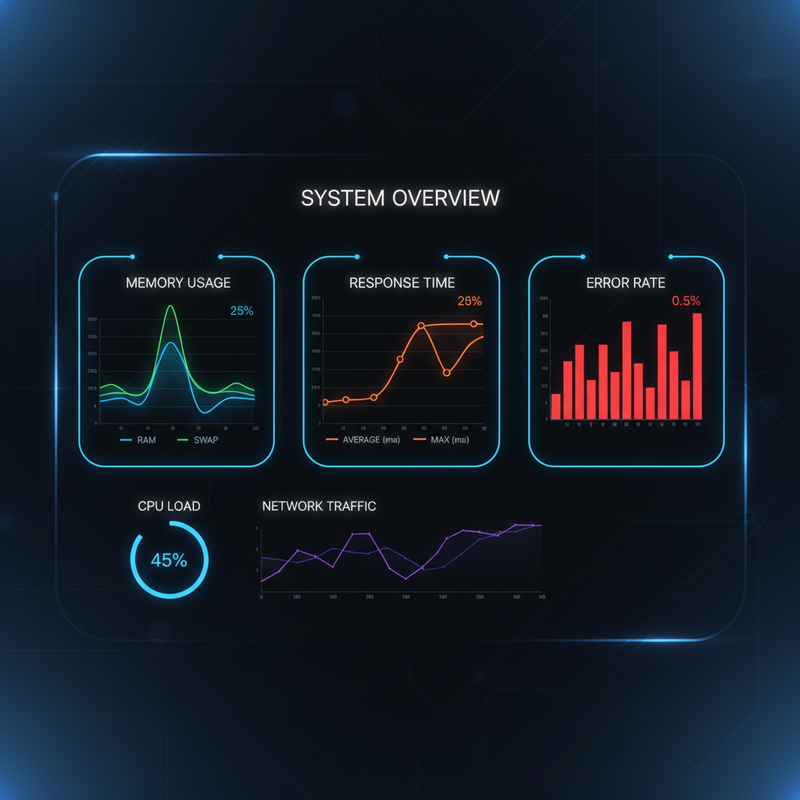
When you implement memory optimization, you ensure your agents remain responsive and cost-effective. OpenClaw memory directly impacts token usage and recall accuracy. Ignoring memory bloat leads to degraded performance over time. That’s why optimizing OpenClaw memory should be a priority for any production deployment.
🛠 How to Fix OpenClaw Memory
OpenClaw agents are powerful, but as conversations grow, memory bloat can slow them down, increase token costs, and cause context loss. If you’ve noticed your agents forgetting important details or responses becoming sluggish, it’s time to optimize your OpenClaw memory configuration.
In this guide, we’ll cover proven strategies to fix memory issues, including the QMD backend, LEARNINGS.md organization, heartbeat tuning, and system prompt audits. Understanding OpenClaw memory is essential for scaling efficiently. By the end, you’ll have a clear action plan to keep your OpenClaw agents running fast, efficient, and reliable.
How to Fix Your OpenClaw’s Memory
In this guide, we’ll cover proven strategies to fix memory issues, including the QMD backend, LEARNINGS.md organization, heartbeat tuning, and system prompt audits. By the end, you’ll have a clear action plan to keep your OpenClaw agents running fast, efficient, and reliable.
🛠 1. Enable the QMD Backend for Fast Retrieval
Ready to Deploy OpenClaw?
Book a free OpenClaw architecture review. We’ll help you design a production-ready agent system.
The default memory system can become slow with large logs. The QMD (Query Module for Documents) backend provides fast, indexed search across all memory files. It’s essential for scaling OpenClaw without performance degradation.
📊 Installation
QMD is typically installed as a skill or binary. Verify it’s available:
which qmd
If not found, install via ClawHub:
npx clawhub install qmd
📊 Configuration
Edit openclaw.json to set the memory backend:
"memory": {

  "backend": "qmd",

  "qmd": {

    "includeDefaultMemory": true

  }

}
Restart the gateway afterwards. All agents will now use QMD for memory storage and retrieval.
📊 Benefits
- Instant search across daily logs and MEMORY.md
- Semantic retrieval (not just keyword matching)
- Citations with source file references
- Scalable to millions of messages
- Reduces memory bloat significantly
🛠 2. Session Pruning and Cache TTL
Session pruning removes outdated tool output from the active context right before each LLM call, reducing token burn without altering on-disk history. This is crucial for long-running agents or those with tight context limits.
📊 Cache TTL Configuration
"agents": {

  "defaults": {

    "contextPruning": {

      "mode": "cache-ttl",

      "ttl": "4h",

      "keepLastAssistants": 3

    }

  }

}
📊 How It Works
- Mode:
"cache-ttl"aligns with Anthropic caching intervals - TTL: 4-hour window retains tool results for four hours before pruning
- keepLastAssistants: Preserves last 3 assistant messages for continuity
- Scope: Only
toolResultblocks are trimmed; user/assistant messages stay intact - Images: Tool results containing images are never pruned
This setting can cut token usage by 30-50% in busy agents, directly improving performance and reducing costs.
🛠 3. Organize Rules in LEARNINGS.md
Your system prompts and agent rules should live in a dedicated LEARNINGS.md file rather than buried in MEMORY.md. This separation keeps operational knowledge discoverable and reduces context crowding.
Include:
- SSH WP-CLI permission fixes
- Provider configuration pitfalls
- Model fallback strategies
- Agent-specific quirks and workarounds
Reference LEARNINGS.md from AGENTS.md so every agent reads it on boot. This ensures critical procedures are always in context.
🛠 4. Heartbeat Tuning for Efficiency
Heartbeats are periodic checks that keep agents responsive. Optimizing them reduces unnecessary LLM calls and token burn.
📊 Use lightContext and Cheap Models
Configure heartbeat to use a lightweight model and minimal context:
"heartbeat": {

  "model": "openrouter/minimax/minimax-m2.1",

  "maxTokens": 500,

  "lightContext": true

}
📊 Active Hours Only
Schedule heartbeats to run only during your working hours (e.g., 8 AM to 10 PM) to avoid nighttime token waste.
These tweaks can reduce heartbeat token consumption by over 80% while maintaining agent availability.
🛠 5. System Prompt Audit and Cleanup
Your system prompt files (AGENTS.md, SOUL.md, USER.md) should be concise and free of redundancy. Each file has a single responsibility:
- AGENTS.md: Workspace procedures and memory hygiene
- SOUL.md: Agent identity and persona
- USER.md: User preferences and communication style
- MEMORY.md: Curated long-term knowledge (not a dump)
- LEARNINGS.md: Operational lessons and fixes
Remove duplicated content, outdated notes, and excessive verbosity. A leaner system prompt reduces token usage and improves response quality.
🛠 6. Additional Optimizations
📊 Memory Flush Configuration
Ensure memory.flush.softThreshold is set appropriately (default 4000 tokens) to trigger compaction before context overflows.
📊 Model Selection
Use efficient models for routine tasks (e.g., openrouter/stepfun/step-3.5-flash:free) and reserve powerful models for complex reasoning. This balances cost and performance.
📊 Session Archiving
Set up cron to archive old sessions to disk, keeping only recent conversations in the active database:
0 2 * * * openclaw memory-optimize --all --keep 30d
🛠 Conclusion
Fixing your OpenClaw memory doesn’t require a complete overhaul—just targeted adjustments: enable QMD, configure session pruning, centralize rules in LEARNINGS.md, tune heartbeats, and audit system prompts. These changes will make your agents faster, cheaper to run, and more reliable.
Start with the QMD backend and session pruning; those deliver the biggest impact. Then gradually implement the other optimizations. Monitor token usage and response times to measure improvement.
If you need help with any of these steps, consult the OpenClaw documentation or reach out to the community. Your agents—and your wallet—will thank you.
Need a production-ready OpenClaw setup? Visit OpenClaw Skills Marketplace for pre-configured skills and automation solutions, or learn about AI Automation ROI for SMBs to maximize your investment.
Remember: Memory optimization is not a one-time task. As agents accumulate more interactions, memory usage will grow. Regular maintenance—through QMD indexing and session pruning—keeps performance consistent.
🔧 Advanced Memory Management
Once you’ve implemented the basic optimizations, you can fine-tune your OpenClaw deployment for higher scales and more demanding workloads. Advanced memory management involves proactive monitoring, aggressive pruning strategies, and architectural adjustments.
📊 Memory Monitoring and Alerting
Set up dashboards that track agent memory metrics in real time. OpenClaw exposes internal counters for memory usage, context window consumption, and pruning events. Integrate these with alerting systems (Grafana, Datadog) to notify you when thresholds are exceeded. Early detection prevents performance degradation before users notice. Consider logging memory snapshots at regular intervals to identify patterns during peak load.
⚙️ Aggressive Session Pruning
The default cache TTL of 4 hours may be too conservative for high-traffic agents. You can lower the TTL to 1 hour or even 30 minutes to keep active context lean. Combine this with `keepLastAssistants=1` to retain only the latest assistant turn for continuity. Test thoroughly: aggressive pruning can cut off useful memory if conversation spans longer than the TTL, so adjust based on typical conversation length. For support agents that handle multi-turn troubleshooting, a 2-hour TTL often hits the sweet spot.
📈 Scalability and Sharding
For enterprise deployments, consider sharding your agents across multiple processes or machines to distribute memory pressure. OpenClaw supports clustering via Redis or NATS backends, allowing sessions to be sticky to the least-loaded node. This approach prevents a single process from accumulating massive shared memory. Pair sharding with a global QMD index so that all nodes can search the same knowledge base without duplication. Monitoring cluster-wide memory totals is essential—use centralized metrics aggregation.
🛠️ Custom Context Compression
Some providers enable prompt caching, which reduces effective token costs for frequently used instructions. Structure your system prompts to maximize cache reuse: place static instructions at the top, keep dynamic data lower. Additionally, you can compress large tool outputs by summarizing them before injection. Use a small model or even heuristic trimming (e.g., keep only the last 10 tool results). This trade-off retains essential information while freeing space for user messages.
Adopting these advanced techniques results in robust, high-performance OpenClaw installations capable of handling thousands of concurrent sessions with predictable memory footprints. Remember to load-test any configuration changes before rolling out to production.
📚 Further Resources
To deepen your understanding, explore these external resources and expand your automation toolkit. When implementing OpenClaw memory, referencing official documentation ensures best practices.
- n8n Documentation – Comprehensive guides for building workflows and custom nodes.
- Make Help Center – Learn scenario-based automation and integration patterns.
- Zapier Learning Center – Tutorials, webinars, and best practices for business automation.
- OpenClaw Documentation – Official docs for agent deployment, skills, and configuration.
- OpenClaw GitHub Repository – Source code, issue tracker, and community contributions.
These resources provide in-depth knowledge complementary to this guide. By referencing official documentation, you ensure your implementations follow the latest security and performance guidelines. Managing OpenClaw memory effectively often involves consulting these external sources for advanced optimization techniques.
✅ Conclusion: Optimize Your Memory Configuration
Fixing your OpenClaw memory is about targeted adjustments: enable QMD, configure session pruning, centralize rules in LEARNINGS.md, tune heartbeats, and audit system prompts. These changes make your agents faster, cheaper, and more reliable. Start with QMD and session pruning—they deliver the biggest impact.
Ready to Deploy OpenClaw?
Book a free OpenClaw architecture review. We’ll help you design a production-ready agent system.
📌 Also read: SMB Back Office Automation | n8n AI Automation | GHL Automation Workflows